
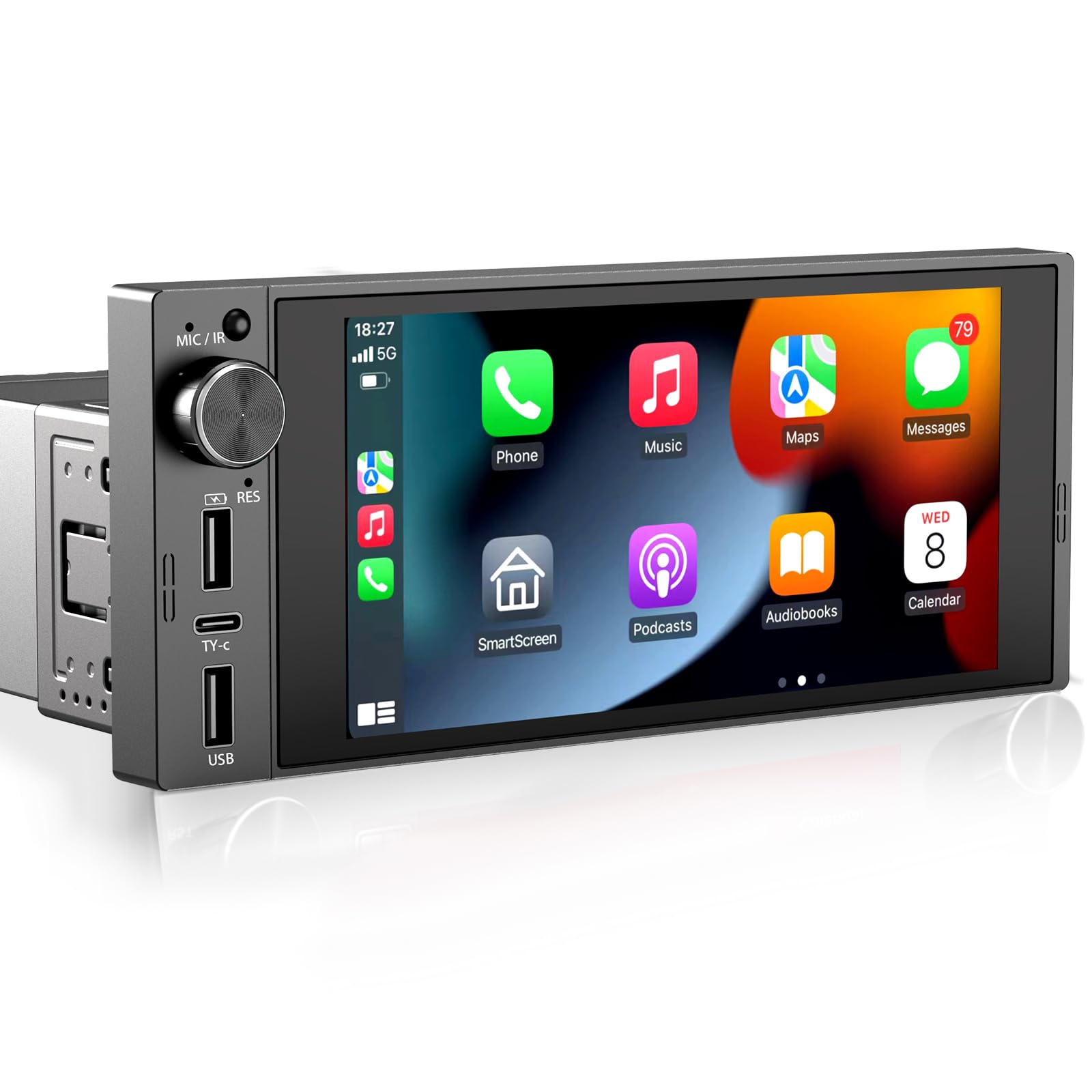
Single din car stereos are compact head units offering core audio, Bluetooth, and easy installs.
I have spent years installing and testing car audio gear, and I know single din car stereos inside out. This guide explains what they are, how to pick one, how to install it, and how to get the most sound and features from a compact head unit. Read on for practical tips, real-world examples, and clear advice so you make a confident choice for your dash upgrade.

What is a single DIN car stereo?
A single din car stereo is a standard, compact head unit that fits a 2-inch tall slot in a car dash. These units offer basic to advanced audio features while keeping a small footprint. Single din car stereos often include AM/FM, Bluetooth, USB, and sometimes a small display or detachable faceplate. They are the most common aftermarket option for cars with limited dash space.
Key features to look for in single din car stereos
Choose features that match your needs. Look for reliable connectivity, good audio outputs, and simple controls.
- Bluetooth hands-free calling and audio streaming. This makes the drive safer and more modern.
- USB and AUX inputs for wired playback and fast charging.
- RCA pre-outs for adding amplifiers and subwoofers if you plan to expand.
- Built-in EQ, time alignment, and simple DSP options for tuning sound.
- Steering wheel control compatibility and support for vehicle-specific adapters.
- Backup camera input if you want to add a reverse camera later.
- High RMS power ratings and stable preamp voltage for cleaner sound.
Two quick Q&A-style clarifications many users ask: What about replacement displays? Some single din car stereos have flip-out or small pop-up screens for navigation and video, which keeps the single din profile. Can I get Apple CarPlay or Android Auto? Yes, some single din car stereos support wired or wireless CarPlay/Android Auto, but check the model before buying.
Benefits and limitations
Single din car stereos fit many cars and offer easy upgrades. They give room to add amps and subs later. The small size keeps factory dash looks neat.
- Benefits
- Fits tight dashboards and older vehicles.
- Often cheaper than double din options.
- Easier to hide theft-deterrent features like detachable faceplates.
- Limitations
- Smaller displays or no display for maps and video.
- Less room for advanced built-in navigation or touchscreens.
- Limited front panel controls compared to double din units.
I’ve swapped dozens of factory radios for single din car stereos. They solved fit problems and gave great Bluetooth audio without cutting plastic.
Buying guide: how to choose the right single din car stereo
Match the stereo to your car, budget, and audio goals. Follow these steps.
- Check dash size and mounting kit needs. Confirm a single din slot or plan for a dash adapter.
- List must-have features like Bluetooth, CarPlay, Android Auto, or tape-to-USB conversion.
- Inspect output options: number of RCA pre-outs and subwoofer control affect future upgrades.
- Consider user interface: physical buttons are easier while driving.
- Read specs for RMS power per channel and signal-to-noise ratio for sound clarity.
- Verify compatibility with steering wheel controls and vehicle-specific integration harnesses.
Price matters, but value is key. Spending a bit more on a reputable brand often gives better connectivity and longer firmware support. I once bought a cheap unit that lost Bluetooth stability after a few months; opt for models with solid reviews and firmware updates to avoid regrets.
Installation and compatibility basics
Most installs are straightforward but need patience. You can do many installs yourself with the right tools.
- Gather tools: trim tools, wire crimpers, multimeter, and harness adapter.
- Use an ISO wiring harness to avoid cutting factory wires.
- Tap into constant and switched power wires correctly to preserve memory settings.
- Secure ground to a clean metal point for noise-free sound.
- Test all functions before reassembling the dash.
If your car has factory amplifiers or unique connectors, you may need a line-output converter. When in doubt, consult a vehicle-specific wiring guide or a professional installer. From my experience, the most common mistake is mismatching the harness pins; double-check colors and pinouts.
Upgrading and adding features to single din car stereos
Single din car stereos can be the hub for a full system. You can add component speakers, amps, DSP, and a subwoofer.
- Add an amplifier using RCA pre-outs for cleaner, louder sound.
- Use a DSP or equalizer to tune frequencies and fix cabin acoustics.
- Install a powered subwoofer or external amp for deeper bass.
- Connect a backup camera to the dedicated input or via an adapter.
- Use steering wheel control adapters for seamless in-car operation.
A small single din head unit plus a compact amp and sub often beats a stock double din solution in sound quality. I once rebuilt a hatchback audio system around a simple single din unit and an amp; the clarity and bass control were noticeably better.
Troubleshooting common issues
Basic troubleshooting can save time and money. These steps fix most problems.
- No power: check fuses, key position, and harness connections.
- No sound: verify speaker wires, amplifier turn-on lead, and mute settings.
- Bluetooth drops: update firmware, clear paired devices, and reset network settings.
- Ground loop hum: ensure a solid ground and isolate RCA cables from power lines.
- Display or camera not working: check video input wiring and format compatibility.
If problems persist, consult product manuals and community forums. Be ready to swap head units temporarily to isolate the issue.
Real-life examples and personal lessons
I’ve installed single din car stereos in compact cars, trucks, and vintage builds. Here are a few lessons I learned.
- Start simple. Add amps and DSP later once you know what the speakers need.
- Keep factory aesthetics. A well-chosen single din maintains resale value.
- Prioritize stable Bluetooth and firmware updates over flashy features.
- Test sound at low and high volumes to catch distortion early.
One memorable project was a classic car where a single din car stereo preserved the dash while adding modern Bluetooth and a clean soundstage. The owner loved the modern usability without losing the vintage look.
Related concepts and upgrades to consider
When shopping, understand related terms and options that affect your choice.
- Double din: larger head units with big touchscreens. Consider if you need full-screen navigation.
- DSP: digital signal processing for precise tuning.
- ISO harness: standard wiring interface for easier installs.
- RCA pre-outs: needed to add external amps and subs.
- RMS vs. peak power: RMS is the realistic power rating for continuous use.
Knowing these terms helps you pick the right single din car stereos and plan future upgrades.
Practical checklist before buying
Use this checklist to avoid common buying mistakes.
- Confirm fitment for your vehicle.
- List essential features and optional add-ons.
- Check how many RCA pre-outs you need.
- Verify steering wheel control compatibility.
- Read recent user reviews for reliability.
- Budget for a dash kit and harness if needed.
A little prep saves installation headaches and extra trips to the store.
Frequently Asked Questions of single din car stereos
What is the main difference between single din and double din stereos?
Single din stereos are smaller and fit a 2-inch tall slot. Double din stereos are larger and usually include full-size touchscreens and more features.
Can I get Apple CarPlay or Android Auto on a single din stereo?
Yes, some single din car stereos support wired or wireless Apple CarPlay and Android Auto. Verify the model supports the feature before buying.
Will a single din stereo work with steering wheel controls?
Many single din car stereos support steering wheel controls via adapters. You may need a vehicle-specific interface or harness.
Are single din stereos easy to install myself?
Yes, installation is often straightforward with an ISO harness and basic tools. Complex cars with factory amps may require professional help.
Can I add an amplifier to a single din stereo?
Absolutely. Use the RCA pre-outs to connect an external amplifier for better power and sound quality.
Conclusion
Single din car stereos offer a compact, flexible way to modernize your vehicle audio without big dash changes. They fit tight spaces, support Bluetooth and USB, and provide clean upgrade paths with RCA outputs and steering wheel control options. Start by matching features to your needs, use quality harnesses, and plan for future amps or DSP if sound quality matters. Take action: measure your dash, list must-haves, and shop for a reliable single din car stereo that fits your budget and goals. Share your install story or ask a question below to get tailored advice.