
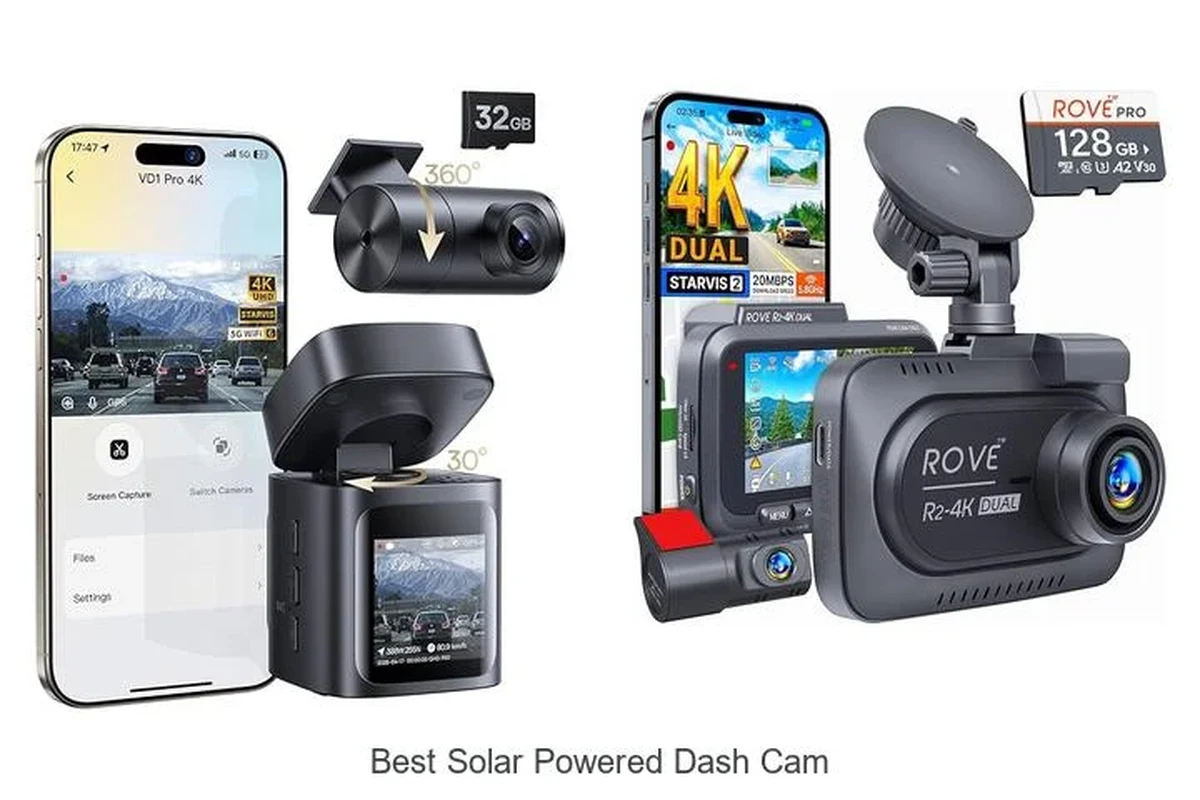
A solar powered dash cam is usually best as a solar-assisted setup, not a fully solar-only recorder. It makes the most sense for drivers who park outside and want lower-maintenance parking protection.
A solar powered dash cam can be a smart fit if you want parking protection with less dependence on your car’s battery, but it usually works best as a solar-assisted system rather than a truly self-sustaining one. In 2026, the right choice depends on how you park, how much sun your windshield gets, and whether you need reliable parking mode more than a simple front-facing recorder.
- Solar is usually supplemental: Most models still need hardwiring or a battery pack for dependable parking mode.
- Best for outdoor parking: Drivers who park in sunlight often tend to benefit most.
- Video quality still matters: Night vision, motion detection, and storage support are just as important as solar charging.
- Setup affects performance: Mounting angle, shade, tint, and heat can all change real-world results.
Solar Powered Dash Cam: What It Is and Whether It’s Worth Buying in 2026

A solar powered dash cam uses a built-in or attached solar panel to help supply power, recharge an internal battery, or extend standby time. In practice, that usually means the solar panel reduces the load on your vehicle’s electrical system, but it does not always replace hardwiring or a dedicated battery pack.
Quick answer: who it’s best for and who should skip it
This setup is best for drivers who park outdoors often, want extra peace of mind when the car is unattended, and prefer a lower-maintenance option. It is less appealing for garage parkers, drivers in very cloudy or shaded environments, and anyone expecting the solar panel alone to run parking mode all day and night.
How solar charging works in a dash cam setup
There are a few ways solar can be used. Some dash cams have a small panel that helps trickle-charge an internal battery or supercapacitor. Others pair with a separate solar panel and a battery pack, while many “solar powered” setups still rely on hardwiring for stable parking mode and use solar only to help offset drain.
If you are comparing power options, it can help to read a broader guide like how a dash cam works when the car is off and how to prevent a dash cam from draining the battery. Those topics matter because solar often changes the power balance, but not the basics of safe electrical setup.
Top Reasons Drivers Choose a Solar Powered Dash Cam
The appeal is simple: drivers want recording protection without worrying as much about battery drain, complicated wiring, or constant charging. For many owners, that convenience matters as much as the camera itself.
Parking surveillance and battery-friendly protection
Parking mode is one of the biggest reasons to buy a solar powered dash cam. When the vehicle is off, the camera can continue monitoring for motion or impacts without drawing as heavily from the car battery. That is especially useful for street parking, apartment lots, and work vehicles that sit unattended for long stretches.
Low-maintenance appeal for commuters, rideshare drivers, and parked-outside vehicles
Commuters often want something that works in the background without constant attention. Rideshare drivers and delivery drivers may also like the idea of less battery stress during long shifts and repeated stops. If you are shopping for a more work-focused setup, you may also want to compare options in best dash cam for Uber or best dash cam for fleet vehicles.
Real-world benefits: convenience, continuous monitoring, and reduced drain concerns
The real value is not just “free power.” It is convenience. A good solar-assisted setup can reduce the number of times you need to think about charging, unplugging, or checking whether the dash cam is still active. For drivers who park outside in 2026, that simplicity can be worth more than a small difference in specs.
Most dash cams still need a stable power source for dependable parking mode, even if they include solar assistance.
Key Features to Compare Before You Buy
Not every solar powered dash cam is built the same. The best choice depends on how much sunlight your car actually gets, how much video quality you need, and whether the system can protect footage after an incident.
Solar panel quality and charging expectations
Check whether the solar panel is built into the camera, mounted separately, or included only as a support accessory. Bigger panels do not automatically mean better performance; placement, angle, and heat tolerance matter too. Be careful with marketing that implies the dash cam will run forever on sunlight alone.
Video resolution, night vision, and wide-angle coverage
A solar feature is only useful if the camera captures usable footage. Look at resolution, low-light performance, and field of view together. A wide-angle lens can help capture more of the road and surroundings, but extremely wide lenses may distort edges or make distant plates harder to read.
Parking mode, motion detection, and impact sensing
Parking mode is the core use case for many buyers. Motion detection can wake the camera when someone approaches, while impact sensing can protect footage after a bump or collision. The best systems let you adjust sensitivity so the camera does not trigger constantly from passing traffic or wind.
Storage support, loop recording, and file protection
Loop recording keeps the camera from stopping when storage fills up, while file protection helps preserve important clips. If the camera uses microSD cards, make sure it supports the card capacity you plan to use and that it can manage high-endurance cards well. For more on storage habits, see how to format an SD card for a dash cam.
App connectivity, GPS, and voice control
App support can make it easier to review clips, change settings, and update firmware. GPS can add speed and location data to recordings, which may help with incident context. Voice control is not essential, but it can be useful if you want to keep your hands on the wheel while adjusting basic functions.
How to Choose the Right Solar Powered Dash Cam for Your Vehicle
The right model depends less on the word “solar” and more on how you use your vehicle. A daily commuter, a weekend car, and a work van all need different levels of durability, power support, and parking protection.
Daily driver vs. weekend car vs. fleet vehicle use cases
Daily drivers usually benefit most from dependable parking mode and easy app access. Weekend cars may need long standby time and low parasitic drain because they sit unused for days or weeks. Fleet vehicles and service vans often need stronger event capture, simple operation, and easy footage retrieval.
Good fit if you park outside and want steady protection with less battery worry.
Useful if the car spends time in public lots and you want incident recording while parked.
Worth considering only if the solar feature does not force you to overspend on features you will not use.
Climate, windshield exposure, and parking habits
Sunlight matters more than many shoppers expect. A car parked under trees, in a garage, or in a shaded lot may not get enough direct exposure for solar assist to do much. Heat also matters, because a camera mounted near the windshield can face harsh summer temperatures even when the solar panel is working.
If you live in a hot region, a camera designed for heat resistance may matter more than a solar label. That is why many buyers compare this category with region-specific options such as dash cams for Texas heat or dash cams for Florida heat.
Budget considerations: entry-level, midrange, and premium options
Entry-level models may offer basic recording and modest solar support, but they can be limited in app quality or parking mode flexibility. Midrange options often balance better video quality with more dependable power management. Premium systems may add stronger sensors, better low-light performance, and more refined software, but you should confirm that the extra cost actually improves your use case.
New vs. used considerations and warranty value
For electronics, warranty support can matter a lot. A new camera may be worth the extra cost if you want easier returns, firmware updates, and clearer support. Used units can save money, but you should be cautious about unknown battery wear, missing accessories, and older firmware. Always verify the seller’s return policy and compare it with the manufacturer’s warranty terms before buying.
Availability, bundled accessories, and software support can vary by retailer, region, and model year. Confirm details with the seller or manufacturer before you buy.
Setup Guide: Installing and Using a Solar Powered Dash Cam Safely
Good setup matters as much as product choice. Even a strong camera can underperform if the panel is shaded, the mount is angled poorly, or the power source is mismatched to the parking mode settings.
Mounting location and angle for best sunlight and recording coverage
Place the camera where it has a clear view of the road and, if possible, some access to direct light. The windshield area near the rearview mirror is common, but the best spot depends on your vehicle shape and local laws. Make sure the lens is level and unobstructed by tint bands, stickers, or mirror housings.
Power setup basics: solar assist, hardwiring, and battery packs
Many systems work best with a combination of solar assist and another power source. Hardwiring can provide reliable parking mode, while a battery pack can reduce strain on the vehicle battery. If you are comparing that approach, our guides on the dash cam battery pack and how to hardwire a dash cam for parking mode can help you understand the trade-offs.
- Confirm whether the camera supports parking mode without draining the car battery too aggressively.
- Use a high-endurance memory card designed for constant video writing.
- Keep firmware updated so app features and power settings stay reliable.
- Test the angle and exposure after installation before relying on it long term.
First-time configuration checklist
Set date and time correctly, choose the right resolution, adjust parking sensitivity, and confirm loop recording is enabled. If the camera offers app pairing, update the firmware before assuming the system is ready. A few minutes of setup can prevent later problems with missing footage or false alerts.
Common setup mistakes that reduce performance
One common mistake is assuming the solar panel can overcome bad placement. Another is using a low-quality memory card that fails under constant recording. Drivers also sometimes leave overly sensitive motion detection on, which can fill storage quickly and make parking mode less useful.
- Mount the camera where it has a clear road view and the best possible light exposure.
- Use the correct power method for your parking needs.
- Check settings after the first few drives.
- Assuming solar alone will fully power all parking features.
- Ignoring memory card quality or firmware updates.
- Blocking the panel with tint, accessories, or dirty glass.
Limitations, Trade-Offs, and Evidence Gaps to Keep in Mind
Solar powered dash cams sound simple, but the real-world picture is more complicated. The biggest limitation is that solar output is variable, and many product claims do not clearly explain how much power the panel actually adds under normal driving and parking conditions.
Why solar may supplement rather than fully power the system
Dash cams need steady, predictable power, especially when parking mode is active. A small solar panel may help extend standby time or reduce battery draw, but it is usually not enough to guarantee continuous operation on its own. That is why many buyers still choose a battery pack or hardwire kit as the primary power source.
Weather, tint, shade, and seasonal performance limits
Cloud cover, winter sun angles, tree shade, and tinted glass can all reduce charging performance. Even a well-positioned panel may underperform if the vehicle is parked in a garage most of the day. Hot weather can also stress electronics, so solar support should not be confused with heat resistance.
What marketing claims to verify before purchase
Before buying, verify whether the product is truly solar-assisted, whether the panel is included, and whether the system can support parking mode without stressing the vehicle battery. Also check warranty terms, memory card requirements, and whether the app or firmware is still actively supported. If a listing sounds too good to be true, read the fine print carefully.
Do not rely on marketing language alone. Confirm the power method, installation requirements, and parking-mode behavior with the manufacturer or seller before finalizing a purchase.
Care, Cleaning, and Troubleshooting for Long-Term Reliability
A dash cam is only useful if it keeps recording when you need it. Regular care helps preserve image quality, solar performance, and storage reliability.
Cleaning the lens, housing, and solar surface safely
Use a soft microfiber cloth and a gentle cleaner approved for electronics or glass. Avoid harsh chemicals, paper towels, or abrasive pads that can scratch the lens or panel. Clean the windshield around the mount too, since grime and haze can reduce both recording clarity and solar exposure.
Maintaining memory cards, firmware, and battery health
Memory cards wear out because dash cams constantly overwrite files. Reformat the card periodically using the camera’s menu or the manufacturer’s instructions, and replace cards that become unreliable. Keep firmware updated when the maker provides stable updates, and follow the product’s guidance on battery storage or long-term parking.
Troubleshooting weak charging, overheating, and recording failures
If charging seems weak, check for shade, dirty glass, loose wiring, and incorrect angle. If the device overheats, move it if possible and confirm it is rated for the climate where you live. If recording fails, inspect the card, confirm loop recording is on, and look for warning lights or app alerts that indicate a storage or power issue.
- Confirm whether the solar feature is built in or accessory-based.
- Check parking mode support and power requirements.
- Verify memory card compatibility and warranty coverage.
- Review app support, firmware updates, and return policy.
Final Recommendation: Is a Solar Powered Dash Cam a Smart Buy for You?
A solar powered dash cam makes the most sense for drivers who park outdoors often, want extra parking surveillance, and value lower-maintenance operation. It is less compelling if your car lives in shade, your parking needs are minimal, or you expect solar to replace a proper power setup.
Best-fit buyer summary
Choose this category if your top priorities are convenience, standby protection, and reduced worry about battery drain. If you need dependable parking mode in all conditions, look for a model that pairs solar assist with a battery pack or hardwire support rather than relying on sunlight alone.
Transparent verdict based on value, safety, and convenience
In 2026, a solar powered dash cam is a smart buy when you understand its limits and buy for the power system, not just the panel. The best value comes from a balanced setup: strong video quality, dependable parking mode, and a charging plan that fits how and where you actually park.
Common Questions
Yes, if you park outside often and want easier parking protection. It is less useful if your vehicle stays in shade or a garage most of the time.
Usually not by itself. Most systems use solar to supplement another power source.
Check parking mode, video quality, storage support, and whether the solar panel is built in or optional.
Often yes, if you want reliable parking mode. Solar alone may not provide stable power in all conditions.
Keep the lens and panel clean, use a high-endurance memory card, and update firmware when available.
Frequently Asked Questions
Usually not. Most models use solar as a support feature and still rely on hardwiring, a battery pack, or vehicle power for dependable recording.
Drivers who park outside often, want parking surveillance, and prefer less battery drain concerns usually get the most value.
Look at solar support type, parking mode, night vision, motion and impact detection, storage support, and app or GPS features.
Yes. Shade, garage parking, tinted glass, and seasonal sunlight changes can reduce how much power the panel can contribute.
Clean the lens and panel carefully, update firmware when available, and use a high-endurance memory card that matches the camera’s recording demands.
Confirm the power setup, warranty, memory card compatibility, parking mode behavior, and whether the solar panel is included or only optional.