
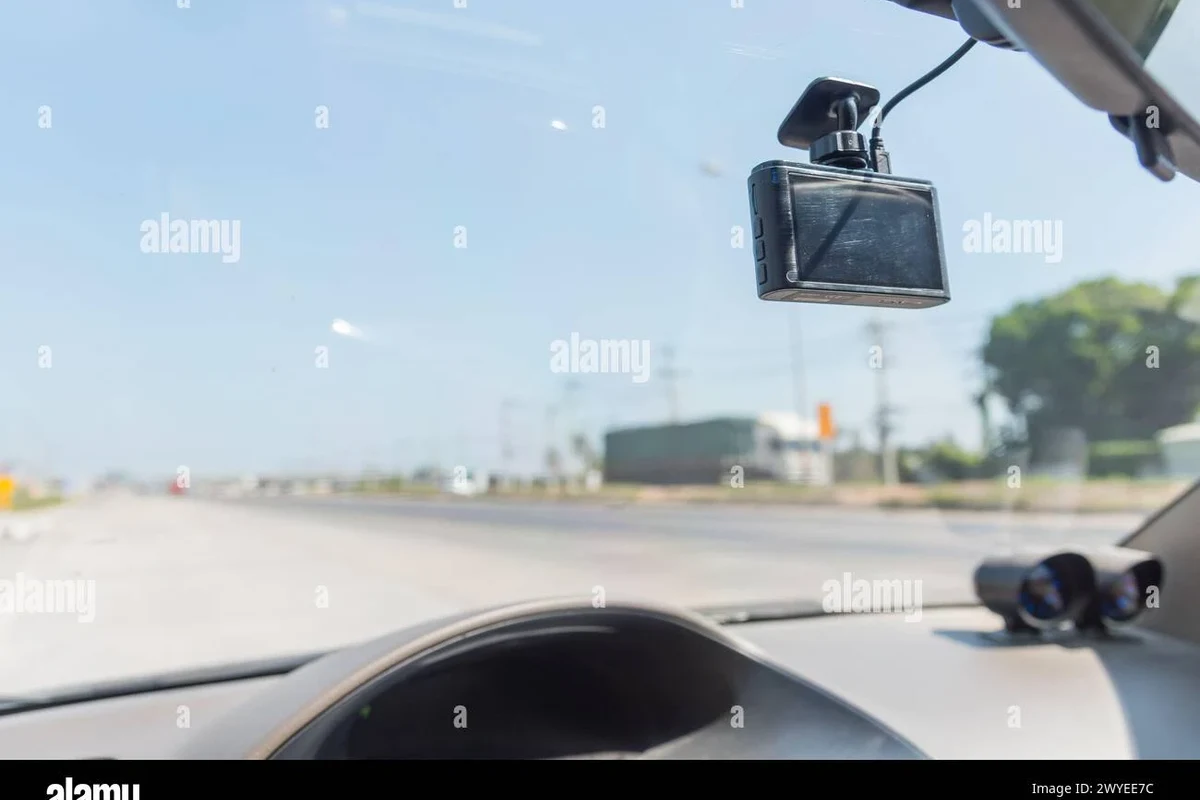
A dash cam usually costs about $50 to $300+ depending on video quality, camera count, and features. The real total can be higher once you add a memory card, hardwire kit, or installation.
If you are asking how much is a dash cam, the short answer is that prices usually range from about $50 for basic models to $300 or more for feature-rich systems in 2026. The right budget depends on whether you want simple accident recording, parking surveillance, or a front-and-rear setup with app features.
- Budget range: Basic dash cams are usually the cheapest, but they may lack strong night performance.
- Mid-range sweet spot: Many drivers get the best mix of value, reliability, and useful features here.
- Hidden costs: Memory cards, hardwire kits, cloud subscriptions, and installation can raise the total.
- Use case matters: Commuters, families, and rideshare drivers often need different coverage levels.
How Much Is a Dash Cam? Quick Answer and Price Ranges for 2026

Most drivers can expect three broad price tiers. Budget dash cams usually cover the essentials, mid-range models add better video and convenience features, and premium systems often include higher-resolution video, dual cameras, GPS, cloud tools, and stronger parking-mode support.
In practical terms, the real cost is not just the camera itself. You may also need a high-endurance memory card, a hardwire kit, or professional installation if you want parking mode or a cleaner setup.
What a Dash Cam Is and Who It’s Best For
A dash cam is a small in-car camera that records the road ahead, and sometimes the cabin or rear window too. Many buyers choose one for peace of mind, dispute protection, and documentation after an incident.
For shoppers comparing vehicle ownership costs, a dash cam is usually a modest add-on that can become very useful if you drive often or park in busy areas.
Daily commuters, rideshare drivers, families, and road-trip drivers
Commuters often want a simple front-facing camera that records incidents on the way to work. Rideshare drivers may prefer front-and-rear coverage, while families and road-trip drivers often value accident documentation, parking protection, and proof in traffic disputes.
If your car spends a lot of time on the road, a dash cam can be more useful than a once-in-a-while accessory. If you only drive short local trips in low-traffic areas, a lower-cost model may be enough.
When a dash cam is worth the investment
A dash cam is usually worth considering if you want evidence after a crash, if you park in public lots, or if your driving routine includes long commutes. It can also be helpful if you manage a business vehicle, drive for a delivery platform, or share a car with teen drivers.
Many dash cams are priced low enough that the memory card and installation accessories can represent a noticeable share of the total cost.
What Affects Dash Cam Price the Most
Several factors drive the price up or down, and the biggest one is usually video quality. After that, the cost depends on how many cameras you want, how the camera handles low light, and whether you need connected features or parking surveillance.
Video quality, lens setup, and night performance
Higher-resolution cameras tend to cost more because they need better sensors and processing. Wide-angle lenses, clearer night performance, and sharper plate capture can also increase the price, especially in models designed for low-light streets or highway driving.
Single-channel dash cams are typically cheaper than front-and-rear systems or three-channel setups that add an interior camera. If you drive mostly in daylight and only need basic documentation, you may not need the most advanced video hardware.
GPS, Wi-Fi, cloud storage, and app features
GPS can add speed and location data to your recordings, which may help with incident context. Wi-Fi and companion apps make it easier to review clips on a phone, while cloud storage can send alerts or back up footage automatically, usually for an ongoing subscription or service fee.
These features are convenient, but not every driver needs them. If you are mainly looking for affordable evidence after a crash, local storage may be enough.
Parking mode, battery protection, and hardwire kits
Parking mode can record when the vehicle is off, but it often requires a hardwire kit or a dedicated power source. That adds to the total cost and may increase installation complexity.
If you want to learn more about off-vehicle recording, see how a dash cam works when the car is off. If you are planning that kind of setup, it also helps to understand how to hardwire a dash cam for parking mode.
Brand reputation, warranty, and installation complexity
Well-known brands often cost more because of stronger support, better app development, and more consistent firmware updates. Warranty coverage can also affect the sticker price, especially if the camera includes a battery, screen, or rear module.
When comparing prices, include the memory card, mounting method, and any installation help so you are judging the real total cost, not just the camera box price.
How to Choose the Right Dash Cam for Your Budget
The best dash cam is the one that matches your driving habits, not the one with the most features. Start by deciding whether you need simple incident recording, parking coverage, or a more advanced system for frequent driving.
Budget models vs mid-range vs premium systems
Budget models usually cover front-facing recording and basic loop recording. Mid-range options often improve video quality, add GPS or Wi-Fi, and may support better app control. Premium systems can add dual or triple cameras, stronger sensors, cloud features, and more polished parking-mode tools.
| Option | Best For | Key Consideration |
|---|---|---|
| Budget | Occasional drivers and first-time buyers | May lack advanced night performance or parking mode |
| Mid-range | Commuters and family vehicles | Often the best balance of features and cost |
| Premium | High-mileage drivers and parking-focused buyers | Higher total cost, especially with accessories or subscriptions |
What features matter most for your driving habits
Commuters may care most about reliable loop recording and decent night footage. Families may prefer a rear camera for parking lots and rear-end incidents. Rideshare or commercial drivers may need cabin coverage, better audio, and simple file management.
A mid-range front camera is often enough if you want dependable evidence without extra complexity.
Front-and-rear coverage can be worth it if you regularly transport kids, park in crowded lots, or share the vehicle.
A simpler model can make sense if you want a lower upfront cost and easy setup.
New vs used dash cams: what to know before buying
New dash cams are usually the safer choice because you get current firmware, a warranty, and a known battery or capacitor condition. Used units can be cheaper, but they may come with worn mounts, missing accessories, outdated software, or storage problems.
If you buy used, confirm the camera powers on correctly, records properly, and does not have a damaged mount, swollen battery, or unreliable memory slot.
For any used electronic accessory, ask about return policy and verify it works with the memory card type and app you plan to use. If the seller cannot confirm those basics, the lower price may not be worth the risk.
Financing, bundles, and hidden ownership costs
Dash cams are usually inexpensive enough that most buyers pay upfront, but bundles can change the total. A package may include a rear camera, hardwire kit, extra adhesive mounts, or a memory card, which can be useful if priced fairly.
Hidden ownership costs may include cloud subscriptions, replacement cards, or professional installation. If a retailer offers financing on a larger vehicle purchase, keep dash cam costs separate so you can judge them on their own value.
- Compare the total setup cost, not just the camera price.
- Check whether parking mode needs a hardwire kit or separate battery pack.
- Use a high-endurance memory card if the camera will record often.
- Confirm app compatibility before buying if phone access matters to you.
Real-World Benefits and Limitations of Owning a Dash Cam
A dash cam can be a smart ownership tool, but it is not a magic solution. It can document events clearly, yet it cannot prevent every dispute, stop every theft, or guarantee that footage will always be usable.
Accident evidence, insurance support, and theft deterrence
Clear footage can help explain what happened in a collision, especially in parking lots, lane-change disputes, or hit-and-run situations. Some drivers also find that a visible camera discourages casual vandalism or dishonest claims.
That said, insurance companies and law enforcement may still need additional evidence, witness statements, or official reports. A dash cam is best seen as one part of your documentation strategy, not the entire answer.
Common trade-offs: storage, heat, and false expectations
Dash cams record a lot of video, so storage management matters. If you want help estimating card needs, see how much storage a dash cam needs. If you are unsure how long clips remain available before they loop over, review how long dash cam footage lasts.
Heat is another real-world concern, especially in hot climates or cars that sit in the sun. Cheaper models may also struggle with glare, low-light scenes, or shaky mounting if the windshield surface is not prepared properly.
How to Set Up and Use a Dash Cam Safely
A good setup matters almost as much as the camera itself. Poor mounting, loose cables, or an undersized memory card can cause problems that make even a good dash cam frustrating to use.
Mounting, power options, and cable routing
Most dash cams mount near the top of the windshield to keep the camera’s view clear. Power usually comes from the 12V outlet, a hardwire kit, or a battery accessory, depending on how you want the system to behave when the car is parked.
If you want a cleaner install, you may also want guidance on hiding dash cam wires in the headliner. For drivers who prefer a simple power source, how to install a dash cam with a cigarette lighter is often the easiest starting point.
Place the camera where it does not block your view and where the windshield surface is clean and dry.
Keep wiring away from pedals, steering components, and anything that could interfere with driving.
Confirm the camera starts, records, and saves clips correctly before you depend on it.
Memory card setup, app pairing, and first-time checks
Use the memory card type and capacity recommended by the manufacturer, then format it in the camera before regular use. If you are new to setup, it may help to read how to format an SD card for a dash cam.
After that, pair the app if the model supports wireless access, set the date and time, and verify recording quality in daylight and at night if possible. These first checks can prevent a lot of frustration later.
Legal and privacy considerations while recording
Dash cam laws vary by state and country, especially for audio recording and windshield placement. Before installing one, check local rules so the camera does not interfere with visibility or violate recording laws.
Privacy also matters if you record passengers, rideshare riders, or parked areas. Make sure you understand when recording is appropriate and how footage is stored or shared.
Care, Cleaning, and Troubleshooting Tips
Dash cams are small devices, but they still need routine attention. A little maintenance can help them last longer and reduce the chance of corrupted clips or mounting failures.
Keeping the lens clear and the mount secure
Dust, fingerprints, and windshield haze can reduce image quality quickly. Clean the lens gently and check that the adhesive or suction mount still holds firmly, especially after hot weather or repeated temperature swings.
Recheck the camera angle after cleaning the windshield or after a hot spell, since heat can slowly shift some mounts out of position.
Preventing overheating, corrupted files, and card errors
Heat is one of the biggest reasons dash cams fail early. Parking in shade, using a capacitor-based model in hot climates, and following the manufacturer’s storage guidance can help.
If files become corrupted or the card starts failing, the solution is often to replace the memory card rather than blame the camera. High-endurance cards are usually better suited to constant rewriting than standard consumer cards.
Routine maintenance for long-term reliability
Check for firmware updates, format the card periodically if the manufacturer recommends it, and inspect cables for wear. If you use parking mode or a battery pack, review that setup from time to time to make sure it still functions correctly.
- Confirm whether you need front-only or front-and-rear coverage
- Check if parking mode requires hardwiring or a battery pack
- Make sure the memory card is high-endurance and compatible
- Review warranty, app support, and return policy
- Verify local recording and windshield-mount rules
Final Recommendation: How Much You Should Spend Based on Your Needs
For most drivers, the sweet spot is a mid-range dash cam that balances video quality, reliability, and ease of use. That range usually makes the most sense for commuters, families, and high-mileage drivers who want dependable evidence without paying for features they will not use.
Best value for commuters, families, and high-mileage drivers
Commuters often do well with a simple front-facing model that records clearly and stores clips reliably. Families and drivers who park in busy areas may benefit from a front-and-rear setup, especially if they want broader coverage for parking incidents or rear-end collisions.
High-mileage drivers should pay extra attention to build quality, heat resistance, and storage durability. If the dash cam will be used every day, spending a little more up front can be more practical than replacing a cheap unit later.
When to spend more for premium features
Spend more if you truly need parking mode, cloud alerts, better low-light performance, or cabin recording. Premium systems also make sense if you drive for work, manage a business vehicle, or want the cleanest possible install with fewer compromises.
If you are still deciding, start with your use case rather than the price tag. The right answer to how much is a dash cam is not the highest number you can afford—it is the amount that gives you the coverage, reliability, and convenience your driving routine actually needs.
Common Questions
A basic model can be enough if you only want front-facing incident recording. Look for reliable loop recording and acceptable night video.
Often, yes. High-endurance cards are usually better because dash cams overwrite footage frequently.
It can be, if you park in public places or want coverage while the car is off. It usually adds setup cost and complexity.
Not always. The best choice is the one that matches your driving habits and budget.
Many drivers can handle a basic plug-in setup. Hardwired installs are more involved and may be better left to a professional.
Frequently Asked Questions
Most dash cams cost about $50 to $300 or more, depending on features and camera setup. The total can increase once you add a memory card, hardwire kit, or installation.
Higher-resolution video, better night performance, GPS, Wi-Fi, cloud storage, and parking mode usually raise the price. Dual-camera and multi-camera systems also cost more.
Not always. You usually need one if you want parking mode or a cleaner install than a 12V outlet setup.
It can be, but only if the seller confirms it works properly and includes the needed accessories. New units are usually safer because they come with warranty coverage and fewer unknowns.
Common extras include a high-endurance memory card, a rear camera, a hardwire kit, or a subscription for cloud services. Installation may also add to the total.
Start with how you drive and park, then decide whether you need front-only or front-and-rear coverage. Most shoppers find the best value in the mid-range.