
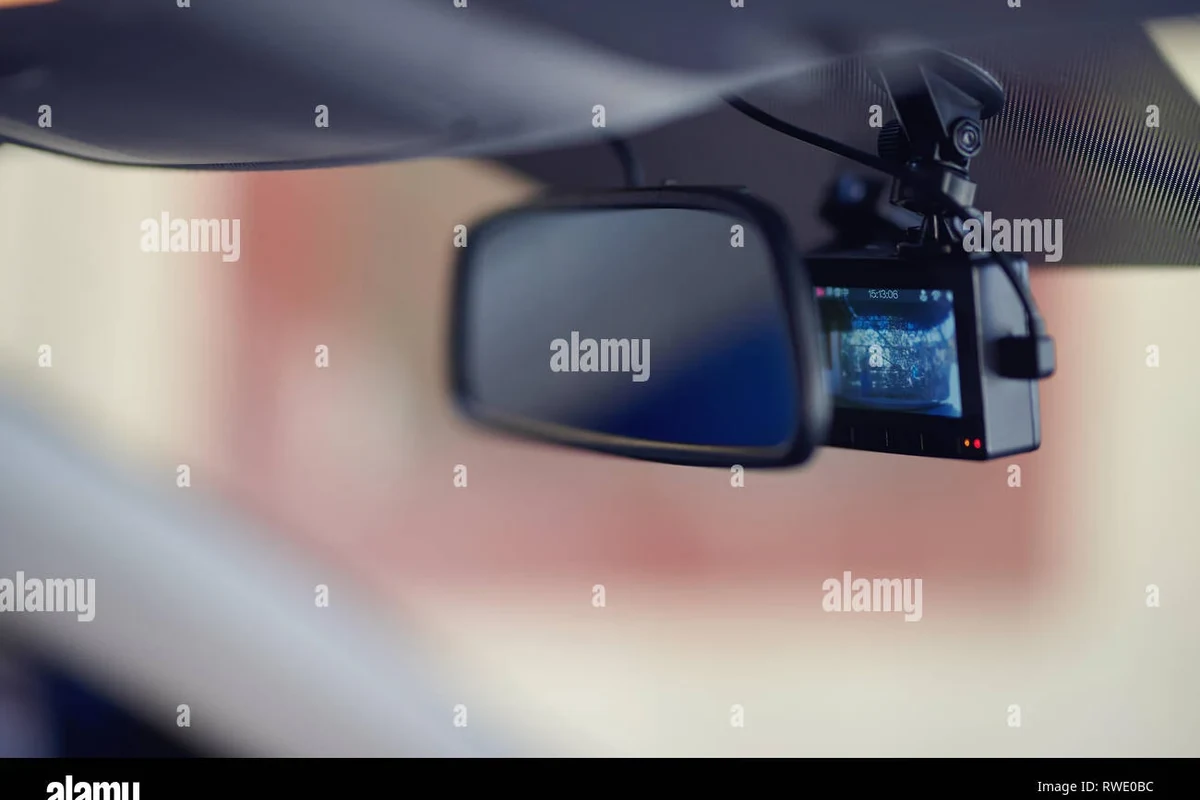
Dash cams record driving footage automatically, usually in short loops that overwrite old files when storage fills up. The best setup depends on video quality, parking mode, storage reliability, and safe installation.
Dash cams work by powering a small camera in your vehicle that continuously records the road, saves footage to a memory card, and can lock important clips when it detects a sudden impact or other event. In 2026, the best setup is usually one that balances video quality, parking coverage, storage, and safe installation for your daily driving needs.
- Core function: A dash cam records video through a lens, sensor, processor, and memory card.
- Most useful features: Loop recording, G-sensor protection, parking mode, and GPS data.
- What matters most: Clear day and night video, reliable storage, and a power method that fits your.
- Main limitation: A dash cam documents events, but it does not prevent crashes or guarantee usable.
How Do Dash Cams Work? A Quick Answer for 2026 Drivers

A dash cam is a compact onboard camera that records while you drive and, in some setups, while your car is parked. It uses a lens, image sensor, processor, storage card, and power source to capture video automatically without needing constant attention from the driver.
The basic idea is simple: the camera records in short segments, overwrites older files when storage fills up, and keeps important clips from being erased if a sensor detects a collision. If you want a deeper breakdown of parking coverage, see do dash cams record when the car is off and how a dash cam works when the car is off.
What a Dash Cam Is and Why Drivers Use One
At its core, a dash cam is a driving recorder. Most units mount near the windshield and point forward, though many models also include a rear camera or cabin camera for broader coverage.
Drivers use dash cams for several practical reasons. They can help document an accident, capture a hit-and-run, record road incidents, and provide a clearer timeline if there is a dispute about what happened. For some owners, the value is peace of mind more than anything else.
Who It Fits Best: Daily Commuters, Rideshare Drivers, Families, and Road-Trippers
Dash cams are especially useful for commuters who spend a lot of time in traffic, rideshare drivers who want a record of passenger interactions, and families who share vehicles and may need evidence after a parking lot incident. Road-trippers can also benefit because long drives increase the chance of unexpected events.
Helpful for documenting traffic disputes, fender benders, and parking lot damage.
Useful when multiple drivers use the same vehicle and accountability matters.
Works well if you want a practical safety tool without changing the car itself.
How Dash Cams Work: Core Parts, Power, and Recording Modes
Most dash cams follow the same basic workflow. The lens gathers light, the sensor converts it into video, the processor compresses the file, and the memory card stores it. The camera then repeats this process automatically while the vehicle is running or, in some cases, while parked.
Power usually comes from the vehicle’s 12-volt outlet, a hardwired connection, or a battery pack. The power source matters because it affects whether the camera turns off with the ignition, keeps recording in parking mode, or risks draining the car battery if installed incorrectly.
Continuous Loop Recording, G-Sensors, Parking Mode, and GPS
Loop recording means the camera records in short clips and overwrites the oldest unlocked footage once storage is full. This is the standard behavior that lets a dash cam run for long periods without manual file management.
A G-sensor detects sudden force, such as braking hard or a collision, and marks that clip so it is less likely to be overwritten. Parking mode is designed to record when the car is off, usually by using motion detection, impact detection, or a low-power time-lapse mode. GPS can add location and speed data to footage, which may help explain where and when an event happened.
If you are comparing models, focus less on flashy app features and more on whether the camera can reliably capture readable footage in the conditions you actually drive in.
Key Features to Look for Before You Buy
The most useful dash cam is not always the one with the longest feature list. It is the one that records clearly, stores footage reliably, and fits your vehicle without creating installation or power problems.
Video Quality, Night Vision, Field of View, Storage, App Support, and Dual-Channel Options
Video quality matters most because the whole point of a dash cam is to capture details you can actually use. Look for clear daytime footage, readable license plates when possible, and strong low-light performance for night driving or garages.
Field of view affects how much of the road the camera sees. A wider angle can capture more lanes and roadside activity, but extremely wide lenses may stretch the image and make details harder to read. Storage also matters, so check what type of microSD card the camera supports and how much footage it can hold before looping begins. If you need help sizing storage, this guide on how much storage a dash cam needs is a useful next step.
App support can be convenient for downloading clips and changing settings, but a weak app should not be the main reason to buy a camera. Dual-channel systems record the front and rear of the vehicle, which is helpful if you want better coverage in rear-end collisions or parking lot incidents.
- Better evidence after accidents or vandalism
- Can support parking surveillance
- Front and rear coverage improves context
- More wiring and setup complexity
- Higher storage and power demands
- Some apps and menus are harder to use than expected
Real-World Benefits and Limitations of Dash Cams
Dash cams are popular because they can reduce uncertainty after an incident. They do not prevent accidents, but they can document what happened and help you explain it more clearly to an insurer, employer, or law enforcement officer.
Accident Evidence, Theft Deterrence, Insurance Support, and Common Drawbacks
The biggest benefit is evidence. A clear clip may show lane position, traffic signals, braking, or another driver’s actions. Some drivers also like the deterrent effect, since a visible camera may discourage casual vandalism or bad behavior.
Dash cams can also support insurance claims by giving you a better record of the event, though insurers still decide claims based on their own process and the facts of the case. The limitations are worth knowing too: video may be blurry at night, the camera may miss an angle, and a memory card problem can erase the footage you needed most.
A dash cam is not a substitute for safe driving, a proper seat belt, or following traffic laws. It is a recording tool, not a crash-prevention system.
For legal questions about placement, recording rules, or windshield visibility, check local and state laws before installation. If you want a broader overview, see are dash cams legal in the USA.
How to Set Up a Dash Cam Safely and Correctly
Good installation matters because a poorly mounted camera can block your view, rattle loose, or lose power at the wrong time. The best setup is secure, discreet, and easy to maintain.
Place the camera high on the windshield, usually behind the rearview mirror if local rules allow it, so it captures the road without distracting you.
Run the cable along trim panels instead of leaving it loose across the dashboard, and avoid interfering with airbags or pedals.
Use the 12-volt outlet for a simpler install, or hardwire for parking mode if you want constant monitoring and know the car battery can support it.
Confirm the camera starts, records, saves clips, and shuts down as expected after you park the vehicle.
Mounting, Cable Routing, Power Options, and Legal Placement Considerations
Mounting should be firm enough that vibration does not blur the image. Cable routing should avoid the steering wheel, pedals, and airbag zones. If you want a cleaner install, this guide on hiding dash cam wires in the headliner can help with planning.
Power options usually come down to convenience versus functionality. A cigarette-lighter connection is easier, while hardwiring is better for parking mode and a more permanent look. If you are deciding between those approaches, these guides on how to install a dash cam with a cigarette lighter and how to hardwire a dash cam for parking mode cover the main differences.
Do not route wiring where it could interfere with airbags, steering components, or pedals. If you are unsure about a hardwire install, have a qualified installer handle it.
Common Mistakes, Troubleshooting, and Care Tips
Most dash cam problems are preventable. They usually come from storage issues, heat, bad power connections, or forgetting to update the device from time to time.
SD Card Errors, Overheating, Battery Drain, Cleaning the Lens, and Firmware Updates
SD card errors are one of the most common frustrations. A dash cam may stop recording, freeze, or corrupt files if the card is low quality, full, or not formatted correctly. If that happens, start with the card and settings before assuming the camera is broken. This guide on how to format an SD card for a dash cam is a useful reference.
Overheating can also be an issue, especially in hot climates or if the camera sits in direct sun. Battery drain is another concern when parking mode is enabled, so owners should understand how much power their setup uses and whether a battery pack or cutoff feature is included. For more on that, see how to prevent a dash cam from draining the battery.
Lens cleaning matters more than many drivers realize. A dusty or smudged lens can make otherwise good footage look soft or hazy. Firmware updates are also worth checking because manufacturers sometimes improve stability, app compatibility, or file handling after release.
- Use a high-endurance memory card designed for constant writing.
- Check your recordings after installation and after long trips.
- Keep the lens and windshield area clean for better image quality.
- Review parking mode settings before leaving the vehicle overnight.
Final Recommendation: Is a Dash Cam Worth It for Your Driving Needs?
For most drivers, yes—a dash cam is worth considering if you want a practical way to document accidents, parking incidents, and road disputes. It is especially useful if you commute often, share a vehicle, drive for work, or park in busy areas.
The best choice is the camera that fits your real driving pattern, not the one with the longest spec sheet. If you mainly want simple evidence during driving, a front-facing model with reliable loop recording may be enough; if you want broader protection, dual-channel video and parking mode are the features to prioritize. Before buying, confirm legal placement rules, storage needs, and power setup so the camera works the way you expect from day one.
A dash cam is a smart ownership add-on for drivers who value evidence, accountability, and peace of mind. Choose a model based on video quality, storage reliability, and power setup, then install it safely so it does not interfere with driving.
Common Questions
Some do, but only if they are set up for parking mode. That usually requires a hardwire kit, battery pack, or another power solution.
Loop recording saves video in short segments and overwrites the oldest unlocked files when storage fills up. This lets the camera keep recording without constant manual deletion.
No, but it can help add location and speed context to footage. That can be useful after an accident or road dispute.
A high-endurance microSD card is usually the safer choice because dash cams write constantly. Check the camera’s compatibility list before buying.
It can if parking mode is wired incorrectly or left on too long. Low-voltage protection or a battery pack helps reduce that risk.
Frequently Asked Questions
They record video automatically while the vehicle is on, usually in short files that loop over older footage. If a sensor detects a sudden impact, the camera can lock that clip so it is less likely to be erased.
Focus on video quality, night performance, storage support, and whether you need front-only or dual-channel coverage. Also confirm the power method so the camera matches your parking and driving needs.
Yes, but usually only basic care. Clean the lens, check the memory card, and update firmware when needed so the camera keeps recording reliably.
They can miss angles, struggle in low light, or fail if the memory card or power setup is poor. They are helpful evidence tools, but they do not replace safe driving.
Mount it high on the windshield, route cables away from airbags and pedals, and use a power method that fits your vehicle. If you are hardwiring the system, make sure the installation is done correctly.
Check that the camera records, saves clips, and turns on and off the way you expect. Also confirm that local placement rules and parking-mode settings are appropriate for your area.