
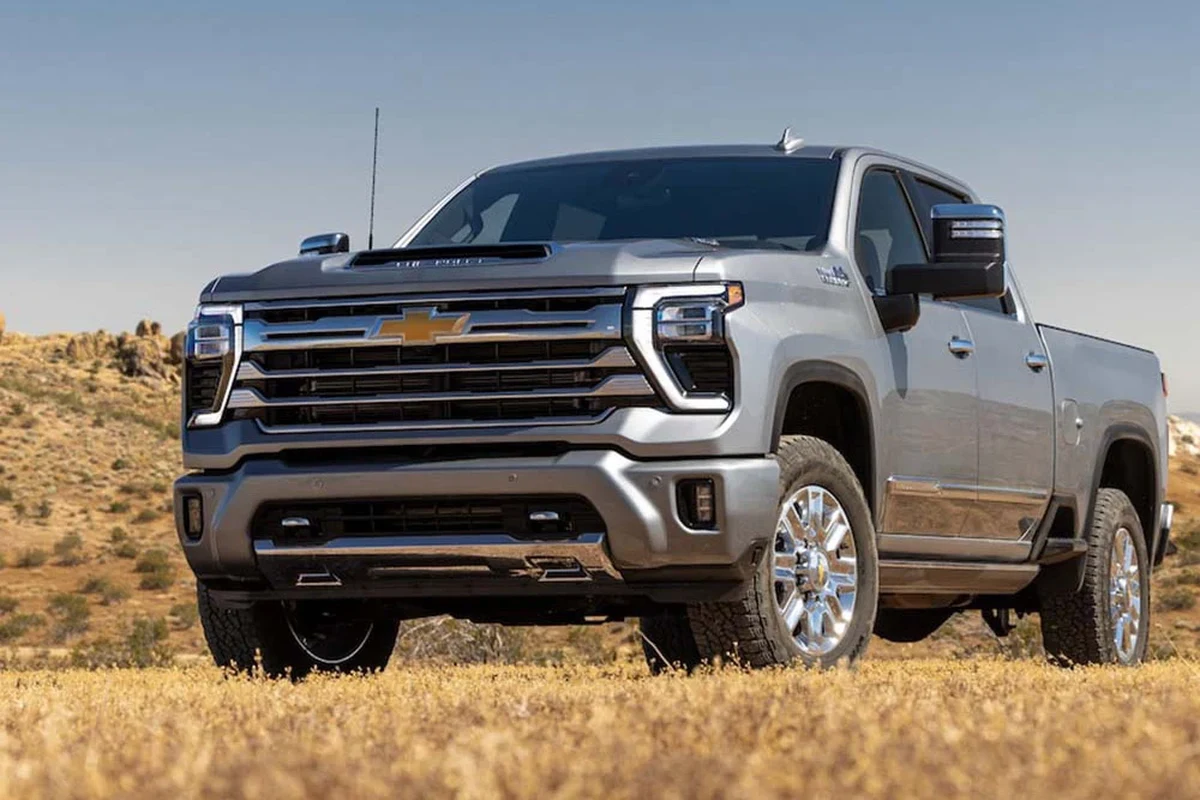
Dashcams for trucks are most useful when they match the truck’s real job, whether that is commuting, towing, fleet work, or long-haul driving. In 2026, prioritize clear video, parking mode, heat resistance, and reliable storage over flashy extras.
Dashcams for trucks help drivers document the road, protect against disputed claims, and add peace of mind during long hours behind the wheel. For most truck owners in 2026, the best setup is a camera that balances clear video, reliable parking coverage, heat resistance, and easy storage management.
- Coverage matters: Front-only works for some drivers, but front and rear coverage is often better for.
- Heat and vibration count: Truck cabins and worksites can be harder on electronics than everyday passenger cars.
- Parking mode is valuable: It helps when the truck is left in public lots, at job sites, or.
- Storage needs are easy to underestimate: High-endurance microSD cards are usually the safer choice.
Dashcams for Trucks: What They Are and Which Drivers Need Them

A truck dashcam is a compact in-cab camera system that records driving footage, and in some cases the cabin or rear view too. It is especially useful for highway commuters, towing setups, work trucks, delivery drivers, and fleet vehicles that spend long periods on the road or parked in public places.
Truck owners often need a dashcam more than sedan drivers because trucks sit higher, tow more often, and are frequently used for jobsite work, hauling, and long-distance travel. Those use cases create more opportunities for accidents, theft, and parking incidents where video evidence can matter.
If you are comparing dash cams for truckers or looking for a more specific setup like dash cams for pickup trucks, the right choice depends on how much coverage, storage, and parking protection you need.
Why Dashcams Matter for Truck Drivers in 2026
In 2026, more drivers are using dashcams because traffic is busier, insurance claims are more documentation-heavy, and many trucks now serve both personal and work purposes. A good camera does not prevent every problem, but it can reduce confusion after an incident and support faster claim handling.
Accident evidence, insurance claims, and liability protection
When a crash happens, video can help show lane position, signal use, traffic flow, and impact sequence. That can be useful when the other driver gives a different version of events or when a claim adjuster needs more context.
For truck owners, this matters even more when towing, carrying tools, or driving a vehicle that is expensive to repair. It is still important to keep your insurance policy, registration, and any accident documents organized, because dashcam footage works best as supporting evidence rather than a replacement for proper reporting.
Fleet oversight, theft deterrence, and driver accountability
Fleet operators use dashcams to track route behavior, investigate incidents, and improve accountability. A visible camera can also discourage casual theft or tampering when a truck is parked at a jobsite, rest stop, or curbside overnight.
If you manage multiple vehicles, a system with cloud access or fleet software may be worth considering. For readers comparing commercial use cases, our guide to the best dash cam for fleet vehicles is a useful next step.
Many dashcams record in a loop, meaning the oldest clips are overwritten automatically unless a file is locked by a crash sensor or manual save button.
How to Choose the Best Dashcam for a Truck
The best dashcam for a truck is the one that matches your driving pattern, parking habits, and weather exposure. A highway-only commuter may want strong front video and GPS, while a contractor may care more about parking mode, heat tolerance, and rear coverage.
Video quality, night vision, and wide-angle coverage
Look for clear daytime recording and dependable low-light performance. Trucks often drive before sunrise, after dark, or through changing weather, so night visibility matters as much as daytime detail.
Wide-angle coverage helps capture adjacent lanes and roadside activity, but an overly wide lens can distort plates or faces at the edges. The sweet spot is usually a camera that balances broad coverage with readable detail.
Front, rear, and cabin recording options
A front-facing camera is the baseline. A rear camera can help with tailgating, backing incidents, and rear-end claims, while a cabin camera may be useful for rideshare, delivery, or fleet accountability.
Pickup owners and work-truck drivers often prefer front-and-rear setups, especially when hauling equipment or backing into crowded spaces. If that is your use case, see the front and rear dash cam options for pickup trucks.
Storage, loop recording, and emergency lock features
Dashcams usually depend on microSD cards, so storage capacity and write endurance matter. Loop recording keeps the camera running without manual file management, and emergency lock features preserve clips when the camera detects a collision or when you press the save button.
For long-haul drivers, it is smart to check whether the camera supports high-endurance cards and simple file review. If you want a deeper explanation of card care, our guide on how to format an SD card for a dash cam is worth reading.
Heat resistance, durability, and vibration handling
Truck cabins can get very hot, especially in summer or when parked in direct sunlight. A dashcam should be built to handle heat without shutting down or degrading quickly, and it should stay stable on rough roads or jobsite surfaces.
Vibration resistance matters too. Heavy-duty use can loosen weak mounts, blur footage, or shorten card life. If your truck lives in a hot climate, you may also want to compare region-specific guidance such as our article on dash cams for Texas heat.
GPS, Wi-Fi, app support, and cloud features
GPS can add speed and location data to clips, which may help explain where and when an event happened. Wi-Fi and app support make it easier to review footage on a phone without removing the memory card.
Cloud features can be helpful for fleets or high-value trucks, but they may require a subscription or stronger cellular connectivity. As with any connected device, confirm what features are included before buying, because app support and cloud storage vary by brand and model.
Dashcam features vary widely by brand, and some models bundle parking mode, GPS, or rear cameras while others sell them separately. Always confirm what is included in the box before comparing prices.
Top Features Truck Owners Should Prioritize Before Buying
Some features sound nice on paper but matter much more in real truck ownership. Parking coverage, safe power setup, and reliable storage usually have a bigger impact than flashy extras.
Parking mode and motion detection for long stops
Parking mode can record when the truck is off, which is useful for overnight parking, jobsite stops, and shopping lots. Motion detection may save storage, but it can also miss small impacts if it is too sensitive or poorly configured.
If your truck is often unattended, parking mode should be near the top of your list. Just remember that parking recording usually needs a proper power source, not just a plugged-in accessory port.
Hardwiring vs. cigarette-lighter power setup
A cigarette-lighter plug is simpler and easier to remove, which makes it a good starting point for casual users. Hardwiring is cleaner and often better for parking mode because it can keep the camera powered when the ignition is off.
For many truck owners, hardwiring is the more polished long-term setup, but it should be installed carefully so it does not interfere with vehicle electronics. If you want a dedicated walkthrough, our guide on how to hardwire a dash cam for parking mode covers the general approach.
Battery protection and low-voltage cutoff
If your dashcam runs while the truck is parked, battery protection is essential. Low-voltage cutoff settings help prevent the camera from draining the vehicle battery too far.
This is especially important for older trucks, vehicles with accessories already drawing power, and fleets that sit for long periods. A dashcam should protect evidence, not create a no-start problem the next morning.
MicroSD card quality and long-term reliability
Many dashcam problems come from weak memory cards rather than the camera itself. High-endurance cards are designed for frequent writing and overwriting, which is exactly what loop recording requires.
Do not assume any card will last equally well. A reliable card, regular formatting when recommended by the manufacturer, and occasional footage checks can reduce the chance of silent recording failures.
- Choose a high-endurance microSD card if the camera records all day.
- Use a power setup that matches your parking-mode needs.
- Check whether the camera supports front-only, front-and-rear, or cabin recording.
- Confirm the camera is rated for hot cabin temperatures before buying.
Best Use Cases: Solo Drivers, Fleet Operators, and Heavy-Duty Work Trucks
Different truck owners need different dashcam features, and the best model for one driver may be overkill for another. Matching the camera to the job is the easiest way to avoid overspending or underbuying.
Long-haul highway driving
Long-haul drivers usually benefit from strong front video, GPS tagging, reliable loop recording, and a heat-resistant design. If the truck spends nights away from home, parking mode and a durable mount become more important.
For tractor-trailer setups, the needs can be more specialized than a typical pickup, so a dedicated resource like dash cams for tractor trailers may be a better fit than a general consumer guide.
Construction, delivery, and jobsite use
Work trucks often deal with dust, vibration, short stops, and crowded parking areas. In that environment, a camera with strong mounting, easy clip access, and parking coverage can be more useful than one with a complicated interface.
Delivery and construction drivers may also want cabin or rear coverage if cargo security or driver accountability matters. Fleet managers should think about how footage will be reviewed, stored, and shared before standardizing a model.
Personal trucks for commuting, towing, and family travel
For personal-use trucks, the best dashcam is often one that is simple to live with every day. Commuters may want a front-only setup, while families who tow campers or trailers may prefer front-and-rear coverage for added confidence.
If your truck is a daily driver and weekend hauler, balance convenience with protection. A system that is too complex may not get used consistently, while a basic but dependable one can be a better ownership fit.
Common Mistakes Buyers Make with Truck Dashcams
Many dashcam disappointments come from setup mistakes rather than the camera itself. A careful purchase and installation process usually matters more than a long feature list.
Choosing poor mounting positions or blocked camera angles
Mounting too low, behind a tinted area, or near wipers and mirrors can reduce useful footage. A camera should see the road clearly without blocking the driver’s view or interfering with safety systems.
Before finalizing placement, sit in the driver’s seat and check what the camera actually sees. Small changes in angle can make the difference between useful evidence and unusable footage.
Ignoring legal recording rules and privacy concerns
Recording laws vary by state and country, especially for cabin audio and private-property surveillance. Truck owners should understand local rules before enabling every feature.
Do not assume a dashcam is legal everywhere in the same way. Review local recording and privacy rules, especially if the camera captures passengers, customers, or private property.
Underestimating storage needs and maintenance
High-resolution footage fills cards quickly, especially with dual-channel or parking recording. If storage is too small, the camera may overwrite clips sooner than expected.
Maintenance matters too. Lenses collect dust, cards wear out, and firmware updates can fix bugs or improve stability. A dashcam is closer to a tool than a set-it-and-forget-it accessory.
How to Install, Use, and Maintain a Truck Dashcam Safely
Good installation protects both the camera and the truck. The goal is clean wiring, secure mounting, and a setup that does not distract the driver or interfere with vehicle operation.
Basic setup steps and cable management
Start by choosing a mounting spot with a clear view of the road and minimal obstruction. Then route the cable along trim pieces so it stays out of the way and does not dangle near pedals, steering controls, or airbags.
If you are using a hardwire kit, follow the manufacturer’s instructions carefully or have a qualified installer handle it. Clean cable routing is not just about appearance; it also helps prevent loose connections and accidental pulls.
Cleaning lenses, checking footage, and updating firmware
Dust, fingerprints, and film on the lens can reduce clarity more than many buyers expect. A quick cleaning routine and occasional playback check help confirm the camera is still recording properly.
Firmware updates can improve stability, app compatibility, or recording behavior. Check the manufacturer’s guidance before updating, and make sure the camera powers on normally after the update.
Seasonal care for heat, cold, and dust exposure
Summer heat can be hard on adhesives, batteries, and memory cards, while winter cold can slow startup or affect power delivery. Dusty worksites can also clog ports or leave residue on the lens.
A seasonal checkup should include mount adhesion, cable condition, card health, and lens cleanliness. If your truck spends time in extreme climates, prioritize models designed for those conditions rather than assuming all cameras perform the same.
Value, Limitations, and Final Recommendation for 2026 Buyers
Truck dashcams are usually worth considering if you drive often, park in public places, tow frequently, or depend on your truck for work. The value comes from evidence, accountability, and peace of mind, not from flashy tech alone.
Budget vs. premium models and what each level delivers
Budget models often cover the basics: front recording, loop capture, and simple app support. That can be enough for occasional use, but lower-cost cameras may be less reliable in heat or when recording overnight.
Premium models usually add better night performance, rear or cabin channels, stronger parking mode, GPS, cloud features, and more durable components. They make the most sense for drivers who spend long hours in the truck or need footage for work-related accountability.
Where dashcams help most—and where they cannot replace good driving
A dashcam can document what happened, but it cannot prevent a collision or fix a bad setup. Safe following distance, attentive driving, and proper load securement still matter more than any accessory.
For 2026 buyers, the best approach is to choose a camera that fits the truck’s real use case, confirm power and storage needs, and install it cleanly. If you want a more focused comparison for a specific truck type, the most relevant next reads are our guides on pickup truck dash cams and dash cams for commercial vehicles.
Common Questions
Yes, especially if you drive often, tow, park in public places, or use the truck for work. They can help document incidents and reduce disputes.
Not always, but it is helpful for many truck owners. Rear coverage can be useful for parking, tailgating claims, and backing incidents.
Parking mode lets the camera record while the truck is off. It is useful for theft deterrence and hit-and-run incidents.
Hardwiring is often best for parking mode and cleaner installation. A plug-in setup is easier if you only want driving footage.
Use a high-endurance card if possible. Dashcams write and overwrite files constantly, so card quality matters a lot.
Frequently Asked Questions
Start with video quality, heat resistance, storage reliability, and the type of coverage you actually need. A simple front-only camera may be enough for some drivers, while others need front, rear, or cabin recording.
Yes, especially if the truck sits in public parking areas, job sites, or overnight lots. It can help capture incidents that happen while the vehicle is unattended.
Many buyers focus on features and ignore mounting, power, and storage. Poor placement or weak memory cards can make an otherwise good dashcam much less useful.
Check footage, lens cleanliness, and card health regularly. It is also smart to update firmware when the manufacturer recommends it.
No. A dashcam can document what happened, but it cannot prevent a crash or make up for unsafe driving habits.
Confirm local recording rules, the best mounting spot, and whether you need hardwiring. If the truck is under warranty or has advanced electronics, installation should be done carefully.