
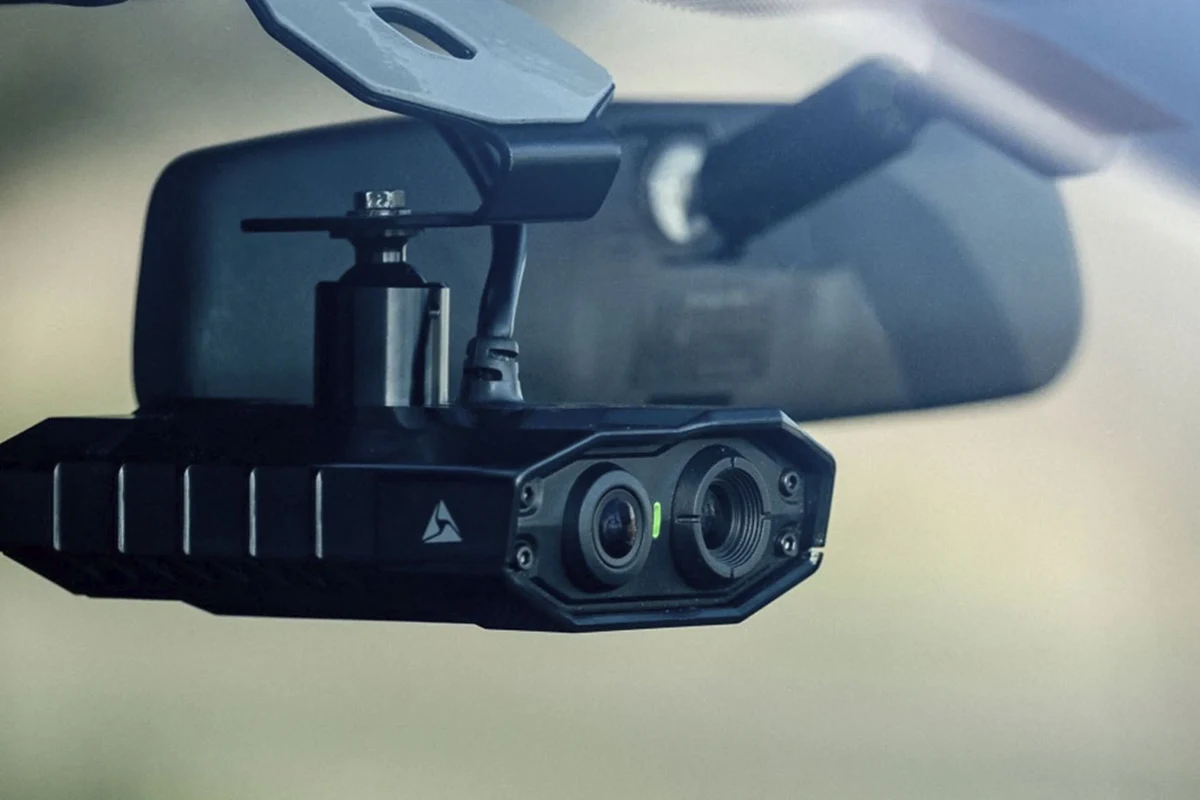
Dash cam videos help drivers document accidents, parking incidents, and daily road events with a reliable visual record. The best setup depends on your driving habits, storage needs, and whether you want front-only, rear, or cabin coverage.
Dash cam videos can give drivers a clearer record of what happened on the road, especially when an accident, dispute, or parking-lot incident needs evidence. In 2026, the best setups are less about flashy specs and more about dependable video quality, storage, and privacy-aware use.
- Best use: Dash cam videos are most valuable for commuters, rideshare drivers, families, and fleets.
- Quality matters: Clear low-light footage and stable mounting matter more than headline resolution alone.
- Setup counts: Storage, loop recording, and parking mode can determine whether footage is actually useful.
- Know the limits: Bad angles, glare, and privacy laws can reduce the value of a dash cam.
Dash Cam Videos: What They Are and Why They Matter in 2026

Dash cam videos are recorded clips from a camera mounted in or on your vehicle, usually facing forward and sometimes also rearward or into the cabin. Their value is simple: they can document traffic events, capture license plates or road conditions, and create a timeline of what happened before, during, and after an incident.
That matters more than ever because modern driving includes busy intersections, rideshare pickups, delivery routes, and parking situations where disputes can happen quickly. A clear recording can help support an insurance claim, clarify fault, or show that your car was hit while parked.
If you are shopping for dash cam videos as a safety and documentation tool, focus on reliability first, then add features that match how you actually drive.
For many buyers, the right comparison point is not “most pixels,” but whether the camera records clearly in real traffic and saves important clips when something goes wrong. If you are also comparing hardware, our guide to the best dash cam for car can help narrow the field by use case.
Who Should Use Dash Cam Videos? Best Use Cases for Drivers
Dash cam videos are useful for almost any driver, but some people benefit more than others. The strongest cases are drivers who spend a lot of time on the road, carry passengers, or park in busy public places.
Daily commuters, rideshare drivers, and road-trip travelers
Daily commuters often deal with dense traffic, sudden lane changes, and rear-end risk. A dash cam can document who merged, who braked, and what the road looked like at the time of an incident.
Rideshare drivers and delivery drivers may also want cabin coverage, especially if they need a record of passenger interactions or pickup/drop-off disputes. Travelers on long road trips can use dash cam videos to document weather, road hazards, or incidents far from home, where local witnesses may be unavailable.
Families, teen drivers, and fleet owners
Families often use dash cams for peace of mind, especially when a teen driver is new to busy roads. The goal is not surveillance for its own sake; it is having a record if a collision, parking scrape, or false complaint occurs.
Fleet owners and business operators may need footage for liability, driver coaching, and incident review. If you manage multiple vehicles, a system designed for commercial use may be worth considering, such as the best dash cam for fleet vehicles.
Good fit if you drive in traffic, park on the street, or want evidence after an accident.
Useful for teen drivers, shared vehicles, and parking protection.
Still worthwhile if you want basic protection without adding much complexity.
How to Choose the Right Dash Cam for Video Quality and Reliability
The best dash cam videos come from a camera that balances image quality, storage behavior, and dependable power. A long feature list is not enough if the footage is blurry, the card fills too quickly, or the unit fails in heat or cold.
Resolution, frame rate, and low-light performance
Resolution affects how much detail the camera can capture, while frame rate affects how smooth motion looks. Higher resolution can help with reading signs or plates, but only if the lens, sensor, and processing are good enough to produce usable footage.
Low-light performance is just as important as daytime sharpness. Many incidents happen at dusk, at night, or in rain, so look for cameras that are known for strong exposure handling and a wide enough dynamic range to balance headlights and dark surroundings.
Front, rear, and cabin coverage options
A front-only camera is enough for many drivers, especially if the goal is basic collision evidence. Front and rear coverage can help when you are hit from behind, sideswiped while merging, or parked in a lot.
Cabin-facing cameras are most relevant for rideshare drivers, parents, or fleet operators who want interior documentation. If you want broader coverage, a dual-channel setup may be a better fit than a single camera, and our guide to the best dash cam for front and rear is a useful place to compare that layout.
Storage, loop recording, and emergency file protection
Most dash cams use microSD cards and loop recording, which means the oldest footage gets overwritten when the card fills up. That is normal and useful, but only if important clips are locked before they disappear.
Emergency file protection matters because a collision sensor or manual lock button should save the clip that you actually need. If you are still learning the basics of file handling, our article on how long dash cam footage lasts explains why card size, bitrate, and recording settings affect retention.
- Choose enough storage for your recording mode instead of assuming any card will work.
- Use a reputable memory card and replace it when error messages or corruption appear.
- Check whether the camera protects event clips automatically or only when you press a button.
App connectivity, GPS, and parking mode features
App connectivity can make it easier to review clips on a phone, adjust settings, and transfer footage without removing the card. GPS is useful when you want location and speed context tied to a video, though it should be treated as supporting information rather than proof by itself.
Parking mode can record while the vehicle is off, which is valuable for hit-and-run incidents or vandalism. Just remember that parking recording usually requires a special power setup, and drivers should confirm that the camera will not drain the vehicle battery. If you want a deeper setup guide, see how to hardwire dash cam for parking mode.
Real-World Benefits of Dash Cam Videos
Dash cam videos are not just for dramatic accident clips. Their everyday value comes from documentation, accountability, and the confidence that you have a record if something unexpected happens.
Accident evidence, insurance support, and fraud prevention
In a crash, a clear video can help show lane position, signal use, traffic flow, and timing. That can support your statement to an insurer and may reduce confusion when another driver tells a different story.
Dash cams can also help discourage staged incidents and exaggerated claims. While no camera can prevent fraud completely, the presence of recorded evidence can make dishonest claims harder to sustain.
Dash cam footage can support a claim, but it does not replace a police report, a proper vehicle inspection after a crash, or your insurer’s required documentation.
Safer driving habits and added peace of mind
Many drivers become more mindful when they know their driving is being recorded, even if the camera is only for personal protection. That can encourage better lane discipline, steadier following distances, and more careful parking.
Peace of mind is harder to quantify, but it matters. For parents, rideshare drivers, and commuters who regularly park in public areas, a dash cam can reduce stress because it creates a record where memory alone might not be enough.
Limitations, Common Mistakes, and Safety Considerations
Dash cam videos are helpful, but they are not perfect. Poor placement, low-quality footage, or careless privacy handling can reduce the value of the system quickly.
Blind spots, poor mounting, and unreadable footage
A camera can only record what it can see. If the unit is mounted too low, blocked by tint strips, or aimed badly, it may miss the license plate, traffic signal, or impact point you needed.
Another common mistake is assuming that a high-resolution file automatically means clear evidence. Motion blur, glare, dirty glass, and weak night performance can make footage hard to use even when the file size is large.
- Mount the camera where it has a clean, stable view of the road.
- Check sample footage in daylight and at night before relying on the setup.
- Do not place the camera where it blocks your view or interferes with airbags.
- Do not assume footage is usable until you have reviewed it.
Privacy, local recording laws, and data handling
Dash cam use can involve privacy and recording rules that vary by location. In some places, audio recording has different rules than video recording, and commercial drivers may face additional requirements.
It is wise to confirm local laws before recording passengers, employees, or conversations. Also think about how footage is stored, who can access it, and how long you keep clips that include other people or sensitive locations. If you need a simple workflow for exporting clips, our guide on how to connect dash cam to phone may help with the transfer process.
Setup, Maintenance, and Care for Long-Term Performance
A dash cam works best when it is treated like a small piece of vehicle electronics that needs periodic attention. Setup and upkeep are part of getting reliable dash cam videos over time.
Installation basics and power options
Most drivers choose between a simple 12V plug-in setup and a hardwired install. A plug-in setup is easier and usually fine for basic recording, while hardwiring can support parking mode and a cleaner cable layout.
If you prefer a more discreet look, cable routing matters too. For a cleaner installation process, see how to hide dash cam wires in headliner and how to install dash cam with cigarette lighter for common power approaches.
Cleaning lenses, checking memory cards, and reviewing footage
Dust and windshield film can soften image quality, so the lens and the glass in front of it should be cleaned periodically. It also helps to check the memory card for errors, because a dash cam that appears to be recording may still be dropping clips if the card is failing.
Reviewing footage once in a while is a practical habit, not an optional extra. You want to know whether the camera is actually capturing the angle you need before a real incident happens.
- Confirm the camera angle and coverage you actually need.
- Check whether parking mode needs a hardwire kit or battery pack.
- Verify memory card compatibility and expected storage needs.
- Review local privacy and recording laws if you record passengers or cabin audio.
Best Value Tips and Final Recommendation for My Best Car Dealer Readers
The best value in dash cam videos usually comes from a practical match between budget and use case. A simple camera can be enough for commuting, while higher-end options make more sense for rideshare, fleet, or frequent nighttime driving.
Budget tiers, premium upgrades, and when to buy
At the budget level, look for dependable front recording, decent low-light behavior, and straightforward loop recording. Midrange buyers may want rear coverage, a better app, or more stable parking support.
Premium upgrades make sense when your driving environment is demanding: heavy traffic, long night shifts, frequent parking exposure, or business use. If you are comparing value rather than chasing the highest spec sheet, our guide to the best dash cam for the money is a good next stop.
Prices, app quality, storage limits, and parking-mode behavior vary by brand, model year, and retailer, so confirm current details before buying in 2026.
Transparent verdict: who should invest now and who can wait
Invest now if you commute in busy traffic, drive for rideshare or delivery, park in public places, or manage a family or fleet vehicle where documentation matters. You will likely get the most value from a camera that records clearly, protects event clips, and fits your power setup.
You can wait if you rarely drive, park in low-risk private areas, or are not ready to maintain the system with card checks and occasional footage review. For everyone else, dash cam videos are one of the most practical upgrades you can add to a vehicle without changing the car itself.
Dash cam videos are worth investing in when you want dependable road evidence, better incident documentation, and added peace of mind. Choose a simple front camera for basic protection, step up to front-and-rear or cabin coverage if your driving routine demands it, and confirm storage, power, and privacy rules before you buy.
Common Questions
Yes, if you want a record of accidents, parking incidents, or disputed driving events. They are especially useful for people who drive often or park in public places.
A dependable front-facing model is enough for many drivers. If you want broader coverage, front and rear recording is a smart upgrade.
Usually, yes. Use a compatible high-endurance microSD card designed for constant recording.
Often, yes, but insurers may still ask for other documents. Footage should support your claim, not replace required reporting.
Review it occasionally to make sure it is recording correctly. Also check the card for errors and clean the lens when needed.
Frequently Asked Questions
They are best for documenting crashes, parking damage, and other road incidents. Many drivers also use them to support insurance claims or review driving behavior.
Focus on video quality, low-light performance, storage behavior, and power options. If you need parking mode, confirm whether the camera requires hardwiring or a battery pack.
Use a compatible memory card, check for recording errors, and clean the lens regularly. It also helps to review sample footage from time to time.
They can miss important details if the camera is mounted poorly or the lens is dirty. Privacy laws and audio-recording rules can also affect how you use the footage.
Front-only is fine for basic protection, but front-and-rear is better if you want more complete coverage. Rear recording can be helpful in rear-end collisions and parking incidents.
Confirm the power method, battery protection, and whether your vehicle can support the setup safely. If needed, review a hardwire guide before installing it.