
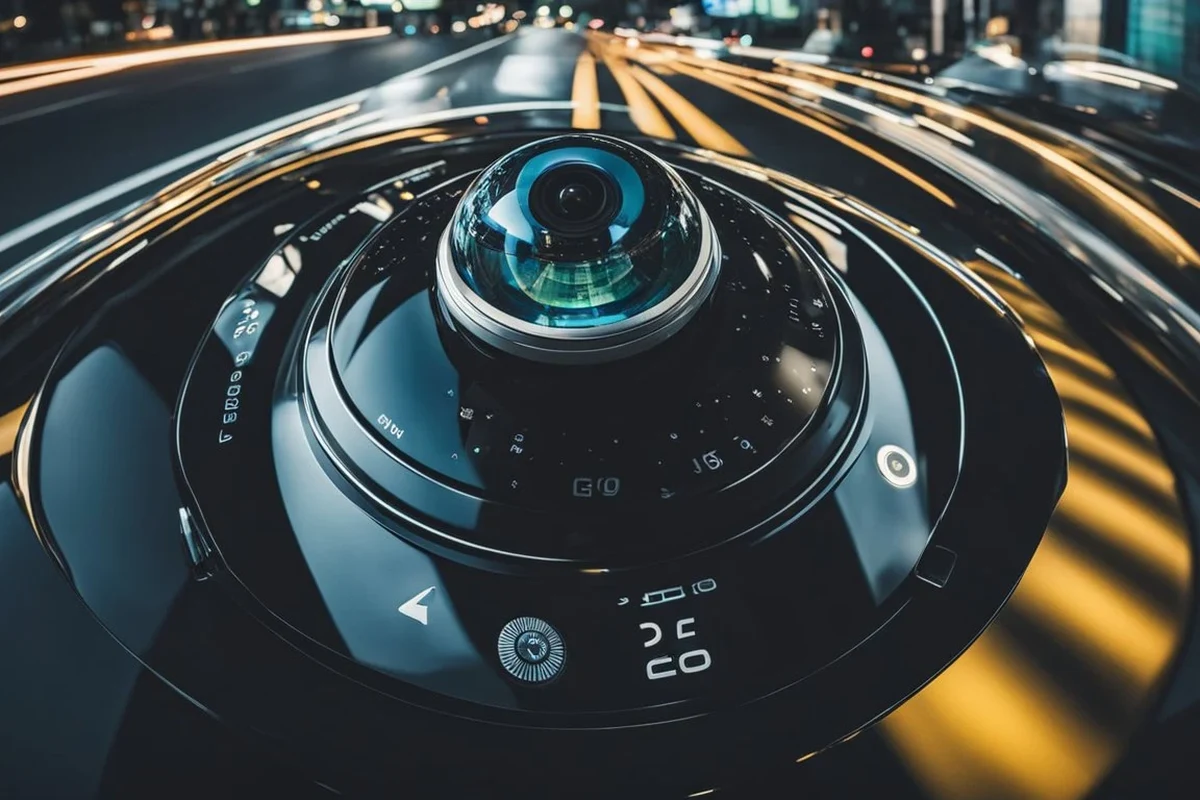
A camera inside car 360 system is best for drivers who want broader coverage, stronger parking protection, and better incident evidence. It is less necessary if you only need a simple front-facing dash cam.
A camera inside car 360 system gives you a full-view recording setup that can watch the cabin, the road, and often the vehicle’s surroundings from multiple angles. In 2026, it matters most for drivers who want stronger parking protection, better incident evidence, and more visibility than a basic dash cam can provide.
- Best fit: City drivers, families, rideshare users, and fleet vehicles benefit most from 360 coverage.
- Top priorities: Clear low-light video, reliable event locking, and solid parking mode matter most.
- Main tradeoff: Better visibility usually means more setup, more storage management, and higher cost.
- Watch for limits: Glare, reflections, and stitching seams can reduce clarity in real-world use.
What a 360-Degree In-Car Camera Is and Why It Matters in 2026

A 360-degree in-car camera setup is designed to capture a wider field of view than a standard front-facing dash cam. Depending on the product, that may mean multiple lenses, a panoramic cabin camera, or a system that stitches several camera feeds into one broad image.
For shoppers, the main appeal is simple: fewer blind spots in the footage and better context after a parking scrape, break-in attempt, or road incident. The tradeoff is that these systems can be more complex to install, more expensive to store footage from, and more sensitive to placement and calibration.
Quick answer: who needs a camera inside car 360 system most
This type of system makes the most sense for city drivers, rideshare operators, parents who want cabin visibility, fleet managers, and anyone who parks in tight or crowded areas often. If you only want basic crash evidence for the road ahead, a simpler dash cam may be enough.
How 360 coverage works compared with dash cams and rear cameras
A traditional dash cam usually records forward-facing video, while a rear camera covers what is behind the vehicle. A 360 system tries to combine multiple angles so you can review more of what happened around the car, and sometimes inside the cabin too.
That broader coverage is useful, but it is not the same as perfect all-around vision. Stitching can distort edges, glare can wash out details, and interior reflections may make certain scenes harder to interpret. For buyers comparing options, it helps to review the camera layout carefully and read whether the manufacturer is describing true multi-angle coverage or simply a wide-angle lens.
Best Use Cases: Drivers, Families, Rideshare, Fleet, and Parking-Heavy Commuters
The best buyers are usually people who see the vehicle as a daily work tool, a family space, or a parking-risk target. If that sounds like your situation, the extra coverage can be more useful than a basic single-lens setup.
Everyday protection for city parking and tight garages
Urban drivers often deal with door dings, curb contact, and low-speed bumps in lots and garages. A 360 system can provide better evidence of what happened before and after an incident, especially when the vehicle is parked and unattended.
This is also where parking mode becomes important. If you want to learn how that feature changes off-car recording behavior, see our guide to the best dash cam for car with parking mode and our overview of how dash cams work when the car is off.
Added visibility for new drivers, parents, and commercial vehicles
Families may value cabin monitoring for peace of mind, especially when a child seat, rideshare passenger, or pet is involved. New drivers can also benefit from seeing more of what is happening around the vehicle, though the system should never replace mirrors, safe backing practices, or driver attention.
For commercial use, fleet owners often look for recording that can document who was in the vehicle, when it was parked, and whether an incident happened during a shift. The key is not just coverage, but whether the footage is easy to review and store.
When a 360 system is overkill for your needs
If your car spends most of its time on open roads, in low-risk parking areas, and you mainly want proof in case of a front-end collision, a simpler camera may be enough. You may also want to avoid a 360 setup if you do not want hardwiring, app setup, or memory-card management.
In those cases, a standard dash cam or a more focused multi-camera kit may be the better fit. For readers comparing broader camera options, our guides to best dash cam for 360 view and best dash cam for car can help frame the tradeoffs.
Key Features to Look For Before You Buy
Before choosing a system, focus on image quality, coverage quality, storage, power, and how easy the unit is to live with every day. A feature list sounds impressive, but the details determine whether the camera is actually useful after installation.
Video quality: resolution, low-light performance, and wide-angle coverage
Resolution matters because it affects how well you can read plates, identify people, or notice small details in a clip. Low-light performance matters just as much, since many incidents happen at night, in garages, or under street lighting.
Wide-angle coverage helps reduce blind spots, but an extremely wide lens can stretch edges and make objects look farther away than they are. The best balance is usually a camera that captures enough scene width without turning every clip into a fisheye-heavy image.
Coverage, blind spots, and true 360 stitching quality
Some systems advertise 360 coverage, but not all of them do it in the same way. A true multi-camera setup may blend several views into a panoramic image, while another product may simply offer a very broad lens and call it “360” in marketing terms.
Look for clear information on how the system handles seam lines, overlap between lenses, and interior reflections. Better stitching usually means less confusion when you are trying to understand who moved, where a car approached from, or whether something happened beside the vehicle.
Storage, loop recording, app control, and event locking
Loop recording keeps the camera running by overwriting older footage once the memory card fills up. Event locking protects important clips so they are not erased automatically after a sudden stop, impact, or manual save.
App control can make it easier to review footage, change settings, and transfer clips without removing the card. Still, app quality varies a lot, so it is worth checking whether users report stable connections and simple navigation. If your audio or infotainment setup matters too, you may also want to compare it with a broader system like a car head unit for overall in-car connectivity.
Parking mode, motion detection, and impact detection
Parking mode is one of the most useful features for a camera inside car 360 system. Motion detection can wake the camera when something moves nearby, while impact detection can save footage after a bump or hit.
These features are only helpful if sensitivity is tuned correctly. Too sensitive, and you may get constant false alerts from traffic or vibration. Too low, and you may miss the very event you bought the system to capture.
Power options, hardwiring, battery protection, and installation complexity
Some systems plug into a 12V outlet, while others are hardwired for cleaner parking-mode support. Hardwiring often gives better always-on behavior, but it also raises installation complexity and may require a professional installer.
Battery protection is important because parking mode should not drain the vehicle battery to the point that the car will not start. If you are unsure about wiring, ask the seller or installer how the system handles voltage cutoff and whether it is compatible with your vehicle’s electrical layout.
How to Compare Models: Value, Reliability, and Real-World Usability
The best camera is not always the one with the longest feature list. It is the one that stays reliable in heat, saves footage correctly, and fits your routine without constant troubleshooting.
Build quality and heat resistance for daily driving
Cars get hot quickly, especially in summer or when parked outside. That means the camera housing, adhesive mounts, and memory card all need to tolerate temperature swings without failing early.
Look for signs of durable construction, clear operating-temperature guidance, and user feedback about longevity in hot climates. A bargain camera that overheats or corrupts files is far less useful than a modest model that keeps working.
Ease of setup, app stability, and user interface
Many buyers underestimate how much setup affects satisfaction. If the menus are confusing, the app disconnects often, or the camera takes too many taps to save a clip, it becomes harder to trust in daily use.
A simple interface is especially important for families or fleet users who may not want to relearn the system every time. Good usability also matters when you need to retrieve footage quickly after an incident.
Privacy, data handling, and subscription costs
Some modern camera systems store footage locally, while others offer cloud features, remote access, or subscription-based services. Those extras can be helpful, but they may also add ongoing cost and privacy questions.
Before buying, check where footage is stored, who can access it, and whether app features require a monthly plan. If the camera captures cabin footage, that is especially important for passengers and family members who expect a reasonable level of privacy.
Warranty, support, and long-term ownership value
Warranty terms matter because camera systems can fail from heat, wiring issues, or card problems long before you expect them to. Support quality also matters when you need replacement parts, firmware updates, or help with setup.
As with any car accessory, long-term value is about more than the purchase price. A system that is easy to maintain, supported by the maker, and compatible with common memory cards often costs less to own over time.
Benefits and Limitations of a Camera Inside Car 360 System
A 360 in-car camera can be a strong safety and documentation tool, but it is not magic. It improves visibility and evidence quality, yet it still depends on camera placement, lighting, and how the footage is interpreted.
Why drivers choose 360 coverage for safety and incident evidence
The biggest benefit is context. Instead of seeing only one direction, you may get a fuller picture of what happened around the vehicle, which can help after a parking scrape, attempted break-in, or disputed lane change.
That added context can be useful for insurance conversations, employer reporting, or simply understanding an event more clearly. It can also reduce uncertainty when a passenger claims one thing and the footage shows another.
Common limitations: glare, blind spots, and imperfect stitching
Even good systems can struggle with sun glare, night reflections, tinted glass, or awkward mounting angles. Cabin footage may also capture reflections from windows, dashboard surfaces, or interior lights.
Stitching is another limitation. If the system blends multiple views, seams can hide details or make distance judgment harder. That is why product claims should always be read carefully rather than assumed to mean perfect all-around coverage.
Evidence limitations and why footage is not always definitive
Video can support your version of events, but it does not automatically settle every dispute. Motion blur, partial obstruction, time gaps, and compression can all weaken the clarity of a clip.
For that reason, treat the camera as helpful evidence, not a guarantee. When an incident matters, save the file promptly, keep the original card if possible, and follow the instructions from your insurer or local authorities if they request documentation.
Do not assume camera footage replaces safe driving habits, a pre-purchase inspection, or official recall checks. For any vehicle-related purchase or ownership issue, confirm the vehicle history, review open recalls through recognized sources such as NHTSA, and follow manufacturer guidance.
Setup Guide: Installation, Positioning, and First-Time Configuration
Good setup matters as much as the camera itself. A well-chosen model can underperform if it is mounted poorly, wired incorrectly, or left on default settings that do not match your driving pattern.
Where to mount cameras for the best interior and exterior coverage
Mount cameras so they can see the road clearly without blocking the driver’s view. For cabin coverage, placement should capture the seating area without creating excessive glare or showing only the headliner.
If the system includes multiple lenses, keep them aligned according to the manufacturer’s instructions. Small angle changes can make a big difference in whether the footage is useful later.
Wiring choices: plug-in, fuse tap, or professional installation
Plug-in setups are usually the simplest and best for drivers who want a lower-commitment install. Fuse taps and hardwiring are more involved but may be better if you want parking mode and cleaner cable routing.
If you are not comfortable working near a vehicle’s electrical system, professional installation is often the safer choice. That is especially true for newer vehicles with sensitive electronics or crowded fuse layouts.
Initial settings for sensitivity, resolution, and parking mode
Start with a resolution setting that balances file size and clarity, then adjust sensitivity based on how often the camera triggers. Parking mode should be tested in a safe, stationary setting so you understand how it behaves before relying on it.
Also check time and date settings. Incorrect timestamps can make evidence harder to use if you ever need to explain when an incident happened.
Common setup mistakes that reduce performance
One common mistake is using a low-quality memory card, which can lead to dropped clips or corrupted files. Another is mounting the camera too low, too high, or behind a reflective surface that harms image quality.
Drivers also sometimes forget to update firmware or review app permissions. Those details may seem minor, but they can affect stability, playback, and how easily you can access footage after an incident.
- Choose a high-endurance memory card rated for continuous recording.
- Test parking mode before you depend on it in a busy lot.
- Check whether the camera saves clips automatically after impact.
- Keep firmware updated if the manufacturer provides stable updates.
Safe Use, Maintenance, and Cleaning Tips
Once installed, the camera needs basic care to stay dependable. That mostly means keeping lenses clean, protecting storage, and checking the system after extreme weather or long downtime.
How to clean lenses and keep image quality sharp
Use a soft microfiber cloth and avoid harsh cleaners that can damage coatings. Dust, fingerprints, and condensation can make a good camera look much worse than it really is.
If the lens sits near a windshield or window, check it regularly for haze or film buildup. Even a thin layer of residue can reduce clarity at night.
Protecting memory cards, cables, and power sources
Memory cards are one of the most common weak points in any recording system. If clips go missing or playback becomes unreliable, the card may be the first thing to inspect.
Cables should be routed so they do not interfere with pedals, airbags, or normal entry and exit. Power connections should also be checked occasionally to make sure vibration has not loosened them.
Seasonal care: heat, cold, humidity, and long-term storage
Extreme heat can shorten the life of electronics, while cold weather can affect startup behavior and card performance. Humidity can also create condensation that temporarily reduces image quality.
If a vehicle sits unused for a long time, it is smart to inspect the camera, power source, and storage card before returning to daily driving. That way, you know the system is ready when you need it.
Legal and privacy considerations for recording inside the vehicle
Recording inside a vehicle can raise privacy concerns, especially when passengers are involved. Laws vary by location, so drivers should confirm local rules on audio recording, consent, and where cameras may legally record.
If you use the system for rideshare, family transport, or employee vehicles, it is wise to explain that recording is active. Clear communication helps avoid misunderstandings and supports a more respectful use of the technology.
Final Recommendation: Who Should Buy a 360 In-Car Camera and What to Prioritize
A camera inside car 360 system is most worthwhile for drivers who park often, carry passengers, manage vehicles, or want stronger evidence after incidents. It is less compelling for buyers who want the simplest possible setup and only need front-road recording.
Best overall fit by budget and lifestyle
Budget-conscious shoppers should focus on dependable recording, decent low-light performance, and a trustworthy memory-card setup before chasing extra app features. Busy families and rideshare drivers should prioritize cabin visibility, easy clip review, and parking protection.
If you want a broader comparison of camera options, our related guides on Cam Car and Cam Car 2 can help you think through feature sets and coverage styles.
What to prioritize if your goal is safety, security, or convenience
If safety is your main goal, prioritize clear video, stable power, and reliable event locking. If security matters most, focus on parking mode, motion detection, and heat resistance.
If convenience matters most, choose a system with simple app controls, easy mounting, and straightforward file transfer. In every case, the best choice is the one you will actually keep installed, powered, and maintained.
A 360 in-car camera is worth considering if you want broader incident coverage than a basic dash cam and you are willing to handle the added setup and maintenance. The strongest fit is a driver who parks in busy areas or carries passengers often; buyers who only need simple front-facing evidence may be happier with a more basic camera.
Common Questions
It records a wider view of the vehicle’s surroundings, and sometimes the cabin, than a standard dash cam. The goal is better coverage and more useful evidence after an incident.
It can be better for parking protection and context, but not every driver needs it. A regular dash cam may be enough if you only want front-facing footage.
Often yes, if you want the camera to record while the vehicle is off. Some models offer plug-in options, but parking features may be limited.
Use a high-endurance card made for continuous recording. Regular cards can wear out faster in dash cam use.
Often yes, but local laws and privacy rules vary. Check your area’s audio and video recording requirements before using cabin recording.
Frequently Asked Questions
Drivers who park in busy areas, rideshare operators, families, and fleet managers usually get the most value. The extra coverage helps when incidents happen from more than one direction.
Focus on video quality, low-light performance, parking mode, storage reliability, and app stability. Also check how the system handles stitching and whether it supports a high-endurance memory card.
Glare, reflections, and blind spots can still affect image quality. Some systems also have imperfect stitching that makes details harder to interpret.
Clean the lens regularly, inspect cables, and replace memory cards when they begin to fail. It also helps to check the camera after extreme weather or long periods of storage.
It can be worth it if you want broader evidence and parking protection. If you only need simple front-road recording, a basic dash cam may be more practical.
Confirm power options, parking-mode behavior, mounting placement, and privacy rules in your area. If the vehicle has electrical or warranty concerns, ask a qualified installer or dealer for guidance.