
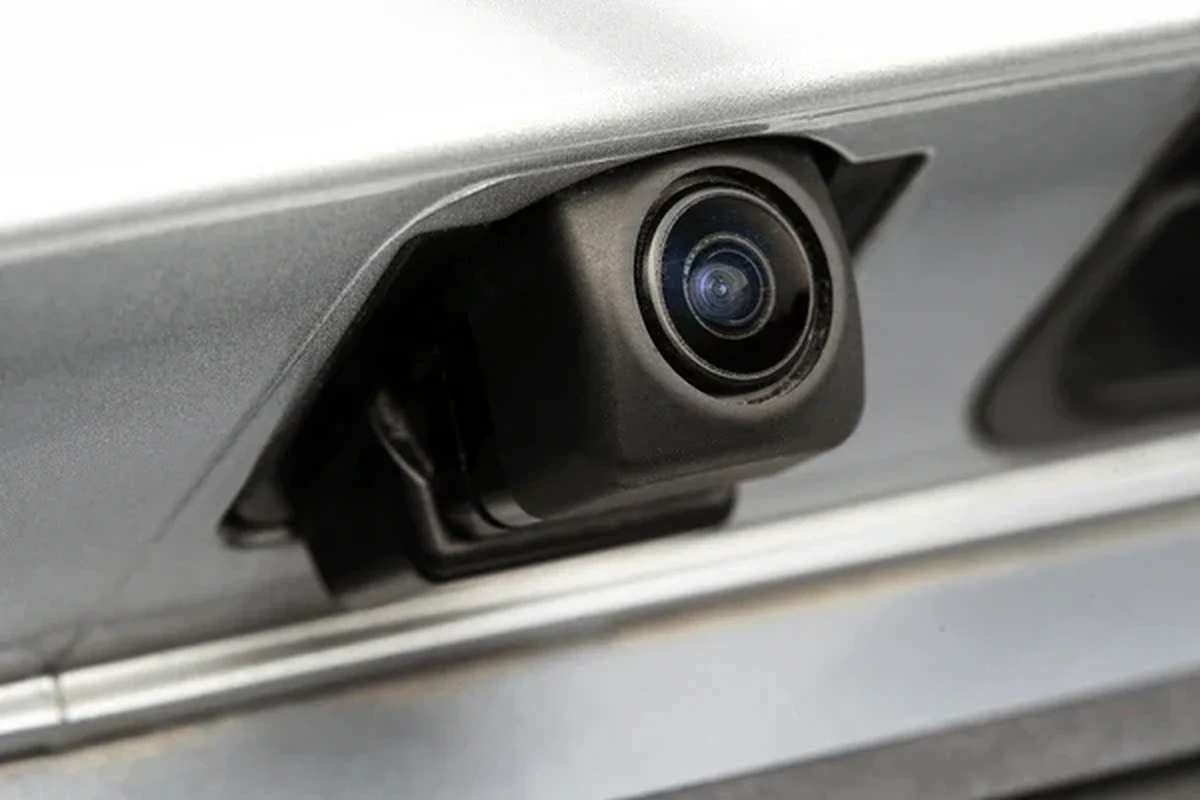
A camera car camera helps record the road, parking events, and incidents so drivers have useful evidence when something goes wrong. The best choice usually depends on video quality, parking mode, and how easy the camera is to power and maintain.
A camera car camera is a dash cam or in-car camera system that records the road, and sometimes the cabin or rear view, so drivers have a clear record of what happened before, during, and after an incident. For most shoppers in 2026, the right choice comes down to video quality, parking protection, and how much installation effort you want to handle.
- Choose for your use case: Commuters often need front-only coverage, while families and rideshare drivers usually benefit from dual-channel.
- Night performance matters: Clear low-light footage is often more useful than a high resolution number alone.
- Power design is important: Supercapacitor models often handle heat better than battery-based units in parked cars.
- Storage quality affects reliability: A high-endurance SD card is essential for loop recording and parking mode.
- Setup affects results: Correct mounting, safe wiring, and accurate time settings can make or break footage quality.
Camera Car Camera: Best Picks, Buying Guide, and Setup Tips for Safer Driving in 2026

If you want practical protection without overcomplicating your setup, focus on a camera car camera that records clearly at night, saves important clips automatically, and fits your vehicle’s power and storage needs. The best option is usually the one you will keep powered, mounted correctly, and maintained consistently.
Quick answer: what a camera car camera is, who it fits, and why it matters
A camera car camera is a vehicle-mounted recording device designed to capture driving footage, collisions, parking events, and other incidents. It fits commuters, families, rideshare drivers, road-trippers, and fleet owners who want evidence, deterrence, and added peace of mind.
How this guide helps shoppers choose the right dash cam without overspending
This guide breaks the purchase into the features that actually matter: image quality, power design, storage, and everyday usability. It also explains where a basic model is enough and where it makes sense to spend more for dual-channel coverage or parking-mode support.
When people search for a camera car camera, they usually want a dash cam that is easy to live with, not just packed with specs. The smartest buy is the one that matches your driving habits, your parking situation, and your tolerance for setup work.
What a Camera Car Camera Does and Why Drivers Buy One
Core functions: recording trips, capturing incidents, and documenting parking events
At its simplest, a camera car camera records continuous driving footage in a loop, saving only the most recent clips unless an impact or manual lock event protects them. Many models also include parking mode, which can wake up and record when motion or vibration is detected while the vehicle is parked.
That combination makes the device useful both on the road and when the car is unattended. It can document a hit-and-run, a parking-lot scrape, or a dispute about what happened in traffic.
Best use cases: commuters, rideshare drivers, parents, road-trippers, and fleet owners
Daily commuters often want a simple front-facing unit that can quietly run in the background. Families may prefer a camera car camera with rear coverage so they can document rear-end impacts or parking damage.
Rideshare drivers and fleet owners usually benefit from more advanced systems because they may need cabin recording, GPS tagging, and stronger parking protection. Road-trippers often value wide-angle coverage and reliable heat resistance for long hours in the car.
Real-world benefits: insurance evidence, theft deterrence, and peace of mind
A clear recording can help support an insurance claim by showing lane position, traffic signals, and the sequence of events. It may also discourage theft, vandalism, and false accusations because a visible camera makes it more likely that activity is being recorded.
That said, a dash cam is a tool, not a guarantee. It can improve documentation, but it does not replace safe driving, proper insurance, or a careful response after an incident.
- Creates a time-stamped record of driving and parking events
- Can support insurance claims and dispute resolution
- May deter vandalism or dishonest claims
- Needs correct mounting and power setup to work well
- Cheap memory cards can fail or corrupt footage
- Privacy and legal rules vary by location and use case
Key Features to Compare Before You Buy
Video quality: resolution, night vision, HDR, and wide-angle coverage
Resolution affects how much detail the camera captures, especially license plates and road signs. Higher resolution can help, but only if the lens, sensor, and bitrate are also decent; otherwise, the footage may still look soft or noisy.
Night vision and HDR, or high dynamic range, matter because many incidents happen in low light, glare, or mixed lighting. A wide-angle lens helps capture more of the scene, but an extremely wide view can stretch edges and make distant plates harder to read.
Recording modes: loop recording, impact detection, parking mode, and GPS tagging
Loop recording keeps the camera running without manual file management by overwriting older footage when storage fills up. Impact detection, often called G-sensor recording, locks clips when the camera detects a collision or strong jolt.
Parking mode is useful if you leave your vehicle in public lots or on the street, while GPS tagging can add location and speed data to footage. That extra context may help explain where and when something happened, but it is only useful if the system is accurate and set correctly.
Power and storage: battery vs. supercapacitor, SD card support, and heat resistance
Many modern camera car camera models use a supercapacitor instead of a traditional internal battery. Supercapacitors generally handle heat better, which matters in parked cars, especially in warm climates.
Storage is just as important. Check the supported SD card size, the recommended card type, and whether the camera requires high-endurance memory for parking mode. Heat resistance matters because poor thermal design can shorten lifespan or cause file errors.
Many dash cam problems are caused not by the camera itself, but by low-quality memory cards that cannot handle constant rewriting.
Smart features: app control, cloud backup, voice commands, and dual-channel support
App control can make it easier to review clips, change settings, and download footage without removing the card. Cloud backup may help preserve important events, but it usually depends on a stable connection and may involve subscription costs.
Voice commands can reduce distraction, and dual-channel support lets you record the front and rear at the same time. If you want broader coverage, this is one of the most useful upgrades to consider.
Best Camera Car Camera Types for Different Drivers
Single-channel vs. dual-channel vs. rear-only setups
Single-channel cameras record the front of the vehicle and are usually the simplest, most affordable choice. Dual-channel systems add rear coverage, which is valuable if you are concerned about rear-end impacts, parking damage, or rideshare disputes.
Rear-only setups are less common as a standalone solution, but they can make sense when you already have another camera and want to fill a blind spot. The right setup depends on where damage or disputes are most likely to happen.
Compact budget models for basic protection
Budget models work well for drivers who mainly want a simple recording of road events. They are best when you need basic evidence and do not want advanced wiring or cloud features.
The trade-off is that low-cost units may have weaker night performance, smaller screens, and less reliable parking mode. If you buy in this range, prioritize build quality and memory card compatibility over flashy extras.
Mid-range models for daily commuters and family vehicles
Mid-range camera car camera options often strike the best balance for most households. They commonly include better sensors, stronger app support, and more dependable parking features without becoming complicated to use.
For commuters and family cars, this tier is often the sweet spot because it provides meaningful protection without pushing the budget into premium territory.
Premium models for rideshare, long-distance, and high-security needs
Premium systems are worth considering if you drive many hours, park in higher-risk areas, or need the most complete evidence possible. They may offer stronger night footage, GPS, voice control, rear or cabin recording, and more robust parking protection.
They are not necessary for everyone, but they can be a practical choice for professional drivers or anyone who wants fewer compromises on reliability and feature depth.
Simple front-facing dash cam
Good for drivers who want basic incident recording, easy installation, and low upkeep. The limitation is narrower coverage, especially if rear impacts are a concern.
Dual-channel dash cam system
Better for commuters, families, and rideshare drivers who want front and rear documentation. It usually costs more and takes a little more setup work.
How to Set Up a Camera Car Camera Correctly
Mounting position, lens angle, and visibility rules
Mount the camera high enough to capture the road clearly without blocking your view. The lens should face forward with a slight downward angle so it records the lane ahead, not just the sky.
Placement matters for both footage quality and legality. Some vehicles have windshield zones where large accessories can interfere with visibility, so check local rules before choosing a permanent mounting spot.
Wiring options: cigarette-lighter power, hardwiring, and parking-mode installation
The easiest power option is a 12V accessory socket, often called a cigarette-lighter port. It is simple and removable, but it may shut off when the vehicle turns off, which limits parking mode.
Hardwiring connects the camera to the vehicle’s fuse box and can support parking mode more reliably. Because installation affects vehicle electrical systems, it is often worth using a qualified installer if you are unsure about fuse taps, battery protection, or trim removal.
Initial settings to check: date/time, resolution, loop length, and sensitivity
Before relying on the camera, verify the date and time, since incorrect timestamps can weaken the value of recorded footage. Set resolution to a level your memory card and device can handle consistently.
Also check loop length, impact sensitivity, and parking-mode sensitivity. Settings that are too sensitive can fill storage with unimportant clips, while settings that are too low may miss important events.
Place the camera where it sees the road clearly but does not obstruct your view or interfere with airbags, sensors, or driver visibility.
Keep wiring tucked away from pedals, steering components, and areas that could become a distraction or snag point.
Check time, resolution, parking mode, and sensitivity before you depend on the footage.
Common setup mistakes that reduce video quality or create legal issues
Common mistakes include mounting the camera too low, leaving the lens dirty, using the wrong memory card, and forgetting to set the clock. Another frequent issue is unsafe cable routing that hangs into the driver’s footwell or blocks controls.
It is also a mistake to assume all recording is automatically legal. Passenger consent, windshield placement, and audio recording rules can vary by place and use case.
- Use a high-endurance memory card recommended by the camera maker
- Check the angle and time stamp after installation
- Review local rules for windshield placement and audio recording
- Mounting the camera where it blocks your view
- Using a cheap card that cannot handle constant rewriting
- Ignoring parking-mode power draw on an older battery
Safety, Legal, and Privacy Considerations
Recording laws, windshield obstruction concerns, and local regulations
Dash cam laws are not identical everywhere. Some places limit windshield-mounted accessories, some restrict audio recording without consent, and some have specific rules for commercial or rideshare use.
Before installing a camera car camera, confirm the local rules that apply to your region and vehicle type. If you drive for work, also check any company or platform policies that may affect recording.
How to avoid distracting placement and unsafe cable routing
A camera should support safe driving, not add clutter. Keep the device out of your direct sightline as much as possible, and route cables so they do not interfere with pedals, steering, or airbags.
If you are not confident about hardwiring or trim routing, professional installation can reduce the chance of damage or poor placement.
Do not mount a camera where it blocks your forward view, interferes with airbags, or creates a cable hazard near controls. If the installation seems uncertain, have it checked before you rely on it.
Privacy best practices for passengers, family members, and rideshare use
If your camera records the cabin, tell passengers when appropriate and follow local consent rules. For family vehicles, it helps to explain why the camera is installed and what it records.
Rideshare drivers should be especially careful because platform rules, local laws, and passenger expectations may all affect how cabin footage is used. Keep recordings secure and only access or share them for legitimate reasons.
Care, Cleaning, and Troubleshooting for Long-Term Reliability
Routine maintenance: lens cleaning, SD card formatting, and firmware updates
Lens cleaning is one of the easiest ways to preserve image quality. Dust, fingerprints, and windshield haze can all reduce clarity more than many shoppers expect.
It also helps to format the SD card periodically using the camera’s own menu, if the manufacturer recommends it, and to install firmware updates when available. Those updates may improve stability, compatibility, or recording behavior.
Heat, cold, and moisture protection for year-round performance
Vehicles spend a lot of time in extreme temperatures, so heat resistance matters more than many buyers realize. A supercapacitor-based model often handles heat better than a battery-based design in parked-car conditions.
Cold weather can also affect startup behavior and storage performance. Moisture is less common, but condensation and windshield humidity can still blur footage if the lens or glass is dirty.
Common problems: no power, corrupted files, poor night footage, and false alerts
If the camera will not power on, check the vehicle socket, fuse, cable, and card insertion before assuming the unit has failed. Corrupted files often point to card issues, abrupt power loss, or an overworked memory card.
Poor night footage may come from a weak sensor, dirty glass, or settings that are too aggressive. False alerts usually mean the sensitivity needs adjustment, especially in parking mode or on rough roads.
When to replace accessories, memory cards, or the camera itself
Replace the SD card if it becomes unreliable, if footage frequently corrupts, or if the camera maker recommends a service life for the card. Cables and mounts may also wear out over time, especially in hot climates.
If the camera repeatedly fails to save clips, overheats, or cannot maintain a stable power connection, replacement may be more practical than repeated troubleshooting. In many cases, the accessory fails before the camera body does.
Final Verdict: How to Choose the Best Camera Car Camera for Your Budget
Best value for most drivers
For most drivers, the best value is a mid-range front or dual-channel camera car camera with reliable night footage, supercapacitor power, and a memory card that is built for constant recording. That combination usually delivers the most practical protection for daily use without unnecessary complexity.
Best choice for maximum protection and advanced features
If you want the most complete coverage, choose a dual-channel system with parking mode, GPS tagging, and strong app support. This is especially sensible for rideshare work, frequent city parking, or long-distance driving where documentation matters more.
Final recommendation based on driving habits, vehicle type, and budget
Choose a simple single-channel model if you only want basic incident recording and easy setup. Move to a dual-channel or premium system if you park in public areas often, carry passengers, or want stronger evidence from both the front and rear of the vehicle.
The best camera car camera is the one that balances image quality, reliable power, and easy everyday use for your driving routine. Most shoppers should start with a mid-range model, while drivers with higher exposure to parking damage, rideshare use, or long commutes should consider a dual-channel setup with parking mode and heat-resistant power design.
What to verify before you buy
Before you purchase, confirm the camera’s storage requirements, mounting fit, local recording rules, and whether the installation method matches your comfort level. If you are comparing vehicles or planning a long-term ownership setup, it is always smart to check the owner’s manual and, when relevant, use recognized history and safety resources before making permanent changes to the vehicle.
For readers who are also upgrading in-car electronics, related guides like best dash cam for car, best dash cam for car with parking mode, and how a dash cam works when the car is off can help narrow the decision further.
Common Questions
Any driver who wants incident evidence, parking protection, or added peace of mind can benefit. It is especially useful for commuters, families, and rideshare drivers.
It can be enough for basic use. Dual-channel is better if you want rear coverage or drive in busy parking areas.
Night performance, lens quality, and storage reliability often matter more. A camera that records cleanly in low light is usually more useful than one with a higher spec sheet number.
Hardwiring is helpful if you want parking mode. If you are not comfortable working with vehicle wiring, consider professional installation.
Use a high-endurance SD card, keep the lens clean, and check the time and settings regularly. Firmware updates can also help stability.
Frequently Asked Questions
It creates a video record of driving and parking events. That can help with insurance claims, disputes, and theft deterrence.
Supercapacitor models are often better for hot-car conditions and long-term reliability. Battery-based units may still work well, but heat tolerance is an important factor.
Parking mode is very useful if your car is often left in public lots or on the street. It can record motion or impact events while the vehicle is parked.
Use a high-endurance SD card that matches the camera maker’s recommendations. Cheap cards can fail sooner because dash cams rewrite files constantly.
Check windshield placement rules, cable routing, and whether the camera blocks your view. If you hardwire it, make sure the vehicle battery protection settings are appropriate.
Clean the lens, inspect the mount, and format the card when recommended by the manufacturer. Also update firmware when available to help with stability and compatibility.