
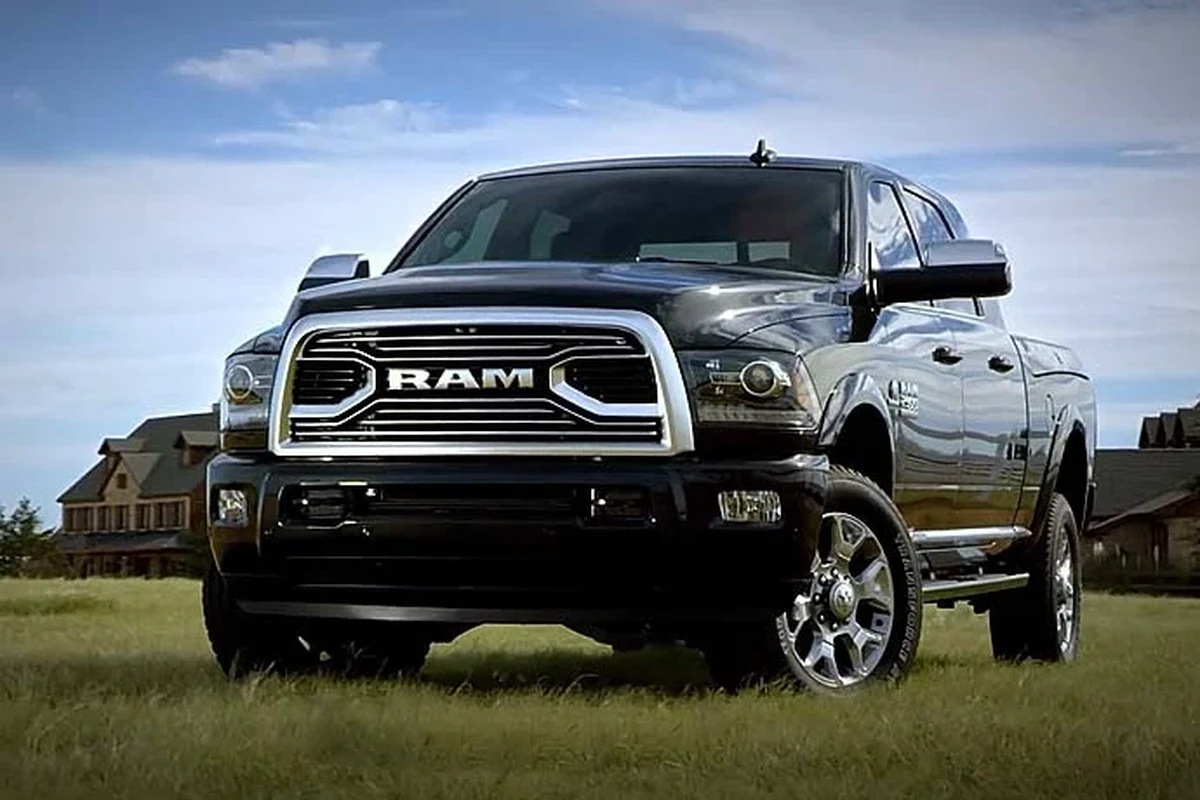
A dash cam for truck use is most valuable when it matches your driving style, parking habits, and need for front, rear, or cabin coverage. For most owners, a reliable dual-channel setup offers the best balance of evidence and everyday practicality.
If you drive a truck in 2026, a dash cam can be one of the most practical safety and documentation tools you buy. The right dash cam for truck depends on how you drive, whether you tow or haul, and how much coverage you want front, rear, and inside the cabin.
- Coverage matters: Truck owners should choose front-only, dual-channel, or 360-degree based on real risk, not just.
- Durability matters: Heat resistance, vibration tolerance, and strong memory card support are key for trucks.
- Parking mode is optional: It helps in public lots and job sites, but only if powered safely.
- Installation matters: Good mounting and cable routing are essential for safe, useful footage.
Dash Cam for Truck: What It Is and Whether You Need One in 2026

A truck dash cam is a compact onboard camera system that records the road, and sometimes the cabin or rear area, while you drive or park. It can help document collisions, hit-and-runs, cargo incidents, parking damage, and roadside disputes, which matters even more for larger vehicles that spend time on highways, job sites, and crowded parking lots.
How a truck dash cam works and why it matters for drivers
Most truck dash cams power on with the vehicle and record continuously in a loop, saving the newest video while overwriting older clips on the memory card. If the camera detects hard braking, a collision, or motion while parked, it can lock that clip so it is not overwritten.
That matters because trucks often face more documentation needs than passenger cars. A pickup towing a trailer, a work truck parked at a jobsite, or a long-haul rig on a night route may all need a clear record of what happened before, during, and after an incident.
For truck owners, the best dash cam is usually the one that matches the vehicle’s size, parking habits, and exposure to heat, vibration, and long driving hours.
Who this guide is for: long-haul, fleet, work truck, and daily pickup owners
This guide is for anyone who wants a truck camera setup that is useful in real life, not just on a spec sheet. That includes long-haul drivers, fleet managers, contractors, delivery operators, daily pickup owners, and weekend drivers who want better evidence after an accident or parking lot incident.
If you are comparing truck-specific options, it can also help to read our related guides on the best dash cam for trucks and the best dash cam for pickup trucks for more focused use-case ideas.
Best Dash Cam for Truck Buyers: The Key Features That Actually Matter
Truck buyers should focus on coverage, reliability, and ease of use before chasing extra features. A camera that records clearly in daylight but fails at night, overheats in summer, or loses files because of poor storage handling is not a good long-term fit.
Video quality, night vision, and wide-angle coverage
Video quality is still the first thing to check. Higher resolution helps capture license plates, lane position, road signs, and details around a crash, but resolution alone does not guarantee useful footage. Sensor quality, lens sharpness, and low-light performance matter just as much.
Night vision is especially important for truck drivers who work early mornings, late nights, or rural routes. A camera with strong low-light processing is often more useful than one that only advertises a high resolution number.
Wide-angle coverage is also important because trucks have a larger forward view and more potential blind spots around the hood, mirrors, and trailer area. Just remember that an extremely wide lens can distort edges, so balance coverage with clarity.
Parking mode, loop recording, GPS, and impact detection
Parking mode is useful if your truck sits in public lots, job sites, or overnight parking areas. It can record motion or impacts while the vehicle is off, but it usually requires a proper power setup so the camera can stay active without draining the battery too aggressively.
Loop recording is standard on most modern units and should be non-negotiable. GPS logging can add speed and location data to footage, which may help explain where a truck was and how fast it was moving. Impact detection, sometimes called a G-sensor, can automatically protect important clips after a collision or hard jolt.
- Look for parking mode only if you will actually power it safely when parked.
- Confirm that loop recording and event locking work together without manual file management every day.
- Use GPS as supporting evidence, not as the only proof in a dispute.
Storage, durability, heat resistance, and weather readiness
Truck environments are harder on electronics than many drivers expect. Heat buildup in the cab, vibration from rough roads, and long operating hours can all shorten the life of a weak camera or low-quality memory card.
That is why storage support, card endurance, and heat resistance matter. A dash cam for a truck should be built to handle long recording cycles and temperature swings. For drivers in very hot climates, our guide to the best dash cam for Texas heat can help frame what durability features to prioritize.
Temperature ratings and storage limits vary by brand and model. Always confirm the manufacturer’s guidance before leaving a camera parked in extreme heat or cold.
Top Use Cases: Choosing the Right Dash Cam for Your Trucking Lifestyle
The best setup depends on how your truck is used. A fleet vehicle, a personal pickup, and a long-haul tractor all face different risks, so the “right” camera is not the same in every case.
Commercial trucking and fleet safety
For commercial use, the most important benefits are accountability and documentation. Fleet operators often want footage that helps resolve incidents, verify routes, and support driver coaching without creating a complicated system for the driver to manage.
If your truck is part of a business or mixed-use fleet, you may also want to compare options in our best dash cam for fleet vehicles and best dash cam for commercial vehicles guides.
Pickup trucks for towing, hauling, and jobsite use
Pickup owners often need a dash cam because their trucks do more than commute. Towing a trailer, hauling tools, or entering tight jobsite areas increases the chance of minor collisions, tailgating disputes, and parking damage.
For these drivers, front coverage is essential, but rear or cabin coverage can also be useful if the truck frequently carries equipment or passengers. If your truck is a daily workhorse, the camera should be simple enough to live with every day, not just on special trips.
Personal road trips, daily commuting, and off-road driving
For personal trucks, the decision usually comes down to how much evidence and convenience you want. Daily commuters may need a straightforward front camera, while road-trippers may appreciate dual-channel recording for added coverage.
Off-road drivers should pay close attention to vibration resistance and secure mounting. If your truck sees rough trails, uneven roads, or repeated jostling, a loose mount or fragile memory card can become a bigger problem than the camera itself.
A front-only model may be enough if you mainly want crash evidence and simple operation.
Dual-channel coverage can be useful if you carry passengers often or park in busy lots.
Start with reliable front recording before paying extra for features you may not use.
Comparison Guide: Front-Only vs Dual-Channel vs 360-Degree Dash Cams
Different camera layouts solve different problems. The best choice is the one that covers your biggest risk without adding unnecessary complexity.
| Option | Best For | Key Consideration |
|---|---|---|
| Front-only | Commuting, basic protection, budget buyers | Simple and affordable, but limited rear evidence |
| Dual-channel | Towing, fleet use, parking lot claims | Better coverage, more wiring and storage demand |
| 360-degree | High-risk parking, all-around awareness | Broader coverage, but footage review can be less straightforward |
Which setup is best for highway protection and accident evidence
For highway driving, front-only cameras can still be very effective if your main concern is documenting what happened ahead of the truck. They are the easiest to install and manage, which makes them appealing for drivers who want a low-maintenance setup.
Dual-channel systems are stronger when you want more complete evidence, especially in rear-end collisions or lane-change disputes. For many truck owners, that added coverage is worth the extra cost and setup time.
When rear coverage or cabin recording is worth the upgrade
Rear coverage is worth considering if you tow often, park in public areas, or want better evidence of what happened behind the truck. Cabin recording can be useful for ride-sharing, fleet oversight, or documenting interactions inside a work vehicle, but it is not necessary for every owner.
If you are specifically comparing a front-and-rear layout, our best dash cam for front and rear guide is a helpful companion resource.
Pros, limitations, and trade-offs of each style
- Front-only: easiest to install and usually cheapest
- Dual-channel: stronger evidence for more accident types
- 360-degree: broader situational coverage in one system
- Front-only: limited rear and side context
- Dual-channel: more wiring and storage use
- 360-degree: can be more complex to review and manage
Real-World Benefits and Limitations of a Dash Cam for Truck Owners
A dash cam can be a strong ownership tool, but it is not a cure-all. It helps document events, yet it cannot replace safe driving, good parking habits, or proper vehicle maintenance.
Accident evidence, insurance claims, theft deterrence, and driver accountability
In the real world, the biggest benefit is evidence. Clear footage can support insurance claims, clarify fault, and help resolve disputes faster. For fleets, it can also support driver accountability and incident review.
A visible camera may also discourage theft or tampering, although it is not a guarantee. Think of it as one layer of protection, not a security system by itself.
Common limitations: blind spots, storage limits, and false assumptions
Dash cams do not see everything. They can miss events outside the lens, and even a wide-angle model may not capture the full picture around a large truck. That is why mounting position matters so much.
Storage is another limitation. If the memory card is too small, low quality, or not maintained correctly, important clips may be overwritten or corrupted. For card care and formatting, our guide on how to format an SD card for a dash cam is worth a look.
Many dash cam problems are storage-related rather than camera-related, which is why memory card quality and regular formatting matter so much.
How to Install and Set Up a Dash Cam in a Truck Safely
Installation should be clean, secure, and power-safe. A sloppy setup can block your view, create cable clutter, or cause the camera to lose power at the wrong time.
Mounting location, power options, and cable management
Mount the camera where it has a clear forward view without blocking your line of sight. In a truck, that often means high on the windshield, centered or slightly offset depending on mirror placement and cab layout.
Power usually comes from the 12V outlet, a hardwire kit, or another vehicle power source. Cable management matters because loose wiring can rattle, distract, or interfere with controls.
Hardwiring, OBD-II, and battery protection basics
Hardwiring can support parking mode and a cleaner installation, but it should be done carefully and according to the vehicle and camera instructions. OBD-II power is another option on some vehicles, though compatibility varies.
Battery protection is important if the camera stays active when the truck is off. If you are planning a parking-mode setup, our guide on how to hardwire a dash cam for parking mode explains the setup considerations in more detail.
Do not route cables where they can interfere with airbags, steering, pedals, or visibility. If you are unsure about a hardwire installation, use a qualified installer.
First-time setup mistakes to avoid
Common mistakes include mounting the camera too low, using the wrong memory card type, skipping firmware updates, and assuming parking mode will work without proper power management. Another frequent issue is forgetting to confirm date, time, and GPS settings before relying on the footage.
- Test the camera before you depend on it
- Check that the lens angle covers the road, not just the hood
- Verify that event clips are being saved correctly
- Mounting the camera where it blocks your view
- Using an unapproved memory card
- Assuming parking mode is safe without battery protection
Maintenance, Cleaning, and Safe Use Tips for Long-Term Reliability
Truck dash cams need a little upkeep if you want them to stay dependable. Most of the work is simple, but it matters because heat, vibration, and long hours can wear out accessories faster than many drivers expect.
Lens cleaning, memory card care, firmware updates, and heat protection
Keep the lens clean so footage stays sharp. Dust, road film, and fingerprints can reduce clarity more than you might think, especially at night.
Memory card care is equally important. Cards used for continuous recording should be checked regularly, and firmware updates should be installed when recommended by the manufacturer. If your truck spends time in very hot conditions, removing or shading the camera when parked may help reduce stress on the device.
Seasonal checks for vibration, moisture, and extreme temperatures
Seasonal inspection is smart for any truck camera. Check that the mount is still secure, the cable has not loosened, and the unit is not showing signs of moisture intrusion or heat damage.
Rough roads and repeated door slams can gradually shift the camera angle. A quick alignment check every so often can save you from discovering that your footage was aimed too high or too low after an incident.
Safe recording habits and privacy considerations
Be mindful of privacy laws and workplace policies. If you use cabin recording, make sure passengers, employees, or drivers understand how the system is used and stored.
Also, review your camera’s settings so it records the way you expect. A camera that is always on is only helpful if the files are organized, protected, and accessible when needed.
Final Buying Advice: Best Value, Budget Picks, and What Alex Carter Recommends
My advice is to start with your truck’s job, not the camera’s feature list. A simple front-only unit can be enough for a commuter pickup, while a dual-channel or fleet-oriented setup makes more sense for towing, business use, and high-risk parking.
How to balance price, features, and long-term value
Value comes from reliability, clear footage, and easy ownership, not from the longest feature list. If a camera has excellent night performance, stable recording, and a durable build, it may be worth more than a cheaper model with flashy marketing.
On the other hand, if you mainly want basic crash documentation, a modest front-facing model can be a smart buy. That keeps setup simple and reduces the chance of maintenance problems later.
When to spend more and when a basic model is enough
Spend more if you need parking mode, rear coverage, cabin recording, or stronger heat tolerance. Those features are most useful for fleet vehicles, work trucks, and drivers who spend a lot of time in public lots or harsh weather.
A basic model is enough if your truck is mostly a daily driver and you only want dependable evidence in front of the vehicle. If you are comparing budget options, our best dash cam for under 100 guide can help set realistic expectations.
Transparent recommendation based on truck type and driving needs
For most truck owners, I would prioritize a reliable dual-channel dash cam if the budget allows, because it offers the best balance of evidence, coverage, and everyday usefulness. If you drive a work truck or fleet vehicle, lean toward a model that supports parking mode and easy file management.
If you drive a personal pickup and want a simpler setup, a well-built front-only camera can still deliver real value. The best choice is the one you will keep powered, maintained, and ready to record when it matters most.
A good dash cam for truck ownership should be chosen for coverage, durability, and ease of use rather than headline specs alone. For most drivers, dual-channel is the safest all-around choice, while budget commuters can still do well with a dependable front-only model.
Common Questions
The best one depends on how you use the truck, but dual-channel models are often the most versatile. They give you stronger coverage without becoming overly complex.
Not always, but it helps if you tow, park in crowded areas, or want better evidence after a rear-end incident. Front-only can still be enough for basic use.
It is worth considering if your truck sits in public or high-risk areas. Just make sure the power setup protects the battery.
Use a card approved by the manufacturer and rated for continuous recording. Cheap cards are more likely to fail or corrupt footage.
Check it regularly for lens cleanliness, mount stability, and file-saving performance. Seasonal checks are smart for trucks exposed to heat and vibration.
Frequently Asked Questions
The best choice depends on whether you need simple front coverage or broader protection. For many truck owners, a dual-channel model is the most practical balance of coverage and ease of use.
Night vision or strong low-light performance is especially useful for early starts, late drives, and rural roads. It can make a bigger difference than resolution alone.
Many drivers can handle a basic plug-in setup. Hardwiring for parking mode is more involved, so it is worth using a qualified installer if you are unsure.
Clean the lens, check the mount, and follow the manufacturer’s memory card guidance. Firmware updates and regular inspections also help prevent avoidable issues.
It depends on your priorities. A 360-degree system can capture more surroundings, but front-and-rear setups are often simpler to review and easier to live with.
Confirm power compatibility, storage support, temperature limits, and whether the camera fits your truck’s layout. If you want parking mode, verify the power method before you buy.