
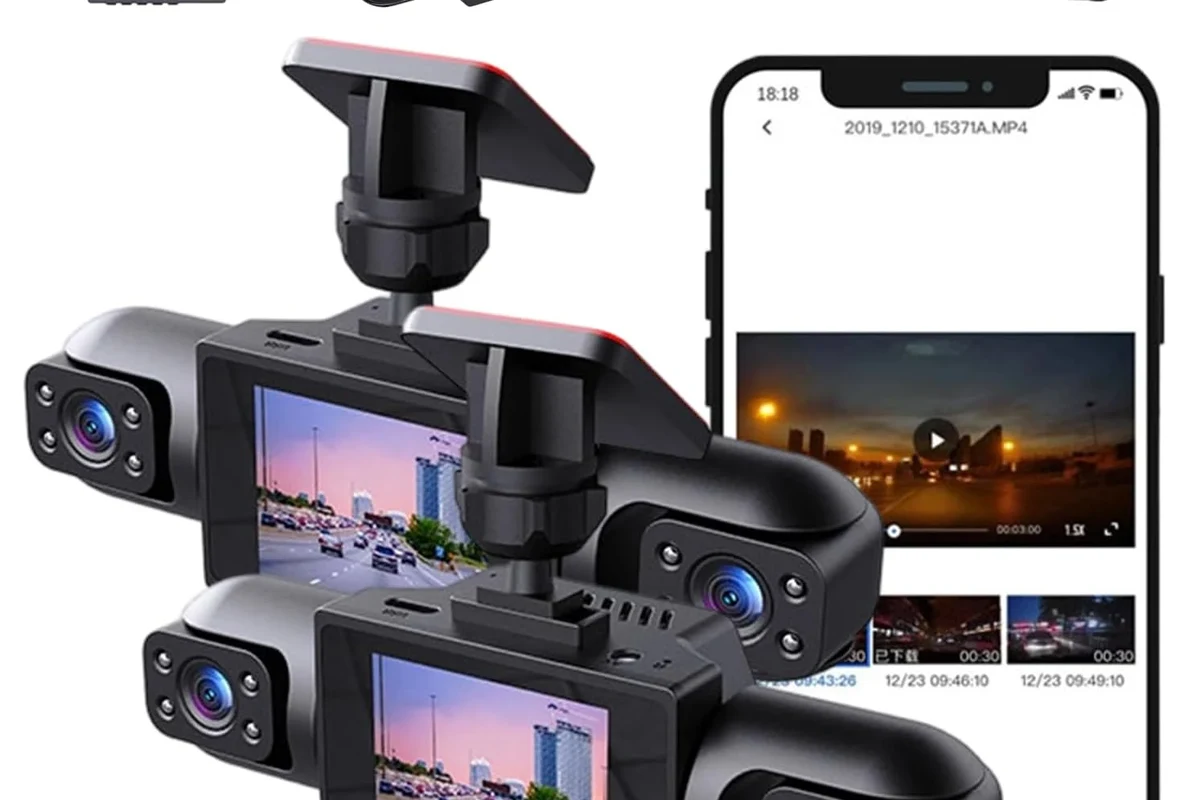
A wireless dash cam front and rear is best for drivers who want cleaner installation, app-based access, and coverage in both directions. The smartest choice in 2026 is the one with strong video quality, stable connectivity, and a power setup that matches your parking habits.
Wireless dash cam front and rear systems are a smart fit for drivers who want easier installation, cleaner cabin wiring, and coverage of both directions without overcomplicating the setup. In 2026, the best options are less about flashy marketing and more about dependable video quality, stable app connectivity, and a power setup that matches how and where you park.
- Wireless usually means app-connected: Most systems still need vehicle power and are not completely cable-free.
- Video quality matters more than resolution: Night performance, HDR, and lens quality affect real-world usefulness.
- Parking mode needs power planning: Hardwire kits or battery packs may be necessary for street parking.
- App reliability is a major factor: A weak app can make even a good camera frustrating to use.
Wireless Dash Cam Front and Rear: Best Picks, Who They’re For, and What to Expect in 2026

If you are shopping for a wireless dash cam front and rear, focus first on how the system connects, how it records, and how it handles parking protection. A good setup should make evidence easy to capture and review, not add frustration every time you open the app or start the car.
Quick answer: what a wireless front-and-rear dash cam is and why it matters
A wireless front-and-rear dash cam usually means the cameras communicate with each other or with your phone through Wi-Fi or Bluetooth, while still needing power from the vehicle or a battery pack. That matters because it can reduce visible cable clutter and make setup simpler, but it does not always mean the system is truly cable-free.
Who should buy one: commuters, rideshare drivers, families, and fleet users
Commuters often want a simple, low-maintenance system that records daily traffic and parking incidents. Rideshare drivers, delivery drivers, and fleet users usually need front-and-rear coverage because disputes can involve what happened behind the vehicle as much as in front of it.
Families may like the cleaner install and the ability to monitor shared vehicles, especially for teen drivers or multiple household users. If you want a broader buying perspective, our best dash cam for front and rear guide can help you compare system types, while the what is a dash cam and is it worth it article explains the basic value of recording road events.
Good if you want simple evidence capture and less cabin clutter.
Useful for shared vehicles, teen drivers, and parking incidents.
Works if you prioritize convenience, but the app and power setup should be checked closely.
How Wireless Dash Cams Work: Features, Connectivity, and Real-World Benefits
Understanding the technology helps you avoid paying extra for a feature that sounds modern but does not solve your actual problem. The best systems combine dependable recording with a setup that fits your vehicle and driving habits.
Wireless vs. truly cable-free: what “wireless” usually means in practice
Most wireless front-and-rear dash cams are not completely cable-free. The front camera still needs power, and the rear camera often still needs a connection of some kind, even if the image is transmitted wirelessly or the cameras are paired through an app.
That distinction matters because a system can still require hardwiring, a 12V outlet, or a battery pack for parking mode. If you are trying to avoid battery drain or want a cleaner install, it helps to read about how to install a dash cam without a cigarette lighter and how to hardwire a dash cam for parking mode.
Front-and-rear coverage, app control, cloud access, GPS, and parking mode
Front-and-rear coverage gives you a wider evidence trail in rear-end collisions, parking lot bumps, and aggressive driving situations. App control can make it easier to review clips on your phone, while GPS can add location and route data that may help explain where an event happened.
Cloud access can be helpful, but it is not essential for everyone and may depend on a subscription or a stable network connection. Parking mode is especially important if you park on the street, but it usually requires a power strategy that keeps the camera awake without draining the vehicle battery too much.
Feature names vary by brand. One company’s “smart parking” may be another company’s “motion detection” or “impact recording,” so compare the actual function, not just the label.
Everyday benefits: accident evidence, theft deterrence, and peace of mind
The biggest benefit of a wireless dash cam front and rear is practical evidence. Clear footage can help document a crash, a hit-and-run, vandalism, or a dispute over lane position or braking.
It can also discourage some opportunistic theft or careless behavior because people know they may be recorded. For drivers who often leave the car in public lots, that peace of mind can matter as much as the footage itself.
Rear footage is often the difference between “something happened” and “here is exactly what happened” in parking lot incidents and rear-end claims.
What to Look for Before You Buy: Key Decision Criteria
Before choosing a model, decide what you need the camera to prove, where it will live, and how much effort you want to spend managing it. That approach usually leads to a better purchase than chasing the longest feature list.
Video quality: resolution, low-light performance, HDR, and field of view
Resolution matters, but it is only one part of image quality. A camera that records at a higher resolution can still struggle at night if the sensor, lens, or processing is weak.
Look for strong low-light performance, HDR or similar high-dynamic-range processing, and a field of view that covers enough road without turning license plates into unreadable blur at the edges. A very wide lens can capture more, but it may also distort details if the processing is poor.
Connectivity and setup: Wi-Fi stability, Bluetooth pairing, app quality, and updates
Wireless systems are only as good as their software. If the app is slow, drops connections, or makes it difficult to export clips, the convenience of wireless features disappears quickly.
Check whether the system supports stable Wi-Fi transfer, easy Bluetooth pairing, and regular firmware updates. If you prefer a simpler install or want more general setup help, our how to connect a dash cam guide and how to connect a dash cam to a phone article are useful references.
Power options: battery, supercapacitor, hardwire kits, and parking protection
Dash cams usually use either a small internal battery or a supercapacitor. In general, supercapacitors tend to handle heat better and are often preferred for hot climates, while internal batteries may be more limited in extreme temperatures.
Parking protection is where power choice becomes important. A hardwire kit or a dedicated battery pack can support longer parking coverage, while a simple plug-in setup may be easier but less capable when the car is off. If battery management is a concern, see how to prevent a dash cam from draining battery and our dash cam battery pack guide.
Storage, loop recording, heat resistance, and reliability in hot climates
Reliable loop recording is essential because it keeps the camera saving new footage without stopping when the card fills up. You should also confirm what memory card type the system supports and how often the card should be formatted or replaced.
Heat resistance matters more than many shoppers realize. In hot climates, the camera and memory card can face repeated stress, so look for a design known for thermal stability rather than only for headline specs. If you live in a very hot region, our best dash cam for Arizona heat guide may help you narrow the field.
- Prioritize app reliability and export speed if you expect to share clips often.
- Choose a power setup that matches parking habits, not just driving habits.
- Check heat tolerance if the vehicle sits in direct sun for long periods.
- Verify memory card support before buying a larger card.
Best Use Cases by Driver Type and Vehicle Lifestyle
The right system depends on how you use the vehicle day to day. The same dash cam can be a great fit for one driver and a poor match for another if their parking, driving, or evidence needs are different.
Daily commuters and highway drivers
Commuters usually benefit from front-and-rear coverage because the most common incidents involve traffic congestion, sudden braking, and close following distances. Highway drivers may also appreciate GPS-tagged clips and a camera that handles motion blur well.
If your commute is long or you drive in heavy traffic, a wireless system is most useful when it reduces friction. You want fast access to clips, not a device that requires a complicated reconnection routine every morning.
Families, teen drivers, and shared vehicles
Shared vehicles need simple operation. A wireless dash cam can be helpful if multiple drivers use the same car and nobody wants to manage extra wiring or a complicated interface.
For teen drivers, the value is usually accountability and documentation, not surveillance for its own sake. If you are comparing family-oriented options, our best dash cam for teen drivers article may help you focus on ease of use and evidence quality.
Rideshare, delivery, and business fleets
Commercial drivers often need reliable front-and-rear evidence because claims can involve passengers, loading areas, or tailgating. Fleet managers may also care about easy clip retrieval, consistent power behavior, and predictable maintenance.
For more specialized needs, the best dash cam for fleet vehicles and best dash cam for commercial vehicles guides can help you compare systems built around higher usage.
Drivers who park on the street or in high-risk areas
If the car spends a lot of time on the street, parking mode becomes a major deciding factor. In that case, the best wireless dash cam front and rear is the one that can stay powered reliably without causing battery concerns.
Drivers in high-risk areas should also think about visible deterrence, not just recording. A camera that is easy to see may discourage some incidents, but it should still be mounted legally and without blocking the driver’s view.
| Driver type | What matters most | Common mistake |
|---|---|---|
| Commuter | Stable app, good night video | Buying on resolution alone |
| Family/shared vehicle | Simple controls, dependable setup | Ignoring ease of use |
| Rideshare/fleet | Rear coverage, clip access, parking mode | Skipping power planning |
| Street parker | Heat resistance, battery-safe parking mode | Overlooking battery drain |
Setup and Installation Guide: How to Get the Best Results
Even a strong camera can perform poorly if it is mounted badly or configured incorrectly. A careful setup is one of the easiest ways to improve reliability without spending more money.
Mounting the front and rear cameras correctly
Mount the front camera high enough to see the road clearly, but not so high that it interferes with sensors, mirrors, or sun visors. The rear camera should be aimed squarely through the back glass or toward the rear traffic lane, depending on the vehicle design.
If your vehicle has a steep rear window angle, tint, or a hatchback layout, take extra care with placement because those factors can affect image clarity. For trucks and larger vehicles, a model-specific guide such as best dash cam for pickup trucks front and rear may be more relevant than a generic recommendation.
Routing power safely, avoiding blind spots, and minimizing cable clutter
Keep wiring away from airbags, pedals, steering components, and anything that could interfere with safe driving. A cleaner install is great, but safety comes first.
Do not route cables where they can obstruct airbags, pedals, mirrors, or the driver’s line of sight. If you are unsure about a hardwire route, consult the vehicle manual or a qualified installer.
Minimize cable slack where possible, but do not force bends that could damage the wire. If you prefer a neater cabin, our how to hide dash cam wires in the headliner guide explains the general approach.
Pairing the app, formatting the card, and testing recording before driving
Set up the app first, confirm the cameras are recognized, and then format the memory card according to the manufacturer’s instructions. This avoids many of the “it worked once, then stopped” problems that come from an unprepared card.
Before relying on the system, confirm that both front and rear clips are saving, the date and time are correct, and the app can retrieve footage. If you are unsure about the memory card process, see how to format an SD card for a dash cam.
Place the front and rear units where they have a clear view and do not block safety equipment.
Follow the manufacturer’s setup order so the system recognizes both cameras correctly.
Confirm that recording, playback, and file export all work before you depend on the system.
Common setup mistakes that reduce image quality or reliability
Some of the most common mistakes are also the easiest to avoid: mounting too low, skipping card formatting, ignoring app updates, and choosing a power source that cannot support the parking mode you want. Another frequent issue is assuming the rear camera will automatically produce the same clarity as the front camera in all lighting conditions.
Safety, Care, and Maintenance: Keeping Your Dash Cam Reliable
Like any vehicle accessory, a dash cam works best when it is checked occasionally instead of being forgotten after installation. Small maintenance habits can keep it ready when you actually need it.
Safe use tips: legal placement, driver visibility, and privacy considerations
Place the camera where it does not block your view or violate local windshield placement rules. Laws differ by state and region, so confirm the rules where you live before finalizing the install.
Be mindful of privacy if you record passengers, coworkers, or family members. In some situations, it is wise to tell regular passengers that the vehicle is recording, especially if audio capture is enabled.
Cleaning lenses, checking mounts, and protecting the unit from heat
Dust, haze, and fingerprints can reduce clarity more than many buyers expect. A quick lens cleaning and a check of the adhesive or mount can prevent avoidable footage problems.
Heat protection matters too. If the car sits in strong sun, use a camera designed for high temperatures and avoid leaving it baking longer than necessary when you can park in shade or a garage.
Memory card care, firmware updates, and routine inspection schedule
Memory cards wear out over time, especially in dash cams that loop-record constantly. That is why it helps to inspect the card, reformat it when recommended by the manufacturer, and replace it if recording errors begin to appear.
Firmware updates can improve stability, app performance, or compatibility with newer phones. A simple monthly check is often enough for most drivers, while fleet or high-use vehicles may need a tighter inspection routine.
Limitations, Trade-Offs, and Alternatives to Consider
Wireless convenience is helpful, but it is not a cure-all. Knowing the trade-offs up front helps you avoid disappointment after the purchase.
What wireless dash cams do not solve: battery drain, weak apps, and rear-camera complexity
A wireless label does not eliminate power needs, and it does not guarantee a good app. Some systems still require careful battery management, and rear-camera installation can be more involved than buyers expect.
Rear-camera complexity is especially common in larger vehicles, vehicles with unusual rear glass, or trucks that need longer cable runs. If you drive a pickup, a truck-specific guide such as best dash cam for trucks may help you evaluate fit more realistically.
When a hardwired system or simpler single-channel camera may be a better value
If you mainly want parking protection, a hardwired system may be more dependable than a wireless-only setup. If you only care about front-facing incidents, a single-channel camera can be easier to install and cheaper to maintain.
That is why the “best” choice is often the one that matches your real use case, not the one with the longest feature list. Buyers who want a simpler setup should also compare options in our best dash cam for car and best dash cam for the money guides.
Evidence limits: why specs matter more than marketing claims
Marketing language can make every camera sound premium, but the useful facts are usually found in the specs and support details. Look for clear information on sensor quality, storage support, app behavior, parking mode requirements, and operating temperature range.
Do not buy on claims alone. Confirm the return policy, app compatibility, power requirements, and installation needs before you commit.
Final Recommendation: How to Choose the Right Wireless Dash Cam Front and Rear
The right wireless dash cam front and rear is the one that balances convenience with dependable recording. For most buyers, the best-value choice is a model with solid day-and-night video, a stable app, a heat-tolerant design, and a power setup that supports the way the car is parked.
Best-value pick criteria versus premium-feature criteria
A best-value system should prioritize the basics: clear footage, reliable loop recording, simple app access, and enough parking support for your routine. Premium features such as cloud access, advanced driver alerts, and larger screens are only worth extra money if you will actually use them.
If you want a more specialized comparison, consider whether your needs are closer to a family car, a work vehicle, or a hot-climate commuter. That is often more useful than comparing only resolution numbers.
Budget guidance for 2026 and what features are worth paying for
In 2026, it is usually worth paying more for better app stability, stronger low-light performance, and a power solution that matches parking habits. Those upgrades tend to matter more in daily ownership than cosmetic design changes or marketing extras.
Before buying, confirm current pricing, included accessories, and warranty terms with the seller or manufacturer, since those details can vary by region and bundle.
Transparent verdict: the best choice depends on your vehicle, parking habits, and evidence needs
If you park outside, drive frequently, or want front-and-rear evidence for disputes, a wireless system can be a practical upgrade. If your priority is the lowest cost or the simplest possible setup, a hardwired or single-channel alternative may be the smarter buy.
Choose a wireless dash cam front and rear for cleaner installation and easier everyday use, but only if the app, power plan, and rear-camera setup are solid. For many drivers, the best option is the one that fits the vehicle and parking routine first, then adds features second.
Common Questions
It is a two-camera system that uses wireless connectivity for app control or clip transfer. It still usually needs power from the car or a battery pack.
Usually yes, because it can reduce visible cable clutter. But the rear camera and power setup may still take careful planning.
If you park outside or in busy lots, parking mode can be very useful. It helps record incidents that happen while the vehicle is off.
Check video quality, app reviews, power needs, heat resistance, and memory card support. Those details matter more than marketing labels.
It can if parking mode is powered poorly or left on too long. A hardwire kit or battery pack may help manage that risk.
Frequently Asked Questions
It usually means the cameras connect through Wi-Fi or Bluetooth for app access and clip transfer, while still needing vehicle power. It is often not truly cable-free.
Commuters, rideshare drivers, families, and fleet users often benefit from the extra coverage and cleaner install. It is especially useful when rear incidents or parking events matter.
Look at video quality, night performance, app reliability, parking mode, heat resistance, and memory card support. Resolution alone is not enough.
Often yes. The front camera still needs power, and the rear camera may still need a cable or another connection method even if app control is wireless.
Clean the lenses, check the mount, update firmware, and inspect or replace the memory card when needed. Regular checks help prevent recording failures.
A hardwired system can be better for parking mode, while a single-channel camera may be enough if you only want front-facing coverage. The best choice depends on your vehicle and evidence needs.