
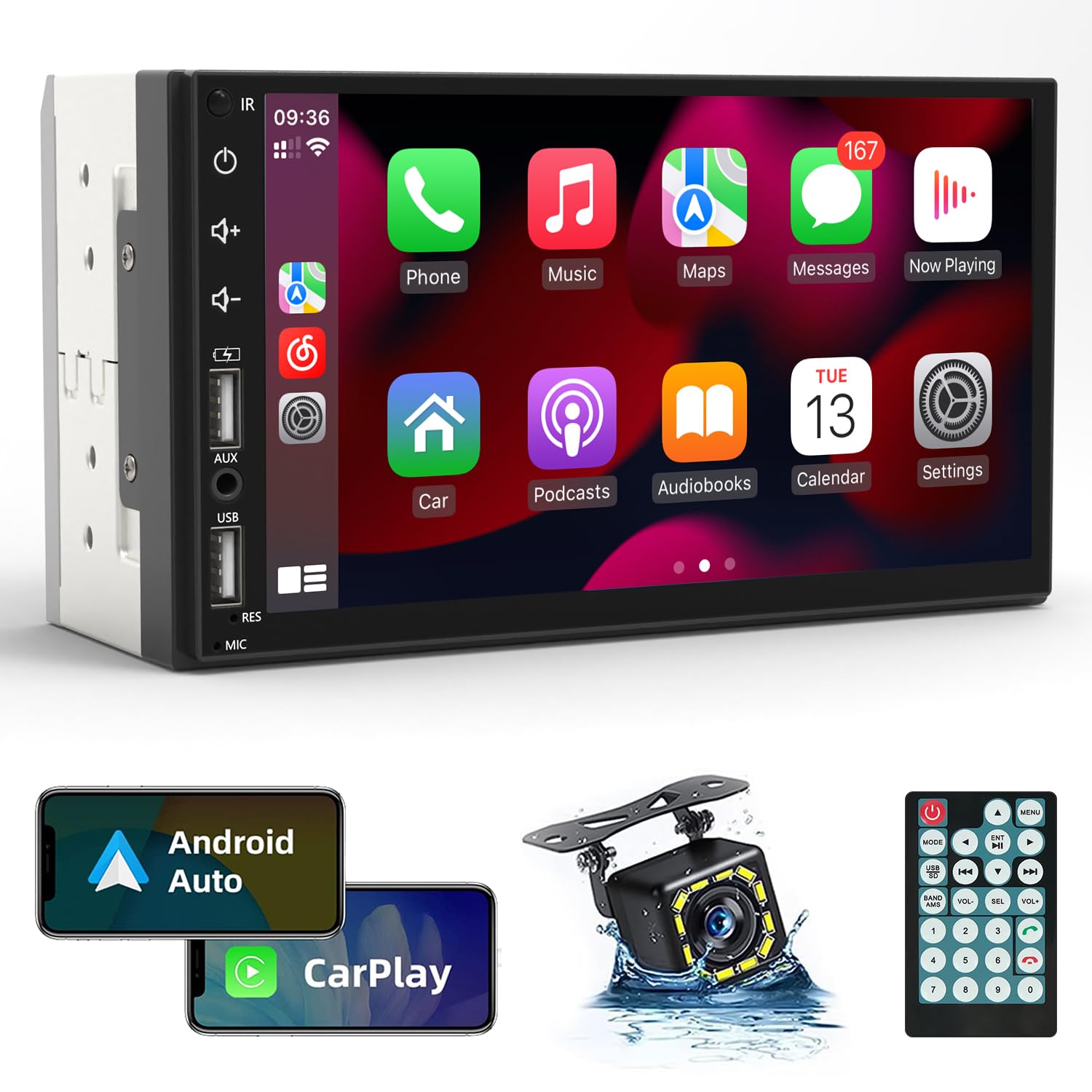
Double din radios are two-DIN car head units offering larger touchscreens and advanced features.
I’ve spent years installing and testing car stereos, and double din radios are a key upgrade for modern cars. These head units change how you use your vehicle daily. They replace old single-DIN units and bring touchscreen media, navigation, Bluetooth, Apple CarPlay, Android Auto, and stronger sound control. Read on to learn how double din radios work, what to look for, how to install them, and how to avoid common mistakes.

What are double din radios?
Double din radios are car head units that use a 4-inch tall dash opening. They are double the height of single-DIN units and offer larger displays and more controls. Many modern double din radios include touchscreens, smartphone integration, and built-in navigation. These units are often called 2-DIN or 2DIN head units in product listings.
Key features to look for in double din radios
Choose features that match your driving needs. Here are the most important features to consider:
- Touchscreen size and resolution: Bigger screens make maps and menus easier to use.
- Smartphone integration: Apple CarPlay and Android Auto provide safe access to apps.
- Bluetooth and hands-free calling: Stream music and take calls without cables.
- Built-in navigation: Useful for drivers who travel without relying on a phone.
- Audio outputs: Preamp outputs and RCA jacks help when adding amps and subs.
- DSP and EQ controls: Tuning options let you shape sound for your car.
- Backup camera input: Lets you add a reverse camera for safety.
- Steering wheel control support: Keeps factory controls working with adapter modules.
- Wireless options: Wireless CarPlay/Android Auto and Bluetooth reduce cable clutter.
- Expandability: USB ports, SD card slots, and app support extend functionality.
Types of double din radios
There is a wide range of double din radios to match budgets and goals. Common types include:
- Basic media receivers: Play radio, USB, and Bluetooth audio with a small screen.
- Multimedia touchscreens: Larger displays, smartphone support, and video playback.
- Navigation receivers: Built-in GPS with offline maps and route guidance.
- Android-based units: Run Android apps directly on the head unit.
- Wireless CarPlay/Android Auto units: Pair with your phone over Wi-Fi for cable-free use.
- DSP-focused units: Built-in digital signal processing for advanced tuning.
Each type fits different use cases. If you want top sound, pick a DSP or unit with strong pre-outs. If you want convenience, choose wireless smartphone support.
How to choose the right double din radio
Start with your priorities. Think about sound, features, and budget. Ask yourself these quick questions and use them to narrow options.
People also ask style questions:
What is the difference between a multimedia receiver and a car stereo? Multimedia receivers use touchscreens and app support but may lack radio tuners. Car stereos can be simpler units with less screen real estate.
Do I need CarPlay or Android Auto? If you use navigation, messages, and music often, CarPlay or Android Auto improves safety and ease. They mirror phone functions in a driver-friendly layout.
Can any double din radio fit my car? Fit depends on dash space and wiring. You may need a dash kit or wiring harness adapter to fit factory openings.
Compare features and read specs. Check screen size, amp outputs, and compatibility with your car’s electronics. Verify whether a steering wheel control adapter or CAN bus interface is needed.
Installation and compatibility basics
Plan ahead before buying a double din radio. Measure the dash opening and check if a dash kit is required. Purchase a wiring harness adapter to plug the new head unit into the factory loom; this saves soldering and preserves factory features.
Many modern cars use CAN bus systems for climate controls and displays. If your car uses CAN bus, you may need a specific interface to keep factory features working. Backup cameras and parking sensors can be retained with the right adapters. If you are not comfortable with wiring, professional installation avoids costly mistakes.
Performance, audio tuning, and accessories
Sound quality depends on more than the head unit. A good double din radio helps, but speakers, amps, and tuning make the biggest difference. Use these steps to get better audio:
- Upgrade speakers: Replace aging factory speakers for clearer sound and better volume.
- Add an amplifier: External amps provide cleaner power than built-in receivers.
- Use a subwoofer: For deep bass, add a powered sub or amp-driven subwoofer.
- Employ a DSP or equalizer: Tune frequency response and delay for better imaging.
- Optimize gain structure: Set gains correctly to avoid distortion and noise.
Also consider accessories like steering wheel control adapters, microphone extensions for hands-free calls, and high-quality USB cables. Firmware updates can add features and fix bugs, so check for updates regularly.
Common problems and troubleshooting
Even good double din radios can run into issues. Here are common problems and simple fixes:
- No power or unit won’t turn on: Check fuse in dash and inline fuses. Confirm wiring harness connections are solid.
- No sound from speakers: Verify speaker wires, check mute settings, and confirm amp turn-on wire is connected.
- Bluetooth pairing fails: Clear phone pairings on the head unit and phone, then retry pairing with Bluetooth enabled.
- Backup camera has no image: Ensure reverse camera trigger wire is connected and video input is selected.
- Steering wheel controls don’t work: Install the correct control interface and program it per the adapter guide.
If problems persist, reset the head unit to factory settings and re-check connections. When in doubt, consult installation guides or a professional installer.
Pricing, brands, and budget ranges
Price varies widely based on features. Typical ranges are:
- Entry-level units: $80–$200 for basic media receivers and small touchscreens.
- Mid-range units: $200–$500 for units with CarPlay/Android Auto and quality audio features.
- High-end units: $500–$1,200+ for navigation, advanced DSP, and premium screens.
Well-known brands tend to offer reliable firmware and support. Focus on models with good reviews for build quality and software updates. Factor in the cost of installation, dash kits, harnesses, and adapters when planning your budget.
Personal experience and practical tips
I’ve installed double din radios in sedans, trucks, and older cars. One mistake I made early on was buying a unit without checking dash fit. That led to returns and extra parts. Today, I always measure and buy a dash kit first.
I also learned to label wires during removal. That saved hours during reinstallation. If you want clean results, route cables behind the dash and secure them with zip ties. Finally, test everything before tightening screws.
Frequently Asked Questions of double din radios
What is the physical size of a double din radio?
A double din radio fits a 4-inch tall by 7-inch wide dash opening. This standard is commonly called 2-DIN and is used by most manufacturers.
Will a double din radio work in older cars?
Yes, with the right dash kit and wiring harness adapter, many older cars can accept a double din radio. You may need mounting brackets or an installation kit.
Do double din radios support Apple CarPlay and Android Auto?
Many modern double din radios support Apple CarPlay and Android Auto, either wired or wireless. Check the product specs to confirm support and whether wireless connection is included.
Can I install a double din radio myself?
If you have basic tools and wiring knowledge, you can install a double din radio yourself. For complex vehicles with CAN bus or factory amplifiers, professional installation is recommended.
How do I retain steering wheel controls after installing a double din radio?
Use a steering wheel control adapter compatible with your car and the head unit. Program the adapter per its instructions to map buttons correctly.
Will replacing my head unit improve sound quality?
Upgrading to a high-quality double din radio can improve clarity, provide better outputs, and add tuning features. For major improvement, pair the head unit with new speakers and an amplifier.
Conclusion
Double din radios transform the in-car experience by adding a large display, smartphone integration, and better audio control. Choose a unit that fits your dash, matches your feature needs, and allows for future upgrades. Measure carefully, budget for adapters, and test before finalizing installation. Take action: pick a few models that match your needs, read real user reviews, and consider professional installation for complex cars. Share your install story or questions below to keep the conversation going.