
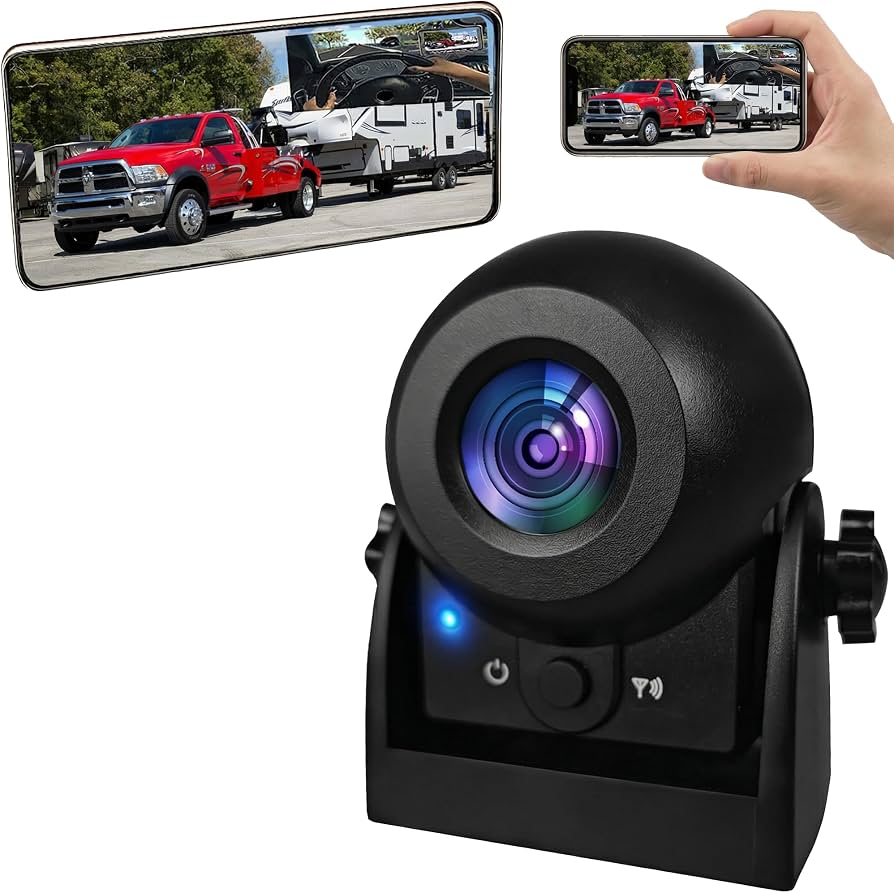
A wireless rear view camera lets you see behind your vehicle without long video wires.
If you hate guesswork while backing up, a wireless rear view camera changes the game. I’ve installed and tested many systems on cars, trucks, and RVs. In this guide, I’ll show you what matters, what to avoid, and how to get a sharp, stable view every time. You’ll learn how a wireless rear view camera works, which features to compare, and simple steps for clean, safe installs. Stick with me, and you’ll buy with confidence and set it up right the first time.

What Is a Wireless Rear View Camera?
A wireless rear view camera is a small camera that mounts at the back of your vehicle. It sends video to a dash monitor without a long video cable. Power comes from your reverse light or an accessory circuit.
Most kits include four parts. You get the camera, a wireless transmitter, a monitor with a receiver, and power leads. Some models hide the transmitter inside the camera. Many monitors clip over your mirror or mount to the dash.
When you shift into reverse, power triggers the camera. The monitor turns on and shows the live feed with parking lines. Good kits add night vision, wide field of view, and low-latency digital links. These help in lots, driveways, and tight alleys.
Key Benefits and Real Limits
A wireless rear view camera offers fast install and clean looks. No long video cables to snake through the cabin. That saves hours on sedans and SUVs.
Real-world gains:
- Better safety. You see kids, pets, curbs, and poles.
- Easier parking. Lines help you center the car.
- Trailer help. You can watch the hitch while you back up.
- Flexibility. Works on older cars, vans, RVs, and fleets.
But there are limits:
- Interference can cause dropouts in busy areas.
- Latency may appear on cheap analog links.
- Power wiring still matters. Bad grounds cause noise.
- Weather and vibration test seals and mounts.
On job sites, I see the same pattern. Quality digital links hold up well. Low-cost analog systems can flicker near dense Wi‑Fi or trucks with lots of radios. Choose right, and a wireless rear view camera stays smooth and clear.
How It Works Under the Hood
Most systems use 2.4 GHz or 5.8 GHz bands. Digital links compress video, then send it to the monitor. Some newer kits use encrypted channels and auto-hopping. This avoids noise and keeps the picture stable.
Core parts:
- Camera sensor. Look for 1080p or at least 720p HD.
- Lens and field of view. 120–150 degrees is a sweet spot.
- Transmitter and antenna. Bigger trucks may need external antennas.
- Display. Mirror displays look stock. Dash monitors are larger and bright.
Think of the link like a walkie-talkie for video. Clear line of sight helps. Metal, thick glass, and long cabins block signals. Good antennas beat most problems.
Features That Actually Matter When Buying
The right wireless rear view camera balances clarity, speed, and strength. Here is what I check before I buy or install.
- Resolution and HDR. Aim for 1080p with wide dynamic range. Plates and lines stay sharp in sun and shade.
- Low-light and night vision. Starlight sensors or strong IR give clean detail at dusk. Avoid harsh bloom around lights.
- Latency. Under 200 ms feels instant. Good for tight parking or hitching.
- Field of view. 120–150 degrees shows lanes and corners. Wider than 160 can distort depth.
- Waterproof rating. IP67 or IP68 is ideal. It keeps dust and water out.
- Operating temperature. Check for hot summers and cold winters. -4°F to 150°F is common.
- Mount type. Plate frame, bracket under the trim, or OEM-style handle. Pick one that fits your vehicle.
- Power options. Reverse-only trigger or always-on with a switch. Trailers often need always-on view.
- Wireless band. 5.8 GHz reduces Wi‑Fi mix-ups. 2.4 GHz has longer range through walls.
- Interference control. Look for frequency hopping and error correction.
- Monitor brightness. 500–1000 nits help in bright sun.
- Add-on channels. Some kits support side or front cameras.
Pro tip from the bay: If your SUV has a swing-out rear door or deep hatch, choose a camera with an external antenna. It solves most signal dips on long cabins.
Installation Guide: Clean, Safe, and Solid
You still need to run power, even with a wireless rear view camera. Do it clean to prevent noise and future faults.
Basic steps:
- Test on the bench. Power the camera and monitor on your workbench first. Pair and check image.
- Plan the mount. Hold the camera where you want it. Confirm the field of view and angle.
- Power the camera. Tap the reverse light positive and ground to bare metal. Use a test light or multimeter to verify the wire.
- Mount the camera. Use the bracket or plate frame. Seal holes with gasket or silicone if needed.
- Route the leads. Follow factory looms. Zip-tie away from hot parts and hinges.
- Power the monitor. Use the cigarette socket or an add-a-fuse to an ACC circuit.
- Pair and aim. Shift to reverse. Adjust tilt so the horizon sits in the top third.
- Set guidelines. Calibrate the parking lines to match your bumper.
Mistakes to avoid:
- Tapping the wrong wire. Always test. Color codes vary by year and model.
- Weak grounds. Paint blocks ground. Scrape to bare metal.
- Sharp bends. They stress cables and seals.
- Ignoring hatch movement. Leave slack for liftgates.
Personal note: On my first hatchback install, I skipped bench testing. The camera paired fine in the car, but the monitor had a dead pixel. I had to tear it all back out. Now I always test first. It saves time and swearing.
Wireless Performance, Interference, and Latency
Busy neighborhoods and job sites have lots of radio noise. Wi‑Fi, Bluetooth, and car electronics share space. A good wireless rear view camera fights this with smart hopping and strong antennas.
Tips that work:
- Keep antennas visible. Do not hide the monitor behind metal.
- Avoid routing near big power wires. Alternators can add noise.
- Use ferrite clips if you see lines or hear whine.
- Try different channels if the kit allows it.
Quick answers:
- Will Wi‑Fi kill my signal? Not usually. 5.8 GHz links and hopping avoid most Wi‑Fi.
- Is digital better than analog? Yes. It gives cleaner images and resists static.
- Can I add an external antenna? On some kits, yes. It helps long trucks and RVs.
In fleet vans, I often place the monitor antenna near the A-pillar. Signal lock improves right away. Think short path, clear line, fewer obstacles.
Safety, Laws, and Best Practices
Rear visibility rules changed driving. New cars in the US have rear visibility systems as standard since 2018. Aftermarket systems are legal and common. A wireless rear view camera adds this safety to older cars and work rigs.
Safe-use tips:
- Do not rely on the camera alone. Use mirrors and turn your head.
- Clean the lens often. Dust and rain kill detail.
- Watch the edges. Wide lenses can hide distance. Move slow near people.
Mount the camera low and centered when you can. This gives a true view of the bumper edge. If you must mount off-center, practice backing into a spot to learn the offset.
Use Cases: Cars, Trucks, RVs, and Trailers
A wireless rear view camera fits many jobs. You can tailor features to each vehicle type.
- Daily drivers. Mirror monitors look stock. 1080p helps read plates and lines.
- Pickups. Add hitch lines. Place the antenna clear of the bed and toolbox.
- RVs and campers. Grab an external antenna and a bright 7-inch monitor.
- Cargo vans. Always-on power helps in alleys and docks.
- Trailers. Some kits mount on the trailer with their own power. Quick pair and go.
I set up a landscaper’s trailer with a solar plate-frame camera. It paired to the truck’s monitor in seconds and ran all season. We only wiped the lens and checked the mount twice.
Budget, Mid-Range, and Pro: What To Expect
You do not need to overspend. Match the kit to your needs and the vehicle size.
- Under 100 dollars. Basic 720p, analog links. Fine for small cars and light use.
- 100–200 dollars. 1080p, digital, better night vision, brighter monitors. Good for most drivers.
- 200 dollars and up. Strong antennas, 5.8 GHz, HDR, IP68, multi-camera support. Best for trucks, RVs, and fleets.
Checklist before you buy:
- Does the camera fit your mount style?
- Is the image sharp at night and in glare?
- Is latency low when you tap reverse?
- Does it include guidelines and adjust them?
- Can it add side cameras later?
- Is the return policy fair?
A careful buyer gets more life and less hassle. A strong wireless rear view camera should feel boring in the best way. It should just work.
Maintenance and Care
Little steps keep images clear and links solid.
- Clean the lens with glass cleaner and a soft cloth.
- Check mounts and screws after rough roads.
- Reroute loose wires before they chafe.
- Update firmware if the maker offers it.
- In winter, clear salt spray. It fogs the image and corrodes parts.
If your wireless rear view camera shows fog inside the lens, stop. Dry the unit indoors. Then reseal with a new gasket or replace it. Moisture only gets worse.
Troubleshooting: Fast Fixes That Work
Most issues are simple. Work from power to signal.
- No image at all. Check fuses, grounds, and reverse trigger. Test on ACC power to rule out the trigger wire.
- Blue or black screen. Re-pair the camera and monitor. Move the antenna to improve line of sight.
- Static or rolling lines. Add ferrite clips. Keep power wires away from ignition coils and alternator lines.
- Delay when shifting. Set the monitor to auto-on. Reduce overlays that slow boot.
- Mirrored or upside-down view. Flip settings in the monitor menu.
One client’s van had random dropouts near a warehouse. We raised the monitor antenna two inches with a simple bracket. The wireless rear view camera stayed locked, even with forklift radios below.
Frequently Asked Questions of wireless rear view camera
How does a wireless rear view camera get power?
Most cameras tap the reverse light positive wire and a ground nearby. The monitor uses the cigarette socket or an accessory fuse.
Can I run the camera always on while driving?
Yes, if you wire it to an ACC circuit with a switch. This helps watch a trailer or traffic behind you.
Is 5.8 GHz better than 2.4 GHz for cameras?
Often, yes. 5.8 GHz avoids crowded Wi‑Fi bands and can reduce interference, but range through walls may be shorter.
Will a wireless rear view camera work on an RV or long truck?
Yes, with a strong transmitter and good antennas. Look for external antennas and digital links for long cabins.
Do I still need parking sensors?
They help but are not required. A wireless rear view camera shows what is behind you, while sensors beep for objects you might not see.
Can I add more cameras to the same monitor?
Many kits support two to four channels. You can add side or front views and switch with a button or trigger.
How do I stop glare on sunny days?
Use a brighter monitor and an anti-glare screen film. Angle the monitor slightly down and increase contrast.
Are license plate frame cameras legal?
In most places, yes, if they do not block the plate or lights. Check local rules to be sure.
What field of view should I choose?
Aim for 120–150 degrees. It shows lanes and corners without heavy distortion.
Why does my image flip left-right?
Backup feeds are mirrored for a natural mirror view. Many monitors let you toggle mirror mode if needed.
Conclusion
A wireless rear view camera can make daily driving calmer and safer. It trims install time, cleans up your dash, and gives a clear look at what matters. Choose a solid digital link, a sharp sensor, and a weatherproof mount. Wire it clean, aim it right, and test before you button up.
If you are ready to upgrade, use the checklist above and match the kit to your ride. Start with a bench test, keep antennas clear, and dial in the guidelines. Want more tips? Subscribe for new installs, gear reviews, and proven fixes.