
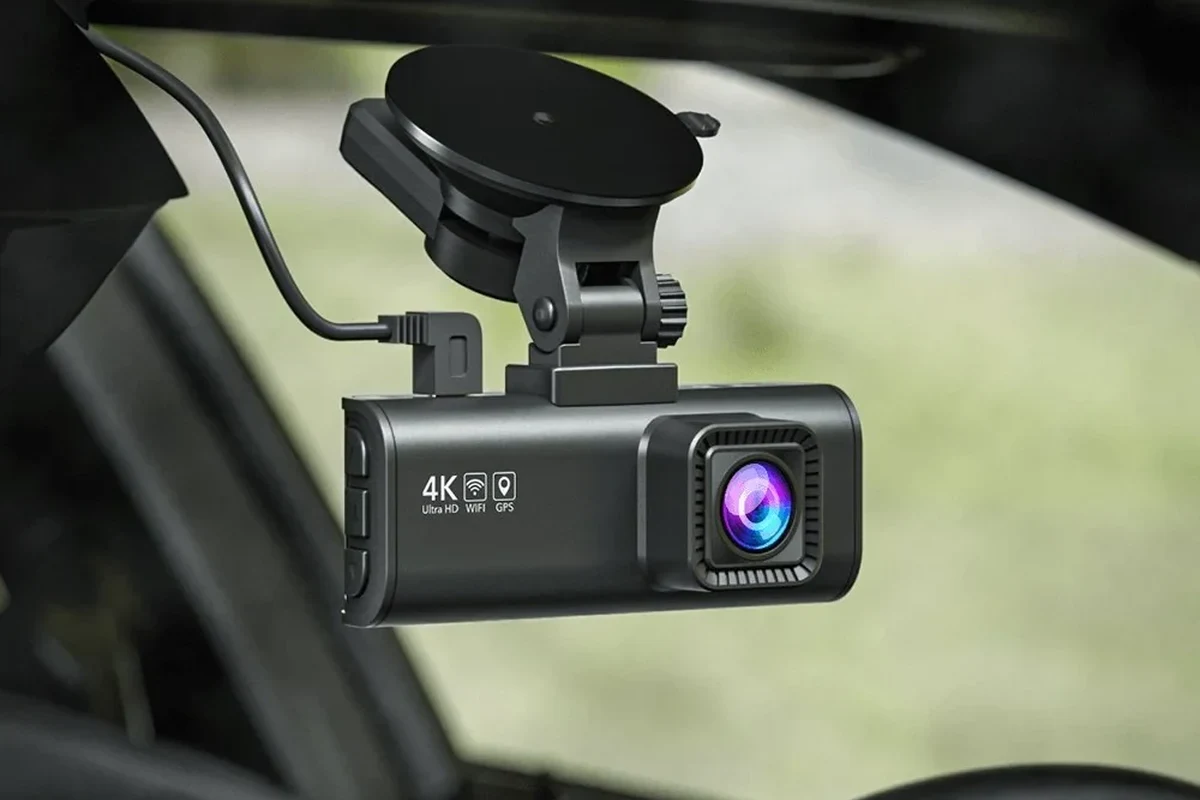
A wireless dash cam for car is best for drivers who want easier installation and app-based access to footage. It is less ideal if you need the most reliable parking surveillance or the least maintenance over time.
A wireless dash cam for car is a camera system that records your drive without requiring a messy hardwired data connection to your phone or a complicated visible cable setup. In 2026, it can be a smart fit for drivers who want easier installation, cleaner interiors, and app-based access to clips—but only if they understand what “wireless” actually means.
- Wireless usually means app-connected: Many models still need a power cable or battery support to record reliably.
- Video quality is only part of the decision: Night vision, storage, and app stability matter just as much.
- Parking mode varies widely: Confirm how it is powered before relying on it for long-term protection.
- Used units need extra caution: Batteries, mounts, and software support may be worn or outdated.
Wireless Dash Cam for Car: What It Is and Whether You Actually Need One in 2026

Most buyers use the term “wireless” to mean one of two things: the dash cam connects to a phone through Wi-Fi, or the camera has a cable-free power source such as an internal battery or rechargeable pack. Those are not the same thing, and the difference matters because video recording still needs stable power and reliable storage.
If you want a simple way to save accident footage, monitor a parked vehicle, or keep your cabin looking uncluttered, a wireless setup can make sense. If you need the most dependable long-term parking protection or multi-camera coverage, a traditional hardwired system may still be the better choice.
For shoppers comparing dash cam options, the real question is not just whether it is wireless, but whether the power, app, and storage setup fits your daily driving habits.
Quick Verdict: Best Use Cases, Who It Fits, and When to Skip It
A wireless dash cam is best for commuters, parents, rideshare drivers, and casual owners who want easier setup and quick clip sharing. It also works well for leased vehicles or newer cars where drivers prefer not to modify factory wiring.
Skip it if you park for long periods in extreme heat, want the most reliable parking mode, or need a fleet-grade system with continuous recording and advanced telematics. In those cases, a more traditional setup may be easier to trust over time.
Everyday driver with app-friendly needs
Good for drivers who want simple installation, easy footage access, and a cleaner cabin. The trade-off is that wireless convenience can come with battery, app, or range limitations.
Hardwired dash cam with parking mode
Better for owners who prioritize always-on reliability, long parking coverage, and fewer charging concerns. It is often the safer pick for hot climates and frequent street parking.
How Wireless Dash Cams Work: Core Features, Connectivity, and Setup Basics
Wireless dash cams usually record to a microSD card, then let you view or transfer clips through a companion app over Wi-Fi or Bluetooth. Some models also upload selected footage to cloud storage when connected to your phone hotspot or a built-in data connection.
The setup is usually simpler than a fully hardwired system, but “simple” does not mean “maintenance free.” You still need to mount the camera securely, manage storage, update firmware, and make sure the power source is dependable.
Wi-Fi vs. True Wireless Power Options
Wi-Fi makes the camera easier to use, but it does not remove the need for power. The camera still needs a battery, supercapacitor, USB power source, or vehicle connection to keep recording.
True wire-free power is usually limited to short-duration use or emergency recording, because small internal batteries are not ideal for constant heat and long recording cycles. For most drivers, “wireless” means wireless data access, not a camera that runs forever with no cable at all.
Key Specs That Matter: Video Quality, Night Vision, Storage, and App Control
Video quality matters most when you need a readable license plate, a clear lane position, or a usable insurance clip. Look for a model that clearly states its resolution, field of view, and low-light performance, but remember that manufacturer claims can look better on paper than in real traffic conditions.
Night vision, wide dynamic range, and a strong sensor help when headlights, glare, or tunnel exits create harsh lighting. Storage also matters: if the card fills too quickly, older clips will be overwritten sooner.
App control is useful when it works smoothly, but clunky software can ruin an otherwise solid camera. Before buying, check whether the app supports easy clip download, live view, event locking, and firmware updates.
What to Look For Before You Buy: Buying Guide and Decision Criteria
Start with your driving pattern, parking habits, and tolerance for setup work. Then compare the camera’s coverage, power source, storage behavior, and app reliability instead of focusing only on headline resolution.
- Confirm whether the camera is Wi-Fi connected, battery powered, or both
- Check if the mount and cable routing fit your windshield and mirror area
- Verify storage support, app quality, and firmware update method
- Review warranty terms and return policy before installation
Front-Only vs. Dual-Channel vs. 360-Degree Coverage
A front-only camera is the simplest and cheapest option, and it is enough for many commuters who mainly want evidence of what happened ahead. Dual-channel systems add rear coverage, which is helpful for rear-end collisions, parking incidents, and rideshare use.
360-degree or cabin-focused systems can help in rideshare, family, or security-focused setups, but they can also be more expensive and more complex to manage. If you want to compare broader options, see our guide to the best dash cam for front and rear.
Parking Mode, G-Sensor, GPS, and Cloud Features
Parking mode is one of the biggest reasons people buy a wireless dash cam, but it is also one of the most misunderstood features. Some systems only wake on impact, while others record time-lapse or buffered clips when parked.
A G-sensor can lock footage during a collision or hard bump so it is less likely to be overwritten. GPS can add location and speed data to clips, which may help with trip logs or incident context. Cloud features are convenient, but they depend on app quality, connectivity, and sometimes a subscription.
Parking mode behavior varies widely by brand and model. Always confirm whether it uses battery power, hardwiring, or a separate battery pack before you buy.
Budget, Value, and New-vs-Used Considerations
Budget matters because a low sticker price can hide extra costs such as memory cards, mounting accessories, or a battery pack. A more expensive camera may still be a better value if it offers stable software, better heat tolerance, and fewer false event triggers.
Used dash cams can be risky because batteries degrade, mounts wear out, and firmware support may be limited. If you buy used, inspect the physical condition carefully, check whether the app is still supported, and verify that the unit includes all needed parts.
If you are comparing value, include the cost of a high-endurance microSD card and any required power accessory, not just the camera itself.
Real-World Benefits for Drivers: Safety, Evidence, Convenience, and Everyday Use
The biggest benefit of a wireless dash cam is convenience. It can make it easier to install the camera, move it between vehicles, and review footage quickly after a minor incident.
For families, it can help document hit-and-runs in parking lots or disputes after school drop-off. For commuters and rideshare drivers, it can provide a clearer record of traffic events, passenger interactions, and daily routes. For towing or cargo use, a rear camera or cabin view can also help document what happened around the vehicle.
Many dash cams overwrite the oldest unlocked clips automatically, which is why event locking and storage management are so important.
Wireless access also makes sharing footage easier. Instead of removing a card every time, you can often download a clip to your phone and send it to an insurer, employer, or family member more quickly.
Limitations, Common Mistakes, and Safety Notes You Should Know
Wireless convenience does not eliminate the usual dash cam problems. Heat, weak batteries, poor app support, and improper mounting can all reduce reliability.
Battery, Heat, and Power-Management Concerns
Heat is one of the biggest threats to long-term dash cam performance, especially in parked cars. A camera that relies heavily on an internal battery may age faster in hot climates, and it may shut down earlier than expected during long parking sessions.
Power management also matters. If the camera does not handle sleep, wake, and parking transitions well, you may miss important footage or drain the car battery if the unit is powered incorrectly.
Do not assume every wireless dash cam is safe for all-day parking use. Confirm the power method and temperature limits before leaving it in a hot vehicle.
Installation Errors, App Issues, and Storage Problems
Common installation mistakes include placing the camera too low, blocking sensors, or mounting it where the windshield tint or mirror housing interferes with the view. Poor cable routing can also make a “wireless” setup look cluttered and can create a distraction.
App issues are another frequent frustration. Some cameras pair easily at first but become unreliable after updates, phone changes, or permission changes. Storage problems often come from using the wrong card type, failing to format the card properly, or ignoring card wear over time. For more on storage maintenance, see how to format an SD card for a dash cam.
How to Install, Use, and Maintain a Wireless Dash Cam Properly
Good installation and regular maintenance matter as much as the purchase itself. A well-chosen camera can still disappoint if it is mounted badly, the card is unreliable, or firmware is never updated.
Step-by-Step Setup and Mounting Tips
Place the camera high enough for a clear road view, but not so high that it interferes with mirrors, sensors, or sun visors.
Confirm how the camera turns on, connects to the app, and saves clips before you rely on it for daily driving.
Use a compatible memory card, format it as instructed by the manufacturer, and verify that clips are saved correctly.
- Mount the camera where it has a stable view of the road and minimal glare
- Test the app connection before your first long drive
- Lock a sample clip to make sure event saving works properly
- Keep the lens clean so fingerprints and dust do not soften the image
Cleaning, Care, Firmware Updates, and Long-Term Maintenance
Wipe the lens gently with a soft microfiber cloth and avoid harsh cleaners that can damage coatings. Check the mount periodically, especially after hot weather or rough roads, because vibration can loosen adhesive pads over time.
Firmware updates can improve app stability, recording behavior, and compatibility with newer phones. If the manufacturer offers updates, install them carefully and only through the official app or support instructions.
- Use a high-endurance memory card designed for dash cam recording
- Review footage occasionally to make sure recording is still working
- Replace aging accessories before they fail on the road
- Ignoring warning messages about storage errors or overheating
- Mounting the camera where it blocks your view
- Assuming app updates will not affect pairing or settings
Top Alternatives to Consider and Final Recommendation for My Best Car Dealer Readers
If you want convenience first, a wireless dash cam is a practical choice for everyday driving, short commutes, and easy footage sharing. If you want the most dependable parking surveillance or the least maintenance over time, a hardwired model with a proven parking mode may be the better answer.
Before buying, compare it with a traditional dash cam, a front-and-rear setup, and any model that offers parking mode with a stable power solution. Our related guides on the best dash cam for car and best dash cam for car with parking mode can help narrow the field.
A wireless dash cam for car is a strong fit for drivers who value easy setup, app access, and a cleaner interior more than maximum parking reliability. In 2026, the best choice is usually the one with solid power management, dependable storage, and a well-supported app—not just the one labeled “wireless.”
Common Questions
It can be worth it if you want simpler installation and easier footage access. It is less compelling if you need the most dependable parking-mode setup.
Usually no. Most wireless dash cams are wireless for data transfer, not necessarily for power.
Power method is the first thing to verify, followed by video quality and app reliability. Those three factors affect daily use the most.
Yes, but heat can stress batteries and mounts. Check the model’s temperature guidance and avoid leaving weak-battery units in extreme heat.
Usually yes. A high-endurance card is typically a better fit for continuous dash cam recording than a standard card.
Frequently Asked Questions
The biggest advantage is convenience. It is usually easier to install, easier to move between vehicles, and easier to share footage from through an app.
Check the power source, storage support, app quality, and whether it offers the coverage you need. Also confirm warranty and return terms before installation.
It can be, but not all wireless models handle parked recording equally well. The power method and heat resistance matter a lot for long-term parking use.
Keep the lens clean, update firmware when available, and verify that the memory card is healthy. It also helps to test recording occasionally so you catch problems early.
Many shoppers focus only on resolution and ignore app reliability, heat tolerance, and storage quality. Those overlooked details often decide whether the camera is actually dependable.
Choose one if you want the most reliable parking mode or expect long periods of unattended parking. A wired setup is often the safer long-term choice for that use case.