
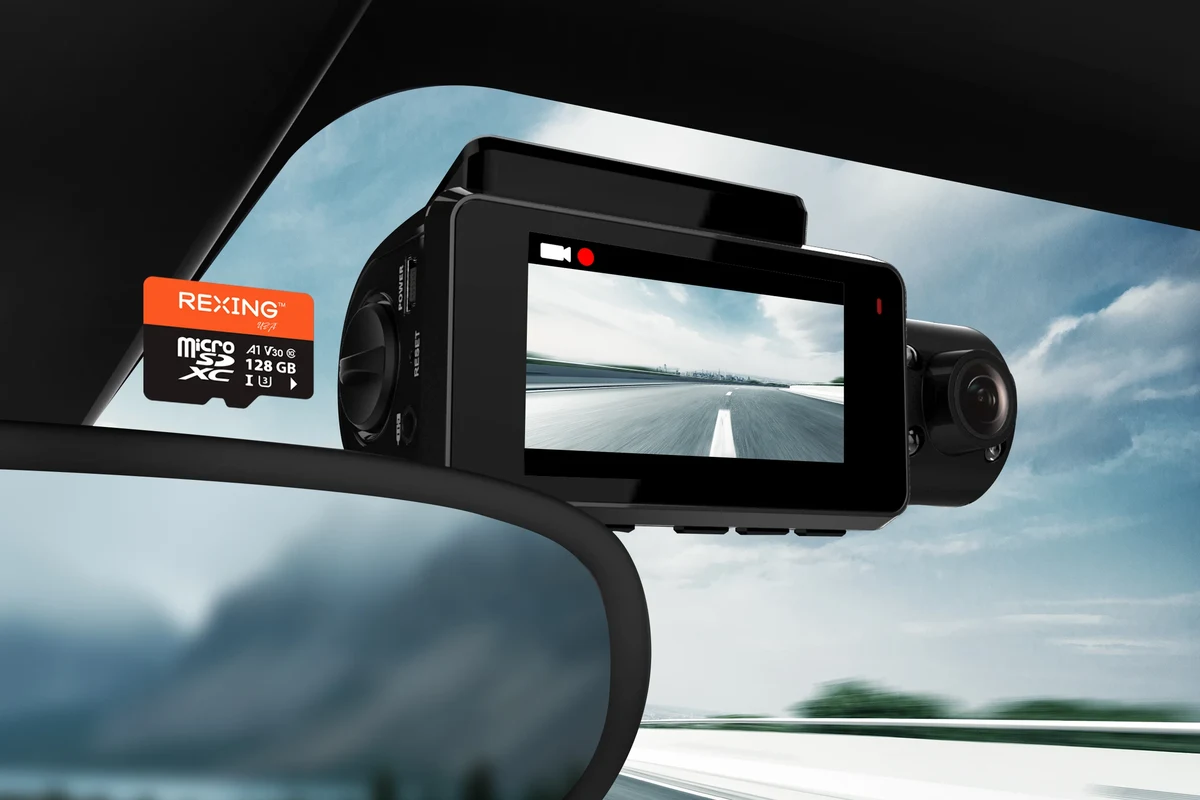
A high-endurance microSD card is usually the best choice for dash cam use because it handles constant rewriting better than a standard card. Match the card’s capacity and speed to your camera’s resolution, and always format it in the dash cam before regular use.
If you need an sd card for dash cam use, the safest choice is usually a high-endurance microSD card with enough capacity for your recording habits, your camera’s resolution, and your climate. For most drivers in 2026, that means prioritizing endurance and compatibility over chasing the biggest storage number.
- Endurance matters most: Dash cams constantly overwrite files, so high-endurance cards are usually the safest pick.
- Write speed beats read speed: Smooth recording depends on sustained write performance, not how fast files copy later.
- Capacity should match use: Higher resolution, dual-channel recording, and parking mode need more storage.
- Format in the camera: First-time formatting in the dash cam helps reduce errors and compatibility problems.
SD Card for Dash Cam: What It Is and Which Type You Actually Need

A dash cam SD card is the memory card that stores your video clips, and it plays a much bigger role in reliability than many drivers expect. Dash cams constantly write, erase, and overwrite files, so a card that works fine in a phone or tablet may wear out too quickly in a car.
Why the right card matters for recording reliability, loop recording, and video quality
Most dash cams use loop recording, which means they keep recording after the card fills up by deleting the oldest footage. That only works well if the card can handle repeated write cycles without corrupting files or failing early.
Video quality also depends on the card being able to keep up with the camera’s bitrate, especially during higher-resolution recording or dual-channel recording. If the card is too slow, you may see dropped frames, recording errors, or lockups at the worst possible time.
Who this guide is for: daily drivers, rideshare drivers, commuters, and fleet users
This guide is for anyone who wants dependable dash cam storage without guessing at specs. It is especially useful for commuters, rideshare drivers, delivery drivers, family vehicles, and fleet operators who need footage to stay available after long hours on the road.
If you are choosing storage for a new camera, it helps to think of the card as part of the dash cam system, not an accessory. The right match improves reliability, while the wrong one can make an otherwise good camera frustrating to own.
Best SD Card Features to Look for in 2026
In 2026, the most useful dash cam card features are still the basics: enough capacity, a strong write-speed rating, endurance construction, and heat tolerance. The exact balance depends on your camera’s resolution and how long you want to keep video before it overwrites.
Capacity, speed class, endurance rating, and temperature tolerance
Capacity determines how much footage the card can hold before loop recording starts overwriting older clips. Speed class tells you whether the card can sustain the data rate your camera needs, while endurance rating indicates how well it can survive repeated recording cycles.
Temperature tolerance matters because dash cams live in harsh environments. A parked car can get hot quickly, and cold-weather starts can also stress electronics, so cards designed for automotive use are usually a smarter fit than general-purpose storage.
Compatibility with 1080p, 2K, 4K, and dual-channel dash cams
Higher-resolution cameras create larger files. A 1080p single-channel camera may be satisfied with a modest card, while 2K, 4K, or dual-channel systems usually benefit from more capacity and stronger sustained write performance.
If your camera records both front and rear views, it is more demanding on storage because it is writing two streams at once. For that reason, it is worth checking the camera manufacturer’s recommended card type in the owner’s manual before buying.
Why high-endurance cards outperform standard cards in dash cam use
High-endurance cards are built for frequent rewriting, which is exactly what dash cams do all day long. Standard cards can work at first, but they are more likely to wear out sooner under constant loop recording.
Most important decision point: if your dash cam records while parked, records in higher resolution, or runs for long daily commutes, a high-endurance card is usually the safer long-term choice.
High-endurance microSD card
Best for daily recording, parking mode, and drivers who want fewer storage-related problems over time. The trade-off is that it may cost more than a basic card.
Standard microSD card
Can work for light, occasional use if the dash cam manufacturer allows it, but it is usually not the strongest long-term option for constant rewriting.
Top Buying Criteria: How to Choose the Right SD Card for Your Dash Cam
Choosing the right card is less about finding the fastest number on the package and more about matching the card to how your camera records. The best choice depends on storage size, write performance, and whether the brand is trustworthy.
Matching card size to your recording habits and overwrite cycle
Think about how often you want footage to stay available before it gets overwritten. A driver who only wants a short buffer for daily incidents may not need much capacity, while a road-tripper or parking-mode user may want a larger card to preserve longer recording windows.
Higher capacity can reduce how often the card loops, but it does not replace endurance. A large card that wears out early is still a poor value if the camera depends on it every day.
Read vs. write speed: what actually affects dash cam performance
Read speed matters when you transfer footage to a computer, but write speed is what keeps the dash cam recording smoothly. For dash cams, the sustained write speed is usually the more important number.
That is why a card that looks fast on packaging may still be a poor match if its real-world write performance is inconsistent. The camera does not care how quickly you can copy files later if it cannot save footage reliably in the moment.
Brand reliability, warranty terms, and counterfeit risk
Brand reputation matters because counterfeit memory cards are common online, especially when the price looks unusually low. Buying from a reputable retailer and checking packaging details can help reduce the risk of ending up with a fake or rebranded card.
Warranty terms can also be useful, but they do not replace a good card choice. A long warranty is helpful only if the card is genuine and actually built for the workload your dash cam creates.
- Check your dash cam manual for supported card type and maximum capacity
- Choose high-endurance storage if the camera records often or in parking mode
- Buy from a reputable seller to reduce counterfeit risk
- Confirm the card can handle your camera’s resolution and dual-channel load
Best Use Cases: Which Drivers Benefit Most from a Dash Cam SD Card Upgrade
Some drivers can get by with a basic card, but many benefit from upgrading to a more durable option. The more often your camera records, the more valuable a high-endurance card becomes.
Commuters, road-trippers, delivery drivers, and parking-mode users
Commuters and rideshare drivers often record for long periods, which means more wear on the card. Delivery drivers and fleet users may also cycle through footage quickly, so reliability matters more than saving a few dollars upfront.
Parking-mode users should pay special attention to endurance because the camera may record even when the vehicle is off. If you also want help choosing a camera that fits this kind of use, see the best dash cam for car with parking mode.
How climate, parking duration, and driving frequency affect card choice
Hot climates can shorten the life of lower-quality cards, especially when the car sits in direct sun. Long parking durations, frequent short trips, and daily recording all increase wear because the card is constantly being written to and overwritten.
If you live in a hotter region, it is worth pairing a durable card with a camera designed for heat resistance. For additional climate-specific context, you may also find our dash cam guide for Texas heat and our dash cam guide for Arizona heat helpful when thinking about in-car durability.
Good fit if you want dependable loop recording and fewer card failures from constant use.
Useful if you want a set-it-and-forget-it setup with fewer maintenance surprises.
Strong fit because repeated recording makes endurance more important than basic storage alone.
Setup Guide: How to Install, Format, and Maintain an SD Card for Dash Cam Use
Proper setup is just as important as the card itself. Many dash cam storage problems come from skipped formatting, unsafe removal, or using a card in a way the camera was not designed to handle.
Correct first-time setup and in-camera formatting steps
When you first insert a new card, format it in the dash cam rather than on a computer unless the manufacturer says otherwise. In-camera formatting helps the device prepare the card in the way it expects for recording and overwriting.
If you need a step-by-step walkthrough, see how to format an SD card for a dash cam for the general process and why it matters.
This reduces the chance of file errors during the first setup.
Use the camera’s own formatting tools so the file structure matches the device.
Check that the camera saves clips without error messages before relying on it.
Safe removal, file backups, and when to reformat
Before removing the card, stop recording and power down the camera if possible. That helps protect the footage and reduces the chance of corrupting files.
Back up important clips quickly if they matter for insurance or an incident report. Reformat the card periodically if your camera maker recommends it, especially if you notice errors, skipped clips, or slower behavior.
Cleaning, storage, and heat protection tips for longer card life
Store spare cards in a protective case, and avoid leaving them loose in the car where heat and dust can build up. If the vehicle sits in extreme temperatures often, that is another reason to choose a card with better thermal tolerance.
- Use the dash cam’s formatting option instead of relying on a computer format alone.
- Back up important footage as soon as possible after an incident.
- Replace a card at the first sign of repeated recording errors or corrupted clips.
- Keep the camera firmware updated if the manufacturer releases stability fixes.
Common Mistakes That Cause Dash Cam SD Card Failure
Many storage problems are preventable. The most common mistakes are choosing the wrong card type, ignoring endurance ratings, and assuming that any microSD card will work equally well.
Using the wrong card type, ignoring endurance ratings, and skipping formatting
A standard consumer card may look compatible but still be a poor match for constant rewrites. Skipping in-camera formatting can also create problems because the card may not be prepared the way the dash cam expects.
- High-endurance cards are built for repeated overwrite cycles
- Proper formatting improves compatibility and recording stability
- Reputable brands lower the chance of fake or unreliable storage
- Cheaper cards may fail sooner under constant use
- Skipping setup steps can cause corrupted files
- Counterfeit cards can look legitimate but perform poorly
Overfilling the card, mixing old footage, and buying unverified cheap cards
Overfilling a card is not always the problem by itself, but letting it run without proper loop management or formatting can increase the chance of file issues. Mixing old footage from different devices or buying suspiciously cheap cards from unverified sellers also raises the risk of corruption and data loss.
For drivers who need a camera tailored to heavier use, it may be worth comparing storage needs with the camera itself, such as options covered in best dash cam for fleet vehicles or best dash cam for Uber.
Do not rely on a dash cam card that has already shown repeated corruption, missing clips, or unreadable files. If the footage may be needed for an incident, replace the card and verify recording stability before driving again.
Value, Limitations, and Final Recommendation
The best value is not always the cheapest card or the largest card. It is the card that stays reliable in your exact driving conditions, records cleanly, and lasts long enough to justify the purchase.
How to balance budget, storage size, and long-term durability
If you drive only occasionally, a midrange card from a reputable brand may be enough. If you drive daily, use parking mode, or record in high resolution, spending more on endurance usually makes better sense than replacing failed cards later.
Storage size and durability should be balanced together. A larger low-end card can still be a weak choice if it is not built for constant rewriting.
When to choose premium high-endurance cards versus budget options
Choose premium high-endurance storage when the dash cam is part of your everyday driving routine, when footage matters for work, or when the car sits in harsh heat. Budget options make more sense only for light, occasional use and only if they are still from a trusted source and supported by the camera maker.
Transparent verdict: the safest overall choice for most drivers
For most drivers in 2026, the safest overall choice is a reputable high-endurance microSD card that matches the dash cam’s recommended capacity and write-speed needs. That option offers the best blend of reliability, compatibility, and long-term peace of mind, especially for commuters, rideshare drivers, and parking-mode users.
If you want the most dependable sd card for dash cam use, prioritize high endurance, proper capacity, and a trusted seller over bargain pricing. Budget cards can work for light use, but most drivers will be better served by a card designed for continuous in-car recording.
Common Questions
A high-endurance microSD card is usually the best option. It is designed for the constant recording and overwriting dash cams do every day.
Sometimes, but it is not ideal for long-term use. Standard cards can wear out faster under continuous recording.
It depends on your camera’s resolution and whether it records front and rear. Check the dash cam manual for the recommended range.
Yes, format it in the dash cam before relying on it. That helps the camera prepare the card correctly.
The card may be too low-endurance, counterfeit, or not formatted correctly. Heat and heavy daily use can also shorten its life.
Frequently Asked Questions
A high-endurance microSD card is usually the best choice because dash cams constantly rewrite files. It is more reliable than a standard card for daily recording.
It depends on your camera resolution, whether you record front and rear, and how long you want footage to remain before overwriting. Check your dash cam manual for the recommended capacity range.
Yes, in most cases you should format the card in the dash cam before first use. That helps the camera prepare the card correctly for recording and loop overwrite.
They fail because dash cams write and erase files constantly, which wears out ordinary cards. Heat, counterfeit products, and skipped formatting can also cause problems.
Not always. The card must meet the camera’s supported capacity, speed, and endurance requirements, and some dash cams work best with specific card types.
Replace it if you see repeated recording errors, missing clips, unreadable files, or frequent corruption. If the card is old and used daily, preventive replacement is often smarter than waiting for a failure.