
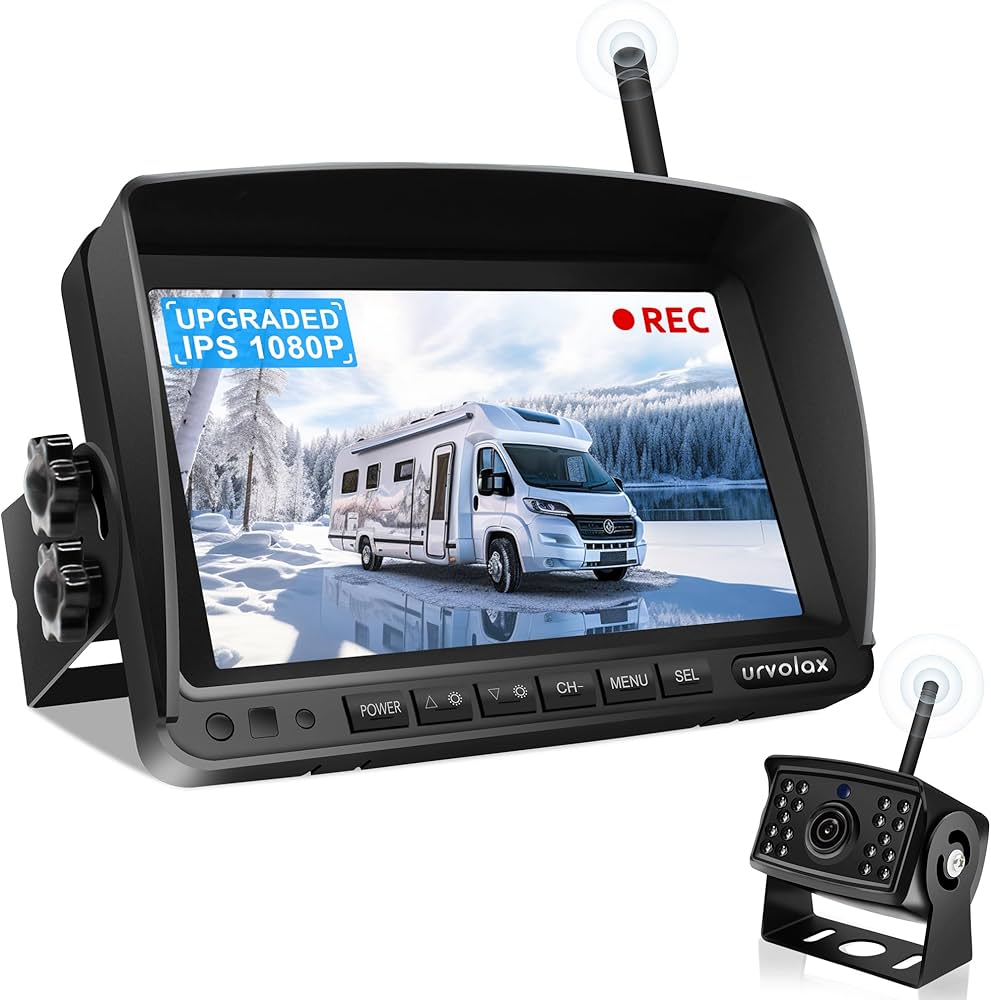
A rear vision camera shows what’s behind your car so you can back up safely and avoid surprises.
I have installed, tested, and used many systems over the years. In this guide, I break down how a rear vision camera works, what to buy, how to install it, and how to keep it sharp in all weather. If you want clear advice on a rear vision camera for daily driving, towing, or parking, you are in the right place.

What Is a Rear Vision Camera?
A rear vision camera is a small camera mounted at the back of a vehicle. It sends a live view to a screen so you can see what sits behind your bumper. The goal is simple: reduce blind spots and backing mishaps. Most new cars have one built in, but you can add an aftermarket unit to almost any ride.
Some people call it a backup camera. The idea is the same, though features can vary a lot. A good rear vision camera makes tight spots feel calm and easy.
How a Rear Vision Camera Works
A rear vision camera uses a wide lens and a light sensor to capture the scene. The feed runs to a display on your dash or mirror. The image auto-appears when you shift into reverse.
Key parts include:
- Camera module with a wide lens and CMOS sensor
- Video cable or wireless link to the display
- Power from the reverse light circuit or a fused line
- Onscreen parking lines that bend or stay fixed
Modern units add night vision, wide dynamic range, and HDR. Many rear vision camera systems also talk to the car’s network, so lines curve with your steering.
Safety and Real-World Benefits
A rear vision camera cuts stress when you back out of a driveway or a tight garage. It helps you see kids, pets, bikes, and low posts that mirrors miss. That alone can save a big headache.
Federal rules now require rear visibility tech on new light vehicles in the US. The aim is fewer backover crashes and injuries. From my own installs, I have seen fewer bumper taps and faster parking for clients and family.
Types and Key Features to Compare
You can choose an OEM unit or an aftermarket kit. An OEM rear vision camera fits like stock and links to the factory screen. Aftermarket kits give you more options and work with older cars and trucks.
Look for these key features:
- Mount style: license plate, trunk handle, tailgate handle, or bumper flush
- Viewing angle: 120 to 180 degrees for broad coverage with natural lines
- Image quality: HD 720p or 1080p, with HDR or wide dynamic range
- Low light: good night view without harsh glare or grain
- Weather rating: IP67 or IP69K for rain, snow, and pressure wash
- Parking lines: fixed lines or dynamic lines that turn with the wheel
- Display type: mirror monitor, dash screen, or factory head unit
- Wired vs wireless: wired is stable; wireless is easier to install
- Extras: split screen, trailer zoom, cross-traffic alert, and recording
A rear vision camera with a balanced lens and clean HDR will look natural day and night. Do not chase only megapixels. Focus on clarity in tough light.
Buying Guide: How to Choose the Right System
Match the rear vision camera to your vehicle and your screen. If you tow, pick a lens with a mild wide angle and a trailer zoom. If you street park a lot, a wider lens helps see corners.
Use this quick checklist:
- Fit and mount: choose a mount that looks stock and sits at near-center
- Power and signal: RCA, AHD, LVDS, or a direct OEM harness
- Brightness and contrast: readable in sun glare
- Low-light rating and HDR: clear at dusk and dawn
- Weather seal: gaskets, drain paths, and a metal or strong plastic shell
- Budget: expect a fair kit for less, and a top OEM-style kit for more
I test systems in rain and at night before I call them ready. The best rear vision camera is the one you trust on a bad day, not just a sunny one.
Installation and Calibration Tips
Most DIY installs take a free afternoon. The core steps are simple and repeatable. Plan the path first, then work slow and clean.
Basic steps I use:
- Mount the camera at the centerline and level it
- Tap power from the reverse light positive and a solid ground
- Run video to the display with zip ties and loom for protection
- Seal grommets and test before you button up trim
- Set the angle so the bumper edge just shows at the bottom of the screen
- Align parking lines and check at real spots with cones or boxes
Common mistakes to avoid:
- Tapping the wrong wire or a weak ground
- Aiming too high so you miss curbs and kids’ toys
- Pinching the cable under trim or a seat track
- Skipping a drip loop, which can pull water into the trunk
For 360 surround systems, use a pro shop. Those need precise calibration mats and software.
Maintenance and Troubleshooting
A rear vision camera lives in dirt, salt, and spray. Keep the lens clean and you will see a big jump in image quality. I wipe mine with a soft cloth at each fill-up.
If the image looks off, try this:
- Fog or blur: clean the lens, check for hairline cracks, and aim again
- Flicker or lines: re-seat RCA plugs, improve ground, route away from power
- No image: check fuse, test for reverse power, try a spare cable
- Water spots inside: the seal may be gone; replace the unit
Once a season, check loom and ties under the car. Add dielectric grease to plugs to fight corrosion.
Legal, Safety, and Privacy Notes
In the US, new cars must meet rear visibility rules under federal standards. That is why a rear vision camera is now common. If you add a camera, you can still meet the spirit of those rules with a wide, clear view.
If your rear vision camera records video, check local laws. Be careful with audio and with parking in private areas. For fleets, post a clear notice to drivers and riders.
Use Cases and Pro Tips from the Field
For towing, a rear vision camera with trailer lines and a hitch zoom is gold. It turns solo hook-ups into a one-try job. For RVs and vans, use a multi-cam switch and a large screen.
My go-to tips:
- Angle the lens to show a thin slice of bumper for depth
- Turn on parking lines only if they match your car width
- In snow, give the lens a quick swipe before reverse
- For wireless kits, keep the transmitter far from ignition parts
I have set up rear vision camera systems on compacts, SUVs, trucks, and RVs. The drivers report calmer backing and fewer close calls within a week.
Frequently Asked Questions of rear vision camera
Is a rear vision camera worth it if I have parking sensors?
Yes. Sensors beep but do not show small or low objects. A rear vision camera gives you a live view so you can judge space with your eyes.
What viewing angle should I choose?
A 150-degree lens is a great sweet spot for daily use. Wider than 170 can curve lines too much, while 120 is better for towing focus.
Can I install a rear vision camera myself?
Most people can if they are handy with trim and wiring. Plan the route, tap the right reverse wire, and test before reassembly.
Why is my camera blurry at night?
It may be glare, dirt, or weak low-light performance. Clean the lens and check aim; if it persists, upgrade to a model with HDR and better night specs.
Do wireless rear vision camera kits lag?
Good ones have little lag and work fine for parking. For long vehicles and trailers, a wired link is still the most stable choice.
Will a rear vision camera work in heavy rain or snow?
Yes, if it has a solid weather rating and a sealed body. You may need to wipe the lens in storms, as water drops can distort the view.
Can I add a rear vision camera to a factory screen?
Often yes with a proper interface harness. Check if your head unit supports a video input or use an adapter made for your car.
What resolution should I get?
A clear 720p or 1080p rear vision camera is ideal. Pair it with a decent screen so the added detail is easy to see.
How do I align the parking lines?
Park on a flat lot, place cones at your car’s width, and adjust until the lines match. Test with a real curb and a box for depth.
Will a rear vision camera drain my battery?
No when wired to the reverse light circuit. It turns on only in reverse, and draws little power.
Conclusion
A rear vision camera turns blind backing into a clear and calm task. It helps protect people, pets, and your bumper, and it makes tight spots simple. With the right features, a smart install, and a bit of care, it will serve you well for years.
If you are ready, choose a camera that fits your car and your needs, then follow the steps here. Want more tips on gear, installs, and safety tech? Subscribe, share your setup in the comments, or ask a question and I will help you pick the best rear vision camera for your drive.