
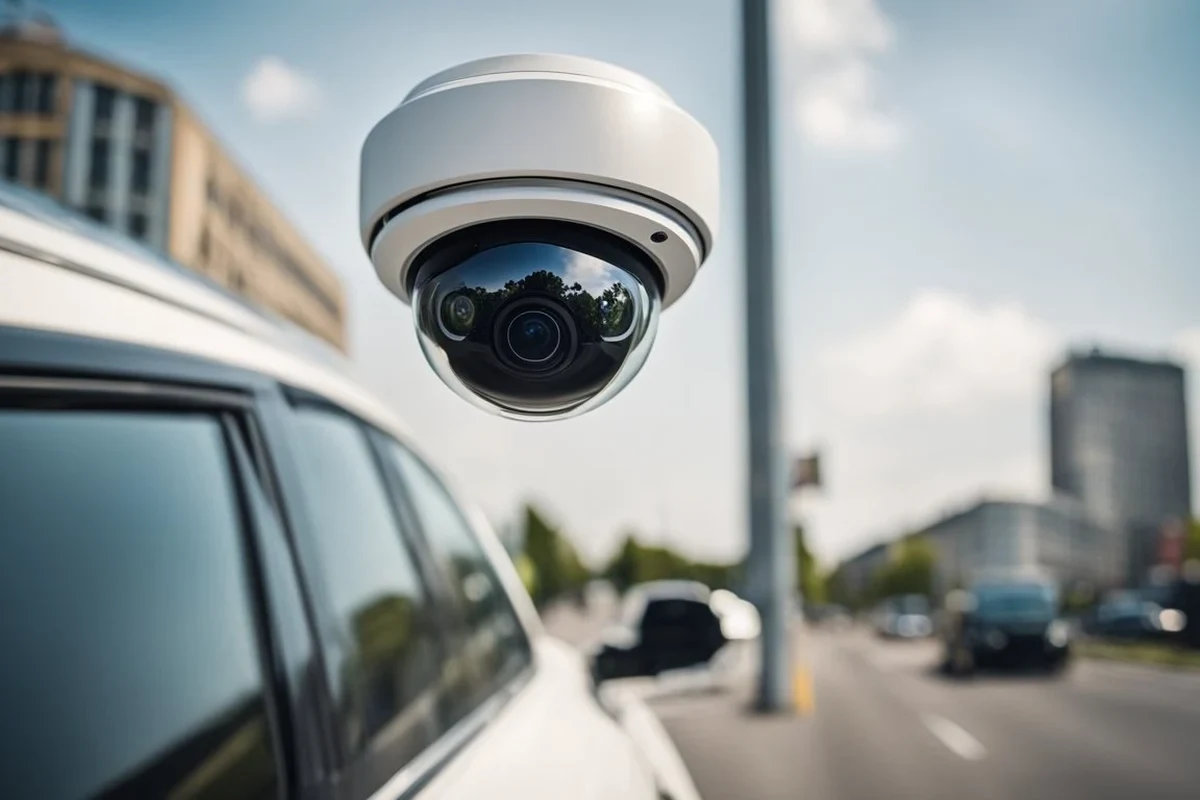
Car camera security helps record accidents, parking damage, and other incidents around your vehicle. For most drivers, a dual-channel dash cam with parking mode and battery protection is the most practical setup.
Car camera security is a smart way to protect your vehicle with a dash cam, parking mode, motion alerts, and optional cloud features. For most drivers in 2026, the best setup is a reliable front-and-rear dash cam with parking surveillance, good low-light video, and battery-safe power management.
- Best fit: Drivers who park in public places or want evidence after an incident benefit most.
- Top priorities: Clear video, low-light performance, parking mode, and battery-safe power management matter most.
- Main limit: A camera cannot see everything, and poor setup can create battery or footage problems.
- Smart buying move: Match the camera to your parking risk instead of paying for features you will.
Car Camera Security: What It Is and Whether You Actually Need It in 2026

Car camera security is not just about recording a drive. It is about creating usable evidence when something happens while you are on the road or when your car is parked and unattended. That can include hit-and-runs, parking lot damage, break-ins, vandalism, and disputed accidents.
In 2026, the appeal is bigger than ever because many drivers park in crowded lots, rely on rideshare or delivery apps, or leave vehicles on city streets for long periods. A camera cannot prevent every problem, but it can help document what happened and sometimes discourage bad behavior in the first place.
Quick answer: the best car camera security setup for most drivers
Most drivers should look for a dual-channel dash cam with parking mode, buffered impact detection, strong night recording, and a high-endurance memory card. If your car often sits outside, add a power solution that protects the battery instead of draining it.
Who this guide is for: commuters, rideshare drivers, families, and parked-car owners
This guide is for anyone who wants more visibility around their vehicle without overbuying features they will never use. It is especially useful for commuters who park on the street, rideshare and delivery drivers who spend long hours in traffic, families sharing one vehicle, and owners who worry about damage while the car is parked.
How Car Camera Security Works: Dash Cams, Parking Mode, Motion Alerts, and Cloud Features
The basic idea is simple: a camera records what happens around your car, then saves the footage locally or sends alerts through an app. More advanced systems can keep recording after the ignition is off, detect motion or impacts, and upload clips to the cloud when the car has a data connection.
Core components to understand before you buy
The main parts are the camera unit, storage media, power source, and software. The camera captures video, the memory card stores it, the power source keeps it running, and the app or built-in screen helps you review footage and adjust settings.
If you want a deeper look at related dash cam buying factors, our guide to the best dash cam for car can help you compare feature priorities before you narrow the field. For parking-specific setups, see also best dash cam for car with parking mode.
What matters most for real-world protection
For most owners, the most important factor is not the longest feature list. It is whether the camera reliably captures clear footage when something actually happens. That means stable power, dependable parking mode behavior, and video quality that remains readable in low light and at night.
It is “which setup will still work when your car is parked, hot, cold, or unattended?”
Key Features to Look For Before You Buy
Feature shopping gets confusing fast, so it helps to focus on a few things that affect evidence quality and everyday reliability. A good car camera security setup should be easy to trust, easy to review, and hard to disable accidentally.
Video quality, low-light performance, and wide-angle coverage
Sharp video matters because a blurry clip may not help identify a plate, face, or vehicle detail. Look for strong low-light performance, because many incidents happen in garages, neighborhoods, or parking lots after dark. Wide-angle coverage can help capture more of the scene, but extremely wide lenses may distort edges and make details harder to read.
Many dash cams use loop recording, which automatically overwrites older files unless they are locked by an impact event or manual save.
Parking surveillance, impact detection, and battery protection
Parking mode is one of the biggest reasons people buy car camera security. Some systems wake up when they detect motion or impact, while others record continuously at lower frame rates. The best setup depends on how often your vehicle is parked and how long you need it to stay powered.
Battery protection matters because a camera that drains the car battery can create a new problem. Hardwire kits and battery protection settings are designed to shut the camera off before the battery gets too low.
Do not assume every parking mode setup is safe for every vehicle. Battery condition, climate, and how long the car sits unused all affect whether a camera can run without causing starting problems.
Storage, app connectivity, GPS, and dual-channel recording
Storage quality matters more than many buyers expect. High-endurance memory cards are usually a better fit than generic cards because dash cams write and overwrite files constantly. App connectivity can make it easier to review clips, but a camera should still work well even if the app is clunky.
GPS can add location and speed data to clips, which may help explain what happened during an incident. Dual-channel recording is useful if you want both front and rear coverage, especially in rear-end collisions or parking lot damage disputes.
Build quality, heat resistance, and ease of setup
Cars get hot in summer and cold in winter, so build quality matters. A camera that overheats, resets, or loses footage is not much help when you need it most. Ease of setup also matters because complicated wiring or confusing menus often lead to settings being left wrong.
- Choose a high-endurance microSD card rather than the cheapest card available.
- Check whether parking mode needs a hardwire kit or can run from a separate battery pack.
- Review the app interface before buying if cloud access or phone alerts matter to you.
Best Use Cases: Which Drivers Benefit Most from Car Camera Security
Not every driver needs the same level of protection. The right setup depends on where you park, how often you drive, and how much documentation you want if something goes wrong.
Daily commuters and city parkers
If you park on busy streets, in garages, or in crowded lots, car camera security can be especially helpful. Daily commuters often face the highest chance of minor damage, close calls, and “I didn’t see it happen” situations.
Families, teen drivers, and shared vehicles
Families may like the peace of mind that comes from having a record of what happened after an incident. Shared vehicles and teen drivers can also benefit because footage may help clarify whether damage happened while driving, parking, or when the vehicle was unattended.
If you are also upgrading in-car entertainment or audio at the same time, you may find our guides to the car head unit and Bluetooth car stereo useful for planning a cleaner, more integrated cabin setup.
Rideshare, delivery, and fleet use
Drivers who spend long hours on the road often need more than basic recording. They may want front-and-rear coverage, quick clip saving, and easy app access so they can document incidents without slowing down work. Fleet managers may also value consistency and simple maintenance across multiple vehicles.
Road-trippers and long-term travelers
Travelers benefit from cameras that can handle long drives, hot parking lots, and unfamiliar areas. A dependable system can be useful if you leave your car in a hotel lot, trailhead, or roadside stop for extended periods.
Great fit if your car parks in public areas and you want evidence after minor incidents.
Helpful for shared driving and parking lot disputes, especially with teen drivers.
Start with reliable front coverage and add rear or cloud features only if you truly need them.
Benefits, Limitations, and Common Mistakes to Avoid
Car camera security can be very useful, but it is not magic. Knowing the limits helps you buy the right system and avoid disappointment later.
Real-world benefits: evidence, deterrence, and peace of mind
The biggest benefit is evidence. A clear clip can help with insurance claims, parking disputes, and hit-and-run reports. A visible camera may also discourage some opportunistic behavior, although it will not stop every bad actor.
Another benefit is peace of mind. Even if you never need the footage, knowing the car is being monitored can make parking in busy areas less stressful.
Limitations: blind spots, false alerts, and battery drain
No camera sees everything. Rear pillars, tinted glass, and angle limits can create blind spots. Motion alerts can also be noisy in windy or busy areas, and parking mode can create false triggers from passing traffic or people walking nearby.
Battery drain is another real limitation. A poorly chosen setup can shorten battery life or leave you with a car that is hard to start after sitting for a while.
- Creates useful footage after accidents or parking damage
- Can deter some theft or vandalism attempts
- Helps clarify what happened when stories conflict
- May miss events outside the camera’s field of view
- Parking mode can drain the battery if set up poorly
- App alerts and cloud features may require extra setup or subscriptions
Common mistakes buyers make with installation and settings
One common mistake is buying a camera with good specs but poor power management. Another is mounting the camera too low, too high, or behind tinted areas where footage becomes less useful. A third mistake is forgetting to format or replace the memory card on a regular schedule.
Setup and Safe Use: How to Install and Operate Car Camera Security Correctly
Good setup is just as important as good hardware. A well-installed camera with the wrong settings can be less useful than a simpler system that is configured correctly.
Hardwiring vs. plug-in power: what to choose
Plug-in power is the easiest option because it usually connects to the 12V outlet and is simple to remove. Hardwiring is better when you want parking mode and cleaner cable routing, but it should be done carefully so the camera does not interfere with vehicle electronics or battery health.
- Use a power method that matches how long your car sits parked
- Confirm the camera has battery protection settings if you plan to hardwire it
- Read the vehicle and camera manuals before routing cables
- Running parking mode without checking battery cutoff settings
- Pinching cables in airbags, trim panels, or moving parts
- Assuming every car can support the same power setup
Placement tips for clear footage and legal compliance
Place the camera where it has a clear view of the road without blocking the driver’s sightline. Rear cameras should also be positioned carefully so they do not interfere with defrosters, wipers, or visibility. Laws on windshield mounting and recording audio can vary by state or region, so check local rules before finalizing the install.
Safe use habits, privacy considerations, and secure data handling
Keep footage organized and protect access to the app or memory card. If your camera uploads to the cloud, use a strong password and enable two-factor authentication when available. Be mindful of passengers and privacy laws if the system records interior audio or video.
If you want to learn how parking mode behaves when the ignition is off, our guide on how a dash cam works when the car is off explains the basics in plain English.
Care, Cleaning, and Maintenance for Long-Term Reliability
Like any electronic accessory, car camera security works best when it is maintained. Small upkeep tasks can prevent missed footage, corrupted files, and overheating problems.
Lens cleaning, memory card care, and firmware updates
Clean the lens gently so dust, haze, or fingerprints do not soften the image. Check the memory card periodically, since dash cam cards wear out from constant rewriting. Firmware updates can improve stability, fix bugs, and sometimes improve app or parking mode behavior.
Seasonal checks for heat, cold, and vibration damage
High heat can weaken adhesives, loosen mounts, and stress electronics. Cold weather can make some batteries and cards less reliable. Vibration over time can also cause a camera to shift slightly, which is why it helps to inspect the mount after rough roads or extreme weather.
Climate matters. A setup that works well in mild weather may need different mounting materials, power settings, or storage habits in very hot or very cold regions.
When to replace batteries, mounts, or storage media
Replace a memory card if it starts producing errors, random reboots, or missing files. Swap out worn mounts or adhesive pads if the camera no longer stays in position. If your setup uses a separate battery pack, follow the manufacturer’s guidance for service life and replacement timing.
Value, Budget, and Final Recommendation for My Best Car Dealer Readers
The right budget depends on how much protection you need and how often your car is exposed to risk. A basic camera may be enough for low-risk garaging, while frequent street parking or rideshare use usually justifies a more robust setup.
What a good entry-level, midrange, and premium setup should deliver
An entry-level setup should at least provide dependable front recording and simple loop storage. A midrange setup should add better low-light performance, parking mode, and rear coverage if needed. A premium setup should improve reliability, app access, battery protection, and overall image quality rather than just stacking on extra features.
| Option | Best For | Key Consideration |
|---|---|---|
| Entry-level | Drivers who mainly want basic evidence while driving | Check video clarity and memory card compatibility |
| Midrange | Most commuters and city parkers | Look for parking mode and better night recording |
| Premium | Rideshare, fleet, or high-risk parking situations | Prioritize power management, app reliability, and dual-channel coverage |
How to judge value without overpaying for features you won’t use
Value is not about the lowest price. It is about whether the camera solves your real problem. If you never park outside, cloud alerts may not be worth paying for. If you only want accident evidence, a simpler system may be smarter than a feature-heavy one.
- Confirm whether you need front-only or front-and-rear recording
- Check if parking mode requires hardwiring or a separate battery solution
- Verify memory card type, app compatibility, and warranty terms
- Review local mounting and recording laws if applicable
Transparent final recommendation based on driving style and parking risk
For most My Best Car Dealer readers, the best car camera security setup is a dependable dual-channel dash cam with parking mode, battery protection, and strong night performance. If you mainly park in secure garages, a simpler front-facing camera may be enough. If you park on the street, drive for work, or share your vehicle, it is worth stepping up to a more complete system.
Choose car camera security based on how and where your vehicle is parked, not just on the longest feature list. The safest value usually comes from a reliable camera that records clearly, protects the battery, and fits your real driving routine.
Common Questions
Yes, if you park in public areas or want evidence after an incident. It is less useful if your car is always in a secure garage.
Not always, but dual-channel recording gives broader coverage. It is especially useful for rear-end collisions and parking lot damage.
Parking mode lets the camera keep watching after the car is off. It can record motion or impacts while the vehicle is parked.
It can if the power setup is not managed well. Battery protection or a separate power solution helps reduce that risk.
Check video quality, storage support, parking mode, and power options. Also confirm any local mounting or recording rules.
Frequently Asked Questions
For most drivers, a dual-channel dash cam with parking mode and battery protection is the most practical choice. It balances everyday recording with better protection when the car is parked.
Cloud features are most useful if you want remote alerts or remote clip access. If you only need local footage after an incident, they may not be necessary.
Many buyers focus on brand names or extra features instead of power management and storage quality. A camera that is hard to power correctly or unreliable in heat is a poor value.
It is smart to inspect the camera, lens, and memory card regularly. Seasonal checks are especially important after extreme heat, cold, or rough roads.
Some plug-in systems are simple enough for many owners to install. Hardwired parking mode setups are more involved and should be done carefully to avoid electrical or safety issues.
Make sure the camera is mounted correctly, the memory card is in good condition, and the settings are saving the clips you want. It also helps to review local laws and the manufacturer’s instructions.