
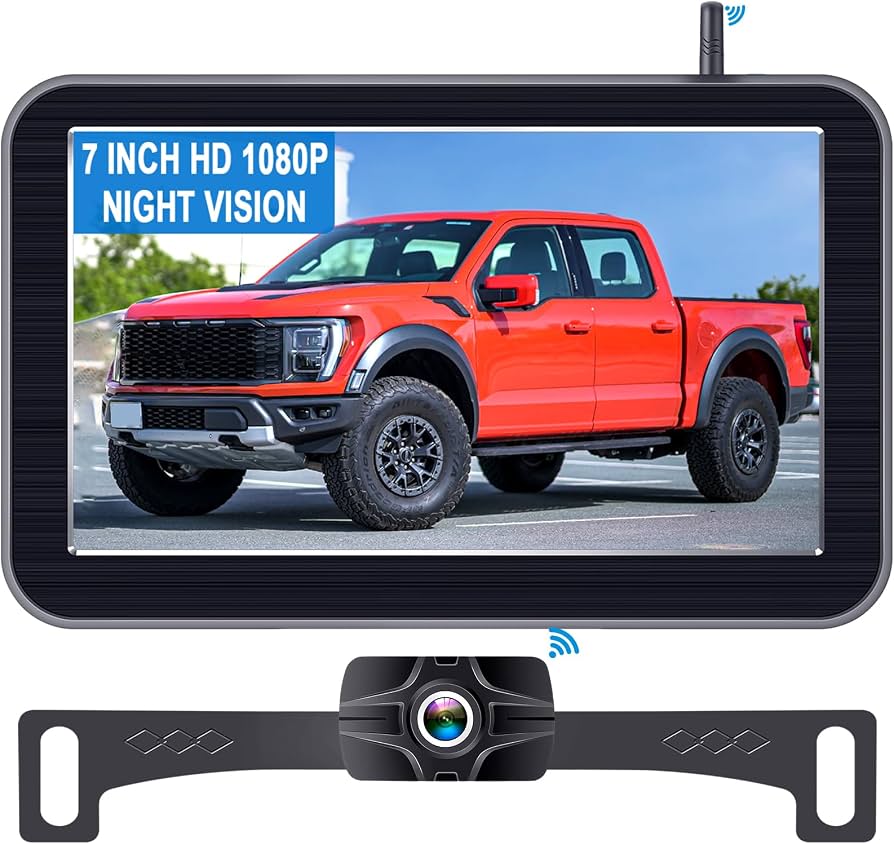
A backup camera for truck boosts rear visibility, safety, and parking confidence in seconds.
If you drive a pickup, van, or box truck, you know how tight spots and tall beds hide hazards. I’ve installed and tested dozens of systems for fleets and weekend haulers. In this guide, I break down every part of a backup camera for truck so you can pick the right setup, install it right, and use it like a pro.

What Is a Backup Camera for Truck and How It Works
A backup camera for truck is a small camera at the rear that feeds live video to a screen in the cab. It switches on when you shift into reverse or when you tap a manual trigger. The result is a clear view behind the truck, with fewer blind spots.
The system has three main parts. The camera, the cable or wireless link, and the display. The camera sits high for a wide view, or low near the hitch for fine aiming. The display can be a dash monitor, a mirror screen, or an in-dash head unit. Some trucks show the feed on a factory screen with an adapter.
Good systems add low-light tech, wide dynamic range, and weather seals. Many also offer parking lines, split-screen views, or DVR recording. A solid backup camera for truck gives a steady image with little lag and clear detail in sun and at night.
Benefits and Real ROI
A backup camera for truck does more than make parking easy. It cuts risk and can save real money.
Key gains you will feel:
- Fewer dents and scrapes when backing into docks or tight alleys.
- Faster trailer hookups with a hitch view and zoom mode.
- Safer yards and jobsites thanks to fewer blind zones.
- Less stress in rain, snow, and night driving.
Money wins that add up:
- Lower repair costs and less downtime.
- Fewer claims and possible insurance credits.
- Better driver confidence and training with saved video clips.
Fleet managers I work with saw fewer minor backing claims after rollouts. A well-set backup camera for truck tends to pay for itself within months on busy routes.
Types of Backup Camera Systems for Trucks
You can get a backup camera for truck in many styles. The right type depends on truck size, trailer use, and install time.
Common formats:
- Wired systems. Most stable image and no radio dropouts. Best for work trucks and long frames.
- Wireless systems. Faster install. Choose digital FHSS or strong Wi‑Fi for less noise and lag.
- Single camera. Simple and low cost. Great for pickups and vans.
- Multi-camera. Add side cams and a front cam. Use split-screen to watch blind spots.
- Mount styles. License plate, surface mount on the tail, or a roof eave mount for a higher view.
- Displays. Clip-on mirror screens, stand-alone dash monitors, or factory screen integrations.
For long trailers, look for a wireless repeater or a wired link with a quick-connect. A robust backup camera for truck should match your daily use, not just look cool in the box.
Key Features to Look For
Pick features that solve your real problems. The best backup camera for truck balances clarity, speed, and toughness.
Focus on:
- Resolution and clarity. 720p or 1080p is great for reading distance and spotting posts.
- Night vision. IR LEDs, low-lux sensors, and HDR help with dark alleys and glare.
- Viewing angle. Around 120–150 degrees is a sweet spot. Wider can distort lines.
- Weather rating. Look for IP67 or IP68 to handle dust, rain, and power washes.
- Operating temps. Choose models rated for hot summers and deep winter.
- Trigger options. Reverse-only, manual switch, or auto triggers from turn signals for side cams.
- Guidelines. Adjustable or switchable parking lines help align with docks and hitches.
- Audio. A mic helps on jobsites when spotters call out.
- Recording. A DVR or SD slot can document incidents and help with training.
- Power. 12V and 24V support for light and medium-duty trucks.
If you run long frames, check cable lengths and connector quality. A rugged backup camera for truck uses shielded lines and strong strain reliefs.
Installation: DIY vs Pro and Step-by-Step
Many drivers install a backup camera for truck in an afternoon. If you lack tools or have complex routing, a pro is worth it.
Basic DIY steps I use:
- Plan the route. Pick a mount point and a cable path away from heat and sharp edges.
- Mount the camera. Use stainless screws and seal holes with silicone.
- Run the cable. Follow frame rails. Use loom, zip ties, and grommets at body pass-throughs.
- Power and trigger. Tap reverse light for auto-on. Use an add-a-fuse for safe power.
- Mount the display. Place it low-glare and within your normal sight line.
- Test and tidy. Check image, flip if needed, align guidelines, and secure slack.
For wireless, pair the units before final mounting. Test for interference with the engine on and lights active. A clean install makes a backup camera for truck feel factory and last longer.
Setup, Calibration, and Safe Use
A backup camera for truck works best when aimed and tuned. Do a five-minute setup to lock it in.
Tips that help:
- Aim the lens so the bumper is at the bottom of the frame. You want depth and context.
- Set guidelines to match your truck width. Park in a lot and use painted lines to fine-tune.
- Reduce glare. Tilt the screen or add a hood so bright sun does not wash it out.
- Use it with mirrors. The camera is a tool, not your only view.
- Practice backing to cones. Build your depth sense with the new view.
Set a weekly habit. Wipe the lens, check the cable strain, and scan for loose mounts. A dialed-in backup camera for truck turns tricky spots into easy tasks.
Maintenance, Troubleshooting, and Common Mistakes
Even tough gear needs basic care. Small fixes prevent big problems.
Simple care:
- Clean the lens with a soft cloth. Dirt and salt kill image detail fast.
- Inspect mounts and cables after washes and trails.
- Update firmware if your display supports it.
Quick fixes I use in the field:
- Static or dropouts. Move the wireless antenna, add ferrite cores, or go wired on long frames.
- Foggy image. Check seals and use a desiccant pack near the housing.
- No power. Verify ground, fuse size, and reverse trigger voltage.
- Flipped or mirrored view. Toggle the camera or monitor’s mirror/normal settings.
Avoid routing near ignition coils or LED drivers. They can add noise. A reliable backup camera for truck is usually about good wires and solid grounds.
Cost, Brands, and Value
Prices vary by features and build. Set a budget that fits your truck’s work.
Typical ranges:
- Budget: 50–100 dollars. Works for light use on pickups.
- Mid-range: 120–250 dollars. Better sensors, stronger mounts, clearer night view.
- Pro-grade: 300–700 dollars. Multi-camera, DVR, rugged housings, longer cables.
- Fleet systems: 800 dollars and up. 4-channel DVRs, side cams, remote access.
Check warranty terms and support. A backed-up backup camera for truck often signals better parts and safer uptime. Total value beats sticker price when it saves one minor claim.
Legal, Compliance, and Insurance Notes
Rear visibility rules now guide design and use. New light vehicles follow rear-visibility standards in the United States, and many best practices carry over to work trucks.
Good to know:
- Many insurers favor safety gear. Ask about credits when you add a backup camera for truck.
- Some states have rules for screen placement. Keep the monitor out of your airbag zone and clear of your view of the road.
- On jobsites, recorded footage can support incident reviews and training.
Keep privacy in mind if you record. Tell drivers and post a notice in fleet trucks. Clear policy builds trust.
Real-World Lessons From the Field
Over the years, I have set up backup camera for truck systems on pickups, step vans, and 26-foot box trucks. A few patterns always show up.
What worked well:
- Wired on long frames. It killed lag and dropouts on box trucks.
- A roof-eave mount. Higher view caught low posts and curbs that bumper mounts missed.
- Adjustable guidelines. Saved time at docks and made new drivers more sure.
Mistakes you can skip:
- Mounting too low. The view looked sharp but depth was poor.
- No loom on frame runs. One season of grit wore through insulation.
- Ignoring glare. A small shade on the monitor made a big difference.
When you buy a backup camera for truck, plan the mount and cable route first. Then pick the kit that fits that plan. That order saves money and headaches.
Frequently Asked Questions
Can I install a backup camera for truck myself?
Yes, if you are handy with basic tools and wiring. Plan the route, secure the cable, and test before final mounting.
Is wired or wireless better for a backup camera for truck?
Wired is more stable on long trucks and trailers. Wireless is faster to install but needs a strong digital link to avoid dropouts.
What viewing angle should I choose?
Around 120–150 degrees is a good balance. Wider angles show more but can distort distance.
Will a backup camera for truck work in rain and snow?
Yes, if it is IP67 or IP68 rated and has good low-light tech. Clean the lens often to keep detail sharp.
Can I use the same system with a trailer?
Yes. Use a quick-connect for wired setups or a paired wireless camera on the trailer. Test signal strength before long trips.
Does a backup camera for truck support 24V systems?
Many do, but check the specs. If not, use a quality step-down converter to 12V.
Conclusion
A well-chosen backup camera for truck makes daily driving safer, faster, and far less stressful. Pick a stable system, mount it right, aim it well, and keep it clean. You will see fewer surprises and more control when space is tight.
If you are ready, outline your mount and cable path, set a budget, and choose a kit that fits the plan. Have questions or a success story with your own setup? Share it below and help others back up with confidence.