
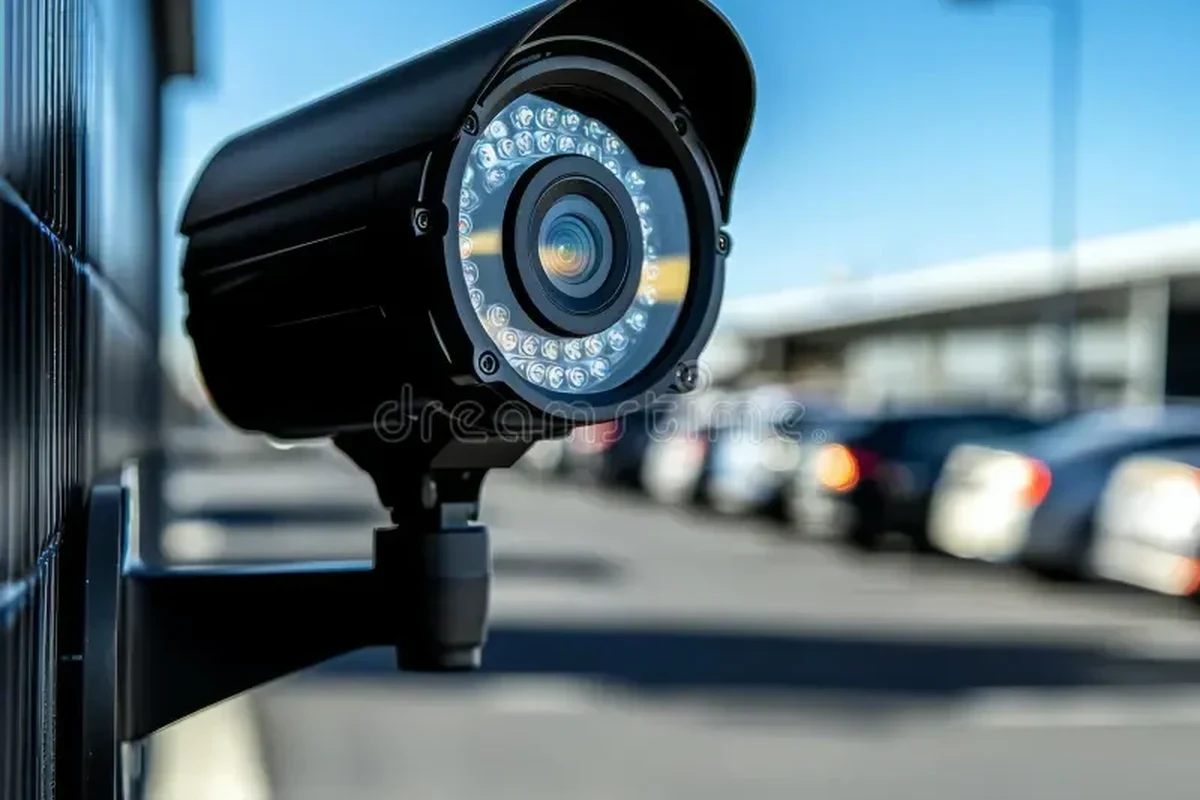
An auto security camera is worth it if you want better evidence for accidents, parking damage, or passenger incidents. For most drivers in 2026, a reliable front-and-rear model with parking mode is the smartest starting point.
An auto security camera is a dashboard or cabin-mounted camera system that records driving, parking, and sometimes interior activity to help document accidents, theft, vandalism, and rideshare incidents. In 2026, the best choice is usually a model with reliable night recording, parking mode, and storage that fits how you actually drive.
- Coverage matters: Front-and-rear cameras usually fit most drivers better than a single lens.
- Night performance counts: Low-light clarity is often more useful than the highest resolution on paper.
- Parking mode needs power planning: Hardwiring can help, but it must be done safely and correctly.
- Storage is not optional: High-endurance memory cards are important for constant recording.
Auto Security Camera: What It Is and Whether You Need One in 2026

An auto security camera is more than a simple dash cam. Depending on the model, it may record the road ahead, the cabin, the rear of the vehicle, or all three, and it may keep recording while the car is parked if it has the right power setup.
For many drivers, the main value is evidence. If a fender bender, hit-and-run, break-in, or parking-lot scrape happens, a clear recording can help you explain what happened to law enforcement, an insurer, or a property manager.
Quick answer: the best auto security camera for most drivers
For most drivers, the best auto security camera is a front-and-rear system with strong low-light performance, parking mode, and simple app access. If you drive for work or carry passengers, a cabin-facing option can be worth considering too.
Who this guide is for: commuters, rideshare drivers, families, and fleet owners
This guide is for everyday commuters who park on the street, rideshare and delivery drivers who need incident documentation, families who want extra peace of mind, and small fleet owners who want a record of vehicle use. It is also useful if you are comparing a camera system with other in-car tech, such as an auto head unit upgrade or a backup camera setup.
Because features vary widely, the right model for one driver may be unnecessary for another. A commuter may care most about parking protection, while a rideshare driver may prioritize audio, cabin coverage, and easy file access.
Best if you park in public lots, commute in traffic, or want evidence after minor collisions.
Useful for documenting road trips and incidents, especially if multiple drivers share the vehicle.
Often the strongest use case because interior and exterior recordings can help document disputes.
How Auto Security Cameras Work and the Features That Matter Most
Most auto security cameras use a small sensor, lens, memory card, and power source to capture video continuously or when triggered by motion or impact. Some connect to a phone app over Wi-Fi or Bluetooth, while others rely on removing the memory card to view clips.
Video quality, night vision, and wide-angle coverage
Resolution matters, but it is only one part of image quality. A camera with good optics and low-light performance can produce more useful footage than a higher-resolution model with poor night recording.
Wide-angle coverage helps capture lanes, sidewalks, and nearby vehicles, but an extremely wide view can make distant details smaller. If you want readable plates, look for balanced coverage rather than the widest possible angle.
Parking mode, motion detection, and impact alerts
Parking mode is one of the most valuable security features because it allows the camera to monitor the car when you are away. Motion detection can start recording when something moves near the vehicle, while impact alerts can save a clip after a bump or collision.
These features are only as good as the power setup and sensitivity settings. If the camera is too sensitive, you may get constant false alerts from passing cars, rain, or wind; if it is too insensitive, it may miss the event you care about.
Storage, app connectivity, GPS, and cloud vs. local recording
Most cameras record locally to a microSD card, which is simple and usually dependable. Some add app connectivity for quick clip review, while GPS can embed speed and location data into the video for context after an incident.
Cloud recording can be convenient, but it often depends on subscription plans, cellular connectivity, or a compatible hotspot. Local recording is usually more straightforward, but it requires you to manage storage and replace cards when they wear out.
When comparing cameras, think beyond specs. A dependable system with easy file access is often more useful than a feature-packed model that is hard to set up or maintain.
Power options, heat resistance, and battery safety
Auto security cameras may run from a 12V outlet, a hardwire kit, or an internal battery/supercapacitor design. Hardwiring is often the best option for parking mode, but it should be done carefully so it does not interfere with vehicle electronics or drain the battery.
Heat resistance matters because parked cars can get very hot. In general, supercapacitor-based designs tend to handle heat better than cameras that rely heavily on internal lithium batteries, though the best choice still depends on the model and climate.
Do not ignore vehicle-battery warnings or assume every parking-mode setup is safe for every car. If you are unsure about hardwiring, ask a qualified installer or follow the manufacturer’s instructions closely.
Best Use Cases: Which Drivers Benefit Most from an Auto Security Camera
The value of an auto security camera depends on where you park, how often you drive, and how much risk you want to document. For some owners, it is a must-have. For others, it is a nice-to-have convenience.
Daily commuting and parking-lot protection
If you commute daily, the biggest benefit is evidence during traffic incidents and parking-lot damage. Even a basic front-facing setup can help answer questions about lane position, signal use, and the sequence of events in a minor crash.
Drivers who park on the street or in crowded lots may benefit from parking mode because it can capture vandalism, door dings, or hit-and-runs while the vehicle is unattended.
Rideshare, delivery, and commercial vehicle monitoring
Rideshare and delivery drivers often face more passenger interaction, more stops, and more exposure to disputes. A cabin-facing camera can help document behavior inside the vehicle, while a front camera records what happens on the road.
Fleet owners may also appreciate a camera system that makes it easier to review incidents, driver claims, and route issues. If you manage multiple vehicles, ease of file retrieval and consistent setup matter a lot.
Family vehicles, teen drivers, and road-trip security
Families often use an auto security camera for peace of mind rather than constant monitoring. It can help document road trips, parking incidents, and situations involving teen drivers or shared vehicles.
For households with multiple drivers, a camera can also reduce confusion after a scrape or complaint because the footage shows what happened instead of relying on memory alone.
A front-and-rear camera with parking mode is usually the most balanced choice because it covers daily driving and parked-car protection without adding unnecessary complexity.
A dual-channel or cabin-facing setup is better when you need interior documentation, but it may require more careful privacy management.
Auto Security Camera Buying Guide: How to Choose the Right Model
Start by deciding what problem you want the camera to solve. If you mainly want accident evidence, your priorities will be different than if you want parking protection or interior monitoring.
Single-channel vs. dual-channel vs. cabin-facing setups
Single-channel cameras record only the front or rear view and are the simplest option. Dual-channel systems usually record front and rear, which gives better coverage for most drivers, while cabin-facing cameras are useful for rideshare, taxi, or fleet work.
If you only want a low-cost safety net, single-channel may be enough. If you want broader evidence after a crash or parking incident, dual-channel is usually the smarter long-term choice.
Resolution, frame rate, and low-light performance
Resolution helps with detail, but frame rate affects motion smoothness. A camera with good low-light performance and a stable frame rate may be more useful at night than a higher-resolution model that struggles in darkness.
Look for clear sample footage from the manufacturer or reputable reviewers, and compare real night scenes, not just daytime marketing clips. That is especially important if you drive early mornings, late nights, or in poorly lit areas.
Ease of installation, app usability, and voice control
Some cameras are easy to mount and set up, while others require routing cables and configuring parking settings. A simple installation can matter just as much as a long feature list if you want a system you will actually keep using.
App usability also matters. If the app is confusing, you may avoid downloading clips or changing settings, which reduces the camera’s value over time. Voice control can be helpful, but it is a bonus—not a replacement for good hardware.
Before buying, check whether the camera needs a specific memory card type, a hardwire kit, or a separate rear camera cable. Missing one accessory can turn a “simple” purchase into an extra project.
Budget considerations and what features are worth paying for
In most cases, it makes sense to pay for reliable night recording, parking mode, and durable storage before paying for extras. Wi-Fi, GPS, and cloud features are nice, but they should not come at the expense of basic recording quality.
A good budget strategy is to buy the strongest core system you can afford, then add accessories only if they solve a real need. That keeps ownership simpler and often improves long-term satisfaction.
New vs. used: what to know before buying
New cameras usually make more sense than used ones because memory cards, mounts, adhesive pads, and batteries or supercapacitors can wear out. If you do consider used, verify that the seller includes all mounting hardware and that the firmware is current.
Before you buy: confirm the return policy, check compatibility with your vehicle’s power setup, and review the manufacturer’s support information. If the camera will be hardwired, make sure it will not conflict with vehicle warranties or electrical accessories.
- Front-only, dual-channel, or cabin-facing coverage
- Parking mode and power requirements
- Memory card support and storage limits
- App quality, firmware support, and warranty terms
- Heat resistance for your climate
Real-World Benefits, Limitations, and Common Mistakes to Avoid
An auto security camera can be very helpful, but it is not a guarantee. It improves documentation, not invincibility, and it works best when the setup matches the way you use your car.
How an auto security camera can help with theft, vandalism, and accident evidence
Footage can be useful when you need to show what happened in a collision, identify a vehicle involved in a hit-and-run, or document suspicious activity around a parked car. In some cases, the presence of a visible camera may also discourage casual vandalism.
It is still important to contact law enforcement, your insurer, or property management promptly when an incident occurs. A camera supports the report; it does not replace it.
Many drivers keep only a few key clips, but a camera with good event locking can protect the footage automatically when it detects a collision or sudden movement.
Common limitations: false alerts, battery drain, and blind spots
False alerts are common when sensitivity is set too high. Battery drain can happen if parking mode runs too aggressively or if the hardwire setup is not configured correctly for the vehicle.
Blind spots are another issue. No camera sees everything, especially if the lens is blocked by tint, cargo, headrests, or poor placement. That is why placement and setup matter as much as the camera itself.
- Can document accidents and parking incidents
- May help with theft or vandalism evidence
- Useful for rideshare, family, and fleet use
- Can create false alerts if poorly configured
- May require careful power management
- Cannot eliminate blind spots or prevent every incident
Mistakes buyers make: poor placement, weak storage choices, and ignoring firmware updates
One common mistake is mounting the camera where it blocks the driver’s view or where the lens is partially obscured. Another is using a low-quality memory card that cannot handle constant recording.
Firmware updates are easy to ignore, but they can improve stability, app performance, and bug fixes. If the manufacturer offers updates, check them occasionally so the camera keeps working as intended.
- Use a high-endurance memory card recommended by the manufacturer
- Review parking settings after installation
- Keep the lens clean and unobstructed
- Using random cheap storage that may fail under constant recording
- Mounting the camera where it distracts the driver
- Ignoring software updates and error alerts
Setup and Safe Use: Installation, Settings, and Daily Operation
Good setup is what turns a camera into a useful security tool. If the placement, wiring, and settings are wrong, even a strong camera can produce disappointing footage.
Mounting placement for maximum coverage and minimal distraction
Mount the camera where it has a clear view of the road and does not block the driver’s line of sight. The best location is usually high on the windshield or another manufacturer-approved position that keeps the unit stable and unobtrusive.
If you are adding a rear camera or cabin camera, make sure the view is not blocked by passengers, cargo, or window tint. A clean view is more important than a hidden one.
Wiring basics, fuse taps, and safe power management
Some cameras can plug into a 12V outlet, but parking mode often requires a hardwire kit. A fuse tap is commonly used to connect the camera to the vehicle’s electrical system while preserving the original circuit layout.
Because wiring varies by vehicle, it is wise to follow the camera maker’s instructions or use a qualified installer. Safe power management helps avoid battery issues, blown fuses, or electrical problems.
Privacy, legal considerations, and recording responsibly
Laws about recording audio and video vary by location. If your camera records sound or interior activity, check local rules and be respectful of passenger privacy, especially in rideshare or family settings.
It is also smart to tell regular passengers or household drivers that the camera is active. Clear expectations reduce confusion and help everyone use the vehicle responsibly.
Care, Cleaning, and Long-Term Maintenance
Like any electronic accessory, an auto security camera works better when it is maintained. A few simple habits can extend its life and improve the quality of the footage you keep.
Lens cleaning, memory card upkeep, and firmware updates
Clean the lens gently with a soft microfiber cloth so dust and smudges do not soften the image. Check the memory card occasionally, because constant rewriting eventually wears out many cards.
Firmware updates can fix bugs and improve compatibility with phones or accessories. If the manufacturer offers updates, install them carefully and only from the official source.
Cold-weather and summer-heat storage tips
Very hot and very cold conditions can affect electronics and storage media. If your camera is removable, bringing it indoors during extreme weather can help, but many drivers simply rely on heat-resistant hardware designed for in-car use.
If the car sits unused for long periods, check whether parking mode or always-on features are draining the battery. That matters more in winter, when battery performance is already under more stress.
When to replace cables, mounts, or the entire camera
Replace cables if they fray, disconnect, or cause intermittent power loss. Mounts and adhesive pads should also be replaced if the camera starts shifting, rattling, or falling out of position.
If the camera repeatedly freezes, corrupts files, or fails to hold settings even after updates and a fresh memory card, it may be time to replace the unit. A dependable camera is worth more than one that only works occasionally.
Final Verdict: Best Value and Recommended Buying Approach for 2026
The best auto security camera for 2026 is the one that matches your driving pattern, parking risk, and need for evidence. For most buyers, that means a dependable front-and-rear model with parking mode, solid night performance, and easy storage management.
Best overall choice by driver type and budget
If you are a commuter or family driver, start with a dual-channel camera that balances coverage and simplicity. If you drive rideshare, delivery, or a fleet vehicle, consider a cabin-facing or three-channel setup if privacy rules and your work requirements make that appropriate.
Budget buyers should focus on recording quality, storage reliability, and heat resistance before paying for advanced app features. That approach usually gives the best ownership experience.
Transparent recommendation based on features, reliability, and ease of ownership
My Best Car Dealer’s recommendation is to choose the simplest camera that still covers your real risks: daily driving, parking protection, and incident documentation. In practice, that often means a trusted dual-channel model with a high-endurance memory card and a safe power setup rather than the most expensive option on the shelf.
Before you buy, verify power compatibility, read the manufacturer’s instructions, and check whether the model supports the features you actually need. If you want to compare related in-car tech, it can also help to review your broader setup, including audio upgrades like Pioneer auto speakers or phone integration options such as Apple CarPlay vs. Android Auto.
A well-chosen auto security camera is a practical ownership upgrade for commuters, families, and work drivers who want better documentation and parking protection. The safest buying approach is to prioritize reliable recording, heat resistance, and easy file access over flashy extras.
Common Questions
If you park in public places or want evidence after an accident, it can be very useful. Drivers who rarely park in risky areas may still like the peace of mind.
Night vision, parking mode, storage reliability, and easy file access matter most for everyday use. Extra features are only useful if the basics work well.
Front-only is fine for basic evidence, but dual-channel gives broader protection. Most buyers will be happier with front and rear coverage.
It can if the setup is not configured properly. Safe wiring and the right power-management settings reduce that risk.
Check the lens, memory card, and firmware regularly. A quick monthly review is usually enough for most drivers.
Frequently Asked Questions
The best cameras combine reliable recording, strong night performance, and simple storage management. If the camera is hard to use, it is less likely to help when you need it.
Not always. Paying more for useful features like parking mode or better low-light footage makes sense, but flashy extras should not come before reliability.
Many buyers focus on resolution and ignore mounting, power, and storage quality. Those details often matter more in real-world use.
Check power requirements, mounting style, and cable length before you buy. If you want parking mode, make sure the camera supports the right hardwire setup.
Use a high-endurance memory card, clean the lens, and install firmware updates from the manufacturer. Also inspect the mount and cables periodically.
If you are also evaluating a used vehicle, check the title history and open recalls first. Safety and ownership issues should be resolved before you invest in accessories.