
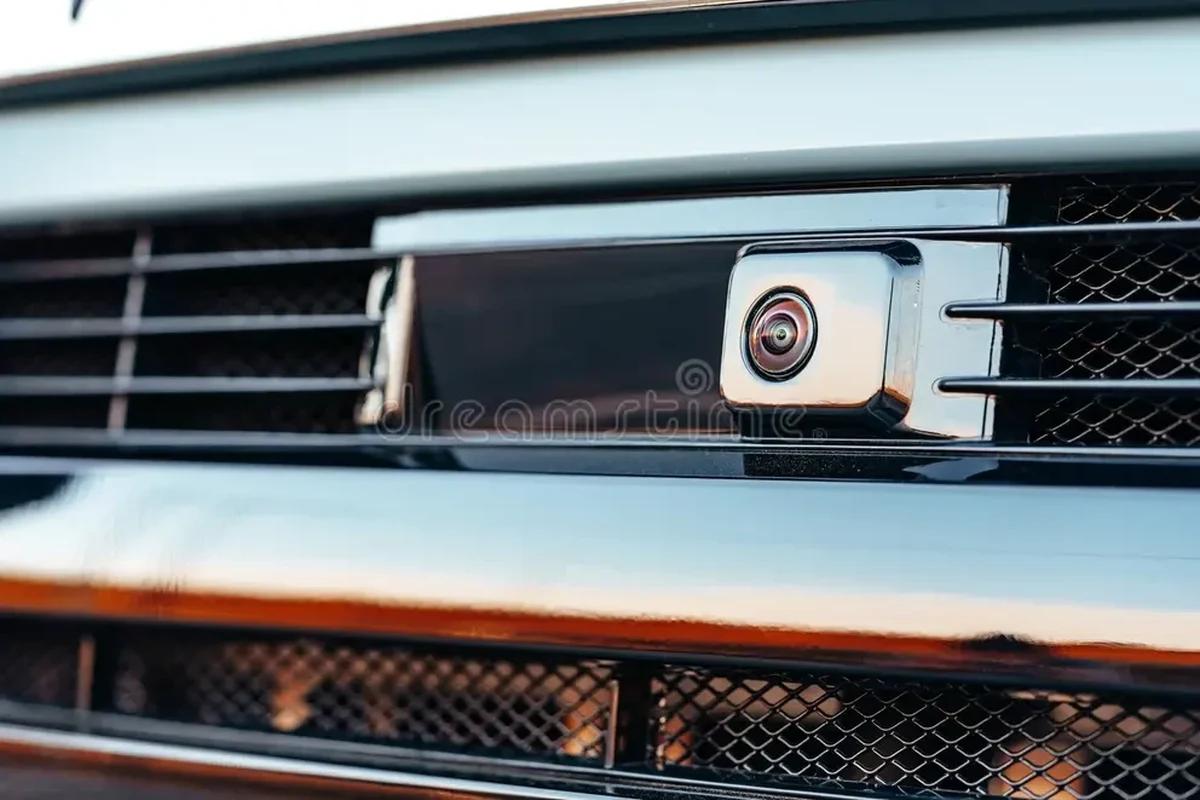
A front camera for car use helps with parking, curb clearance, and low-speed visibility, especially on larger vehicles or in tight spaces. The best choice is usually a reliable, compatible system with a clear angle and strong weather resistance.
A front camera for car use is a forward-facing camera that helps you see what sits directly ahead of the bumper, especially during parking, tight turns, and low-speed maneuvering. In 2026, it makes the most sense for drivers who regularly deal with crowded lots, steep driveways, curbs, towing, or vehicles with a tall hood and limited forward visibility.
- Best use case: Tight parking, low-speed maneuvering, towing, and larger vehicles.
- Most important spec: Compatibility with your display or head unit matters more than resolution alone.
- Reliability tip: Wired systems usually offer fewer connection problems than wireless kits.
- Real limitation: The camera helps visibility, but it cannot replace mirrors or careful driving.
Front Camera for Car: What It Is and Whether You Need One in 2026

Unlike a dash cam, which is mainly for recording, a front camera is designed to improve live visibility. It can feed a screen in the cabin, mirror display, aftermarket head unit, or smartphone interface depending on the kit.
Quick answer: who benefits most from a front-facing car camera
Drivers who park in tight urban spaces, own larger SUVs or trucks, tow trailers, or want extra confidence when pulling up to curbs tend to benefit the most. It is also useful for newer drivers who want a clearer view of what is happening in front of the vehicle at very low speeds.
How a front camera improves visibility, parking, and low-speed safety
The main advantage is perspective. A front camera can reveal obstacles that sit below the driver’s eye line, such as short posts, parking blocks, low walls, and curbs. It can also help reduce small scrapes and make it easier to center the car in a space.
That said, it is a support tool, not a replacement for mirrors, direct sightlines, or careful driving. It is most valuable when used as part of a broader awareness system, similar to how a front-and-rear dash cam setup adds coverage without replacing safe driving habits.
Front Camera Types, Features, and the Specs That Matter Most
Front camera products vary more than many shoppers expect. Some are simple add-on lenses, while others are part of a full camera system tied into an aftermarket head unit or OEM-style display.
Dash-mounted, grille-mounted, license-plate, and OEM-style options
Dash-mounted cameras are usually easier to install and may be less exposed to road grime, but they often show a less useful angle because they sit farther from the bumper. Grille-mounted and license-plate-mounted cameras typically give a more accurate view of the vehicle’s front edge, which helps when you are creeping toward a curb or wall.
OEM-style options aim to look and function more like factory equipment. If you are already considering a display upgrade, it can help to compare your camera choice with the vehicle’s head unit or an aftermarket Bluetooth stereo for car setup, because compatibility often matters more than brand name alone.
Resolution, field of view, night vision, parking lines, and waterproofing
Resolution affects image clarity, but it is only one part of the picture. A wide field of view can help you see more of the area in front of the car, while a narrower view may make objects look larger and easier to judge. For parking, that trade-off matters.
Night vision or low-light performance is important if you often park in garages, use the car before sunrise, or return home after dark. Parking lines can be helpful, but they should be treated as guidance, not exact measurements. Waterproofing matters most for external cameras, especially in rain, snow, salty air, or frequent car washes.
A wider camera view can make parking easier, but too much width can distort distance and make curbs look farther away than they really are.
Wired vs. wireless setups and what each means for reliability
Wired systems are usually more consistent because they do not depend on a wireless signal that can lag or drop. They are often the better choice for drivers who want a dependable everyday setup.
Wireless kits can be simpler to install, especially if you want to avoid running cables through the cabin. Still, they may be more vulnerable to interference, image delay, or connection issues. For many buyers, the cleaner installation is appealing, but reliability should come first if the camera is used often.
| Option | Best For | Key Consideration |
|---|---|---|
| Dash-mounted | Simple installs | Can sit too far from the bumper |
| Grille-mounted | Accurate forward view | More exposed to dirt and weather |
| License-plate-mounted | Practical everyday use | Placement depends on plate area space |
| OEM-style | Factory-like integration | Compatibility can be vehicle-specific |
How to Choose the Right Front Camera for Your Car
The right camera depends on how you drive, what you drive, and what screen or system you already have. A compact sedan commuter and a full-size pickup owner usually need different features.
Best fit by use case: city driving, commuting, tight parking, towing, or family vehicles
City drivers should prioritize a clear wide-angle view and strong low-light performance, since parking garages and crowded streets are common. Commuters may prefer a reliable wired setup that works every day without fuss.
Drivers who park in narrow driveways or dense apartment lots often benefit from parking lines and a camera angle that shows the bumper edge clearly. Towing and larger family vehicles may need a setup that helps with alignment and close-quarters maneuvering more than with high-resolution recording.
Good fit if parking is tight and you want more confidence at low speeds.
Useful for school drop-offs, garage parking, and avoiding curb contact.
Worth considering if a basic wired kit solves the main visibility issue without adding complexity.
Compatibility with your vehicle, display, head unit, or smartphone
Before buying, confirm how the camera will show video. Some systems work through an aftermarket head unit, some through a factory display, and others through a phone app. If your current stereo is outdated, pairing the camera with a better interface may make the system easier to use overall.
For owners planning broader audio or infotainment upgrades, it can be smart to evaluate the camera alongside a car Bluetooth radio or a complete car head unit replacement, because screen compatibility can determine whether the camera feels seamless or frustrating.
Budget considerations, value tiers, and what features are worth paying for
Budget cameras can work well for basic parking help, but the cheapest option is not always the best value if image quality or durability is poor. The features most worth paying for are stable wiring or signal quality, weather resistance, and a usable viewing angle.
Extra features like adjustable guides, better night performance, or a more rugged mount may be worth the cost if you drive often in difficult conditions. Fancy app features are less important if the image lags or the camera is hard to position correctly.
New vs. used front camera kits: risks, savings, and when used makes sense
Used kits can save money, but they also come with more uncertainty. You may not know whether the lens has been damaged, the wiring has been stressed, or the mount hardware is missing.
Used makes the most sense when the seller can clearly show what is included and the camera is from a reputable source. New is usually safer if you want warranty coverage, cleaner installation parts, and less risk of compatibility problems.
- Check camera compatibility with your display or head unit
- Confirm whether the mount fits your bumper, grille, or plate area
- Review weather resistance if the camera sits outside
- Decide whether wired reliability or wireless convenience matters more
- Compare return policy and warranty terms before ordering
Top Benefits and Real-World Limitations of Front Cameras
A front camera can make everyday driving less stressful, but it is not a cure-all. The best buyers understand both the gain in visibility and the situations where the camera will not help much.
Visibility gains, curb protection, and safer maneuvering in crowded areas
One of the biggest benefits is avoiding low-speed contact. That includes curb rash, parking block bumps, and those awkward moments when you are inching into a tight space and cannot judge the front end well from the driver’s seat.
For larger vehicles, the camera can be especially helpful in crowded retail lots or narrow residential streets. It gives a better sense of where the front end is relative to nearby objects, which can reduce small but costly mistakes.
Where front cameras help less: weather, glare, poor installation, and blind spots
Rain, snow, road salt, and mud can reduce image quality quickly if the lens is exposed. Bright sun or headlight glare can also make the image harder to read, especially on lower-quality systems.
Poor placement is another common issue. If the camera is mounted too high, too low, or at the wrong angle, it may create blind spots or distort distance. Even a good camera cannot fully solve visibility problems caused by vehicle design.
A front camera should never replace careful observation, mirrors, and a slow approach in tight spaces. If a camera image is unclear, stop and check the area directly before moving forward.
Common mistakes buyers make when comparing front camera products
Many shoppers focus only on resolution and ignore the mount, wiring, and display compatibility. Others buy a camera with a huge field of view, then discover the image is too distorted for parking.
Another mistake is assuming every “waterproof” camera will handle long-term exposure equally well. Build quality, seal design, and installation quality all matter. The same is true for any add-on visibility product, including a dash cam for car or a dash cam for the money, where specs alone do not tell the whole story.
Setup Guide: Installing and Configuring a Front Camera the Right Way
Installation quality often matters as much as the camera itself. A well-placed basic camera can outperform a poorly installed premium one.
Basic installation steps and placement best practices
Start by choosing a location that gives a clear view of the area directly ahead of the vehicle without being blocked by trim, grille bars, or license plate hardware. The camera should be secure, protected from road debris as much as possible, and aimed to show the bumper edge or leading edge of the car.
Decide what you want to see first: curb edge, bumper line, or a wider forward view.
Use the proper bracket or hardware so vibration does not blur the image.
Keep cables away from moving parts, heat, and sharp edges.
Check the angle in a parking space and verify that the display appears when expected.
How to align the image, parking guides, and viewing angle
Alignment should be based on real parking behavior, not just what looks centered on the screen. If the goal is curb protection, the lower part of the image should show enough of the front edge to judge distance accurately.
Parking guides can help, but they need to match the camera angle. If the guides are misleading or too aggressive, they may create false confidence. Adjust them only if the system allows it, and verify the result in an actual parking space.
When to choose professional installation over DIY
Professional installation is worth considering if the camera must integrate with a factory display, if the wiring is complex, or if you are uncomfortable removing interior panels. It is also a good idea when the camera has to be sealed carefully against weather exposure.
DIY can make sense for simple kits, but only if you are confident about routing cables safely and testing the image before finishing the job. If the camera is part of a larger electronics upgrade, a professional may reduce the chance of compatibility issues.
Mounting hardware
Trim tools
Cable ties
Owner’s manual
Safe Use, Cleaning, and Long-Term Care
Once installed, the camera needs basic care to stay useful. A dirty lens or loose connection can make even a good system frustrating to use.
Safe driving habits when relying on the camera
Use the camera as a reference, not as the only source of awareness. Keep speeds slow when approaching curbs, walls, or pedestrians, and continue checking mirrors and looking around the vehicle.
That caution matters even more in traffic-heavy areas. A front camera can help you judge space, but it cannot predict whether a pedestrian, shopping cart, or low obstacle will move into view at the last second.
Cleaning the lens, checking wiring, and weatherproof maintenance
Clean the lens regularly with a soft, non-abrasive cloth. If the camera sits in the grille or plate area, check it after heavy rain, winter driving, or a car wash to make sure dirt and moisture have not built up around the housing.
Inspect wiring and mounts occasionally for looseness, fraying, or corrosion. If the camera is exposed to road salt or salty air, maintenance becomes more important because small problems can grow faster in harsh conditions.
Troubleshooting common issues like fogging, static, lag, or dark images
Fogging often points to moisture intrusion or temperature changes around the lens. Static or signal dropouts may indicate a wiring issue, a weak wireless connection, or interference from other electronics.
Lag usually matters most in wireless systems, while dark images may come from poor low-light performance, a dirty lens, or incorrect exposure settings. If image quality suddenly changes, inspect the camera and wiring before assuming the display is the problem.
- Test the camera in daylight and at night before relying on it daily.
- Recheck the angle after a wash, repair, or bumper work.
- Keep the lens clean if the camera is mounted low on the vehicle.
- Choose a system that works with your current screen so you do not need extra adapters later.
Final Verdict: Best Value and Best Use Cases for a Front Camera for Car
The best front camera for car use is the one that matches your parking habits, vehicle size, and display setup. For most drivers, a reliable wired camera with a practical viewing angle and solid weather resistance offers the strongest long-term value.
Best overall recommendation by driver type and budget
For city drivers and commuters, a straightforward wired kit with good low-light performance is usually the smartest pick. For SUVs, trucks, and towing setups, prioritize a mount and angle that show the vehicle’s front edge clearly.
Budget buyers should focus on compatibility and build quality before chasing the highest resolution. If you are already upgrading your infotainment, pairing the camera with the right screen or stereo can improve the experience more than spending extra on a camera alone.
Key takeaways for making a smart, safe purchase in 2026
In 2026, the most useful front camera is still the one that is easy to see, easy to trust, and easy to live with every day. Confirm compatibility, choose the right mount, and treat the camera as a visibility aid rather than a substitute for good driving habits.
A front camera for car ownership is most worthwhile for drivers who regularly park in tight spaces, drive larger vehicles, or want extra low-speed confidence. If you need factory-like integration or frequent use, spend more on reliability and installation quality; if your needs are occasional, a simpler kit may be enough.
Common Questions
If you often park in tight spaces or drive a larger vehicle, it can be very helpful. If you rarely deal with close-quarters maneuvering, it may be optional.
Many buyers focus only on resolution and ignore compatibility, mounting, and weather resistance. Those details often matter more in daily use.
It can be, especially for easier installation. Still, wired systems are usually the safer choice for consistent performance.
Simple kits can be DIY-friendly if you are comfortable routing cables. Complex integrations are better handled by a professional.
Clean the lens, check the mount, and inspect the wiring periodically. That helps prevent blurry images and connection problems.
Frequently Asked Questions
Drivers who regularly park in tight spaces, own SUVs or trucks, or want more confidence at very low speeds are the best fit. It is especially useful when the front end is hard to judge from the driver’s seat.
Mounting style, viewing angle, low-light performance, and weather resistance are the biggest factors. Compatibility with your display or head unit should also be checked before buying.
They solve different problems. Sensors alert you to proximity, while a camera lets you see what is actually in front of the vehicle.
Confirm the camera fits your vehicle and that the wiring can be routed safely. If the kit connects to a screen, make sure the display accepts the signal type.
Check it regularly, especially after rain, snow, mud, or car washes. A dirty lens or loose mount can reduce image quality quickly.
Glare, weather, poor placement, and distortion can reduce usefulness. It should support safe driving habits, not replace them.