
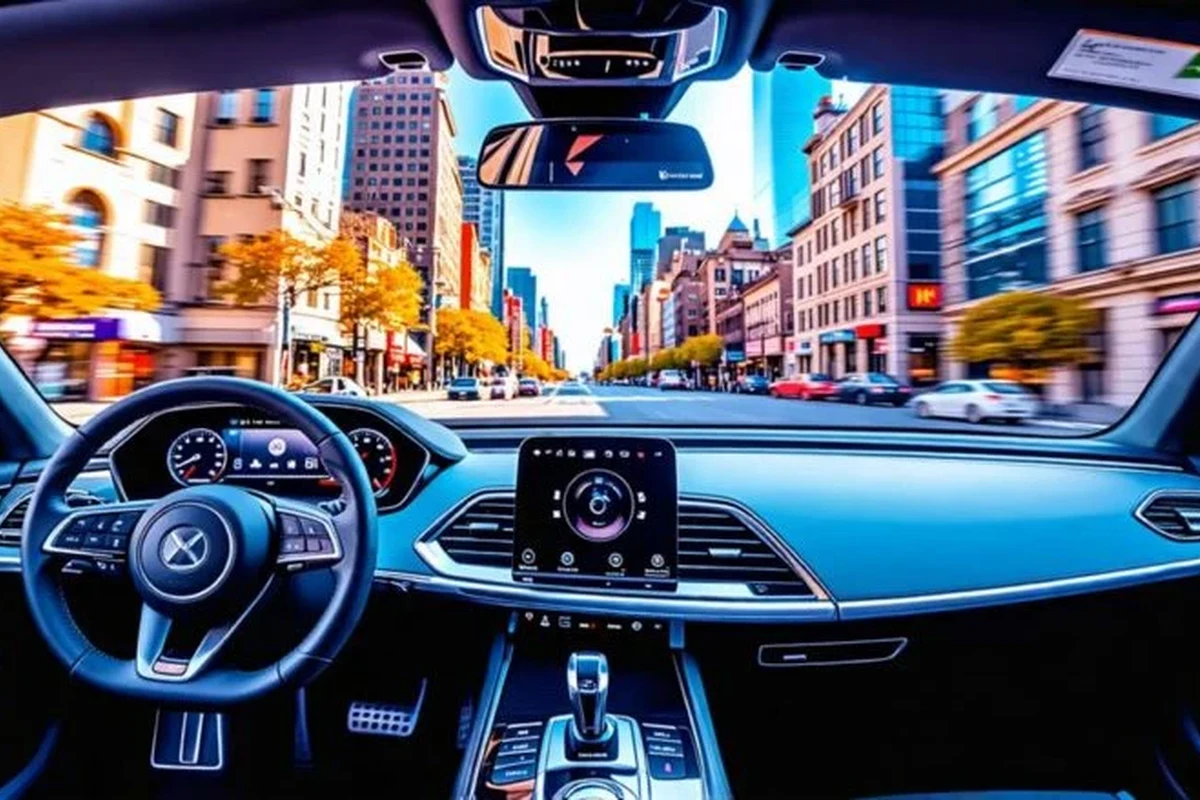
A 360 dash cam is a smart pick if you want broader evidence coverage than a basic front camera can provide. It is most useful for rideshare drivers, street parkers, and anyone who wants cabin or multi-angle recording.
A 360 dash cam is a broad term for a camera setup that captures a full surrounding view of the vehicle, often including the road ahead, cabin, and side or rear angles. For many drivers in 2026, it makes the most sense if you want the clearest possible record of what happened before, during, and after an incident.
This guide focuses on how 360 dash cams work, what features matter most, and when a simpler camera may be the smarter buy for everyday driving.
- Best fit: Drivers who want front, cabin, and parking coverage in one system.
- Most important features: Low-light quality, storage reliability, parking mode, and event locking.
- Common tradeoff: More coverage usually means more setup, more storage use, and higher cost.
- Value check: A simpler dash cam may be enough if you only want front-road evidence.
360 Dash Cam: What It Is and Whether You Actually Need One

In plain English, a 360 dash cam usually means a camera system designed to cover more than just the windshield. Some models use multiple lenses, while others use one main unit with wide-angle coverage and additional interior or rear cameras to create a more complete record.
Quick answer: who a 360 dash cam is best for
A 360 dash cam is best for drivers who want broader evidence coverage than a standard front-facing unit can provide. That includes rideshare drivers, families, fleet operators, and anyone who parks in public areas where side impacts, vandalism, or hit-and-run risks are more likely.
If your main goal is simply to document traffic in front of the car, a basic front camera may be enough. If you want to compare broader options, our guide to the best dash cam for 360 view can help you understand the category better.
How a 360 dash cam differs from standard front- or dual-channel cameras
A standard dash cam usually records only the road ahead. A dual-channel setup records front and rear, which is helpful for rear-end collisions and parking incidents. A 360-style system goes a step further by aiming to capture more of the vehicle’s surroundings, often including the cabin and side angles.
The tradeoff is complexity. More coverage can mean more wiring, more storage use, and more setup decisions. It can also mean more footage to review after an event, which is useful only if the system is easy to manage.
How a 360 Dash Cam Works in Real-World Driving
Most 360 dash cam systems rely on wide-angle lenses, multiple camera modules, or a combination of both. The goal is to reduce blind spots in the recorded footage, not to replace the vehicle’s mirrors, blind-spot monitoring, or safe driving habits.
Full-cabin and full-surround coverage explained
Some 360 systems are cabin-focused, which is especially useful for rideshare or family use. Others are exterior-focused and try to capture more of the road, shoulders, and adjacent lanes. A few systems combine both approaches.
That matters because the best setup depends on your risk. If you drive passengers, cabin audio and video may be more useful than a rear-facing exterior angle. If you park on crowded streets, a wider exterior view may matter more than interior recording.
Parking mode, motion detection, and impact recording
Parking mode lets the camera monitor the vehicle when it is off, usually by using motion detection, impact sensing, or low-power recording. This is one of the biggest reasons people upgrade from a simple camera.
If you want to keep the dash cam powered while parked, read our guide on how a dash cam works when the car is off. For drivers who need longer parking coverage, a dedicated dash cam battery pack may be worth considering.
Parking mode quality varies a lot by brand. Some cameras only wake after impact, while others keep a low-power watch on the vehicle and save a clip when motion or vibration is detected.
What footage quality can and cannot prove after an incident
Good footage can show lane position, traffic signals, license plates in some conditions, and the sequence of events. It may also help confirm whether a driver was moving, stopped, or reversing at the time of an incident.
However, video does not automatically settle every dispute. Glare, darkness, rain, dirty glass, and camera angle can make important details hard to read. Footage is evidence, not a guarantee of a complete answer.
Key Features to Look for Before You Buy
The best 360 dash cam is not always the one with the most cameras. It is the one that records clearly in the conditions you actually drive in and stores footage in a way you can access quickly when needed.
Video resolution, low-light performance, and lens coverage
Resolution matters, but it is only one part of image quality. A camera with higher resolution still may struggle at night if the sensor and lens are weak. Look for a balanced combination of resolution, wide coverage, and strong low-light performance.
- Prioritize night readability if you commute before sunrise or after dark.
- Check whether the camera uses a wide dynamic range feature to handle headlights and bright sunlight.
- Make sure the lens coverage matches your actual risk, such as cabin, rear, or side incidents.
Storage support, loop recording, and event locking
Dash cams generally record in a loop, meaning old footage is overwritten when storage fills up. That is normal, but it only works well if the device can lock important clips after a collision or sudden impact.
Also pay attention to memory card support. A dash cam may require a high-endurance microSD card rather than a standard consumer card. If you need help with card prep, see how to format an SD card for a dash cam.
GPS, app connectivity, voice control, and cloud features
GPS can add speed and location data to footage, which may help provide context after an incident. App connectivity can make it easier to review clips on a phone, though app quality varies widely by brand.
Voice control and cloud uploads are convenient, but they are not essential for everyone. In practice, they matter most if you want hands-free operation or remote access to footage without removing the memory card.
Many dash cam problems are caused not by the camera itself, but by the memory card. Using the wrong card type is a common reason for corrupted clips or recording errors.
Power options: hardwire kit, battery pack, or 12V adapter
A 12V adapter is the simplest setup because it plugs into the vehicle’s accessory outlet. A hardwire kit is usually better for parking mode because it can provide a cleaner, more permanent power connection. A battery pack can be useful when you want parking coverage without putting extra strain on the vehicle battery.
If you are comparing power solutions, our pages on dash cam battery pack 2 and how to hardwire a dash cam for parking mode are useful next reads.
Who a 360 Dash Cam Fits Best in 2026
In 2026, the category makes the most sense for drivers who see the vehicle as a working tool, not just transportation. The more time you spend on the road or the more often your car is parked in public, the easier it is to justify broader coverage.
Rideshare drivers, commuters, and road-trippers
Rideshare drivers often benefit from cabin recording because it can document passenger interactions. Commuters may like the added confidence of parking coverage and incident recording. Road-trippers may value the ability to capture more of what happens on long, unfamiliar routes.
Families, fleet users, and drivers who park on the street
Families may appreciate a camera that records interior activity, especially with young passengers or teen drivers. Fleet users often need consistent evidence across multiple vehicles, which is why camera reliability and simple retrieval matter as much as resolution.
Drivers who park on the street are another strong fit. Side swipes, door dings, and hit-and-run damage are exactly the kinds of incidents that broader coverage can help document.
Good fit if you face traffic disputes, parking risk, or long daily drives.
Useful if you want cabin visibility and extra peace of mind during trips.
May be too much unless you truly need more than front-only recording.
When a simpler dash cam may be the better value
If you rarely drive at night, always park in a garage, and mainly want front-road evidence, a simpler camera may be the better buy. You may save money, reduce setup time, and avoid unnecessary app or wiring complexity.
For many drivers, the best value is not the most advanced camera. It is the one that records reliably every day and is easy to review when something happens.
Top Benefits, Limitations, and Common Buying Mistakes
Before buying, it helps to think beyond the feature list. A 360 dash cam can be very useful, but it also creates new responsibilities around storage, privacy, and maintenance.
Safety, evidence, and insurance-related advantages
The main benefit is documentation. Clear footage can support an insurance claim, help explain an accident sequence, and reduce confusion after a parking incident or traffic dispute.
It can also help fleet managers and families keep a more objective record of what happened. That said, footage should complement other evidence such as photos, witness statements, and police reports when appropriate.
Common limitations: heat, battery drain, privacy, and blind spots
Heat is a real concern for any in-car electronics, especially in hot climates or parked vehicles. Battery drain is another concern if parking mode is used without proper power management. Privacy is also important because cabin recording may not be appropriate in every situation.
- Broader evidence coverage than a basic front camera
- Useful for parking incidents and passenger documentation
- Can reduce uncertainty after an accident
- More setup and storage management
- Can raise privacy concerns in cabin-recording modes
- May cost more than a simpler dash cam
If you live in a hot region, it is also worth comparing heat-resistant options such as our guide to the best dash cam for Texas heat.
Mistakes buyers make with resolution, memory cards, and installation
One common mistake is assuming resolution alone guarantees clear footage. Another is buying a low-quality memory card that cannot handle constant writing. A third is mounting the camera in a way that blocks the driver’s view or leaves too much of the windshield out of frame.
Do not mount a dash cam where it interferes with airbags, mirrors, or your line of sight. Follow the vehicle and camera manuals, and check local rules before recording audio or interior footage.
Setup, Safe Use, and Best Practices
A good camera can underperform if it is installed poorly. The goal is to capture useful footage without creating a distraction, a wiring hazard, or a legal issue.
Mounting and positioning for maximum coverage
Position the camera high enough to capture the road clearly, but not so high that it reflects heavily in the glass or blocks the driver’s view. For a multi-camera setup, make sure each lens covers the intended area before you finalize the adhesive mount or cable routing.
Decide whether you need front, cabin, rear, or side coverage before choosing a mounting position.
Make sure the camera does not interfere with safe driving or the windshield’s clear area.
Confirm that glare, reflections, and cabin lighting do not ruin the footage.
Hardwiring safely and protecting vehicle electronics
Hardwiring can support parking mode, but it should be done carefully. Use the correct fuse tap, follow the vehicle’s electrical guidelines, and avoid overloading circuits. If you are not comfortable with the process, a qualified installer may be the safer choice.
For a cable-managed install, our guide on how to hide dash cam wires in the headliner can help you understand the basics of clean routing.
Before hardwiring, confirm whether the camera has a built-in low-voltage cutoff. That feature helps reduce the chance of draining the vehicle battery too far.
Legal and privacy considerations for audio and cabin recording
Audio recording laws and privacy rules vary by location. If your camera records passengers or conversations, check local laws before enabling those features. In some cases, a visible notice or verbal disclosure may be appropriate even when not strictly required.
Cabin recording can be helpful, but it should be used responsibly. The safest approach is to understand the rules first and then configure the camera accordingly.
Care, Cleaning, and Long-Term Maintenance
Dash cams are small devices, but they still need regular attention. A few minutes of maintenance can make the difference between usable footage and a corrupted file when you need it most.
Keeping lenses clean and footage usable
Dust, fingerprints, and windshield film can reduce image clarity more than many buyers expect. Clean the lens gently and keep the windshield area in front of the camera free of residue.
Also check for reflections from dashboard objects or hanging accessories. A clean lens with a cluttered windshield can still produce poor footage.
Memory card care, firmware updates, and periodic checks
Memory cards wear out over time because dash cams write to them constantly. Periodically format the card according to the manufacturer’s guidance, and replace it if the camera begins to miss clips or show errors.
Firmware updates may improve stability, app compatibility, or recording behavior. It is also smart to review a few saved clips every so often to make sure the camera is still recording correctly.
- Camera coverage: front only, dual-channel, or true multi-angle setup
- Parking mode support and power method
- Memory card type and storage capacity support
- App quality, GPS, and event-locking features
- Installation complexity and privacy considerations
Seasonal care for heat, cold, and long-term parking
High heat can shorten the life of electronics and memory cards, while cold weather can temporarily affect startup and battery behavior. If the vehicle sits for long periods, check the camera and power source before relying on parking mode again.
For drivers who leave vehicles unattended for extended periods, a camera paired with the right power setup is usually better than a camera alone.
Value Check: Is a 360 Dash Cam Worth the Price in 2026?
Whether it is worth the price depends on how much risk you want to cover and how often you drive in situations where evidence matters. The broader the coverage, the more likely you are to pay extra for hardware, installation, and storage.
Budget considerations and what features justify the premium
The premium is easier to justify if you need cabin recording, parking mode, GPS, cloud access, or reliable multi-angle coverage. It is harder to justify if you only want basic front-road documentation and rarely park in risky areas.
In budget terms, the real cost includes more than the camera itself. You may also need a high-endurance memory card, a hardwire kit or battery pack, and possibly professional installation.
Final recommendation based on driving habits and risk level
A 360 dash cam is a smart choice for drivers who want broader evidence coverage and are willing to manage the extra setup. It is especially practical for rideshare, family, fleet, and street-parking use.
If your needs are simpler, a front-only or dual-channel camera may deliver better value with less complexity. The best choice is the one that fits your driving routine, your parking situation, and your comfort with installation and privacy settings.
A 360 dash cam is worth considering if you want more than basic front-road recording and you regularly face parking, passenger, or multi-angle evidence needs. If you only need simple incident coverage, a smaller system may be the more practical and affordable choice.
Common Questions
It can be, if you want broader evidence coverage and use parking mode or cabin recording. If you only need front-road footage, a simpler camera may be better value.
Not always in a perfect 360-degree sphere, but it usually records more than a standard front camera. Coverage depends on the number of lenses and how the system is designed.
Usually yes. Many dash cams work best with high-endurance microSD cards made for constant recording.
Yes, if the camera supports parking mode and has the right power setup. That may require a hardwire kit or battery pack.
It depends on the model and power method. A simple plug-in setup is easier, while hardwiring takes more care and may be better left to a professional.
Frequently Asked Questions
A 360 dash cam is best for drivers who want broader evidence coverage than a front-only camera can provide. It is especially useful for rideshare, family, fleet, and street-parking use.
Look at coverage, low-light performance, storage support, parking mode, and event locking first. GPS, app control, and cloud features are helpful, but they should not replace good video quality.
Usually yes, if you want the camera to keep recording after the vehicle is turned off. A battery pack is another option, and a 12V adapter is simpler but often less useful for parking coverage.
Check the lens, memory card, and footage quality regularly. Firmware updates and periodic card formatting can help prevent recording problems.
Common limitations include heat exposure, battery drain, privacy concerns, and extra setup complexity. More coverage can also mean more footage to manage and review.
Confirm the camera’s coverage, memory card requirements, parking mode support, and installation method. If current specs or prices matter, verify them with the manufacturer or dealer before you buy.