
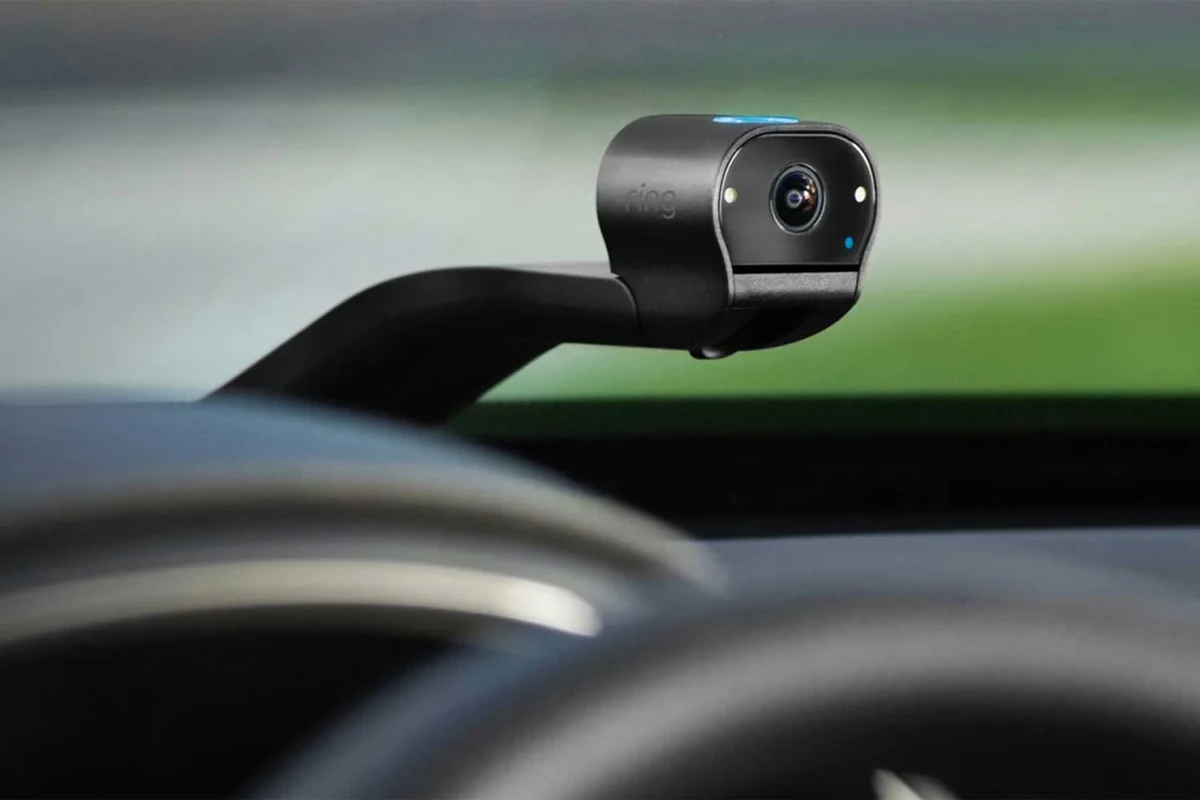
An interior car camera is most useful when you need cabin evidence, passenger accountability, or better monitoring inside the vehicle. In 2026, the best choices balance clear low-light video, reliable storage, and privacy controls.
An interior car camera is worth considering in 2026 if you want more visibility inside the cabin for safety, accountability, and evidence after an incident. It is especially useful for rideshare drivers, families, fleets, and anyone who wants a clearer record of what happened inside the vehicle.
- Best use case: Rideshare, fleet, family, and theft-documentation needs get the most value.
- Top features: Prioritize cabin coverage, low-light performance, event locking, and storage reliability.
- Privacy matters: Check local audio-recording and passenger-notice rules before buying.
- Setup counts: A good mount, stable power, and a tested memory card improve reliability.
What an Interior Car Camera Is and Whether It’s Worth Buying in 2026

An interior car camera is a camera mounted inside the cabin that records passengers, the driver area, and sometimes the rear seats or cargo area. Many models are designed to work alongside a front-facing dash cam, while others are built specifically for cabin monitoring and may include infrared night vision, audio recording, or app-based access.
In practical terms, it gives you a second layer of documentation beyond the road-facing view. That matters when an issue starts inside the vehicle rather than outside it, such as a passenger dispute, a theft claim, or damage that happens while the car is parked or in use.
How an interior car camera works inside a vehicle
Most interior car cameras use a wide-angle lens to capture as much of the cabin as possible from one mounting point, often near the rearview mirror, on the windshield, or on the dashboard. Some models use a separate interior lens, while others include a dual- or triple-channel setup that records the front road, the cabin, and sometimes the rear of the vehicle at the same time.
Low-light models may use infrared LEDs or enhanced sensor processing so the cabin remains visible at night. That can be helpful for rideshare work or late-night commuting, but it is still important to check whether the camera clearly shows faces, seat positions, and key interactions in dim conditions.
Coverage, night vision quality, and audio features vary by model and region. Always confirm the manufacturer’s specifications before buying.
Who benefits most: rideshare drivers, families, fleets, and daily commuters
Rideshare drivers often benefit the most because cabin footage can help document passenger behavior and reduce arguments about what happened during a trip. Fleet operators and delivery businesses may also value interior cameras for accountability, route oversight, and incident review.
Families may use an interior camera to monitor children, pets, or younger drivers, especially on long trips or shared vehicles. Daily commuters usually care more about theft deterrence, vandalism documentation, and protection in case a dispute happens inside the car.
Useful for documenting passenger interactions and reducing false claims.
Helpful for monitoring cabin activity and rear-seat behavior.
Supports accountability, incident review, and policy compliance.
Quick verdict: the main reasons to buy one now
The strongest reasons to buy an interior car camera are evidence, accountability, and peace of mind. If you regularly carry passengers, leave valuables in the vehicle, or want a better record of cabin events, the camera can be a practical upgrade rather than a novelty.
If you drive alone, park in low-risk areas, and only want basic incident coverage, a simple front dash cam may be enough. In that case, an interior camera is still useful, but it may not be the best place to spend extra money unless cabin monitoring is a real need.
Key Features to Compare Before You Buy
Before you choose a model, focus on the features that affect real-world visibility, reliability, and privacy. A long list of app extras means little if the camera cannot clearly show the cabin at night or keep important clips from being overwritten.
Video quality: resolution, low-light performance, and field of view
Resolution matters because it affects how clearly you can identify faces, gestures, and details in the cabin. Low-light performance matters just as much, since many interior incidents happen after dark or in parking areas with limited lighting.
Field of view is the angle the camera can capture. A wider view helps cover more of the cabin, but extremely wide lenses can distort edges and make people look farther away than they are. The best choice is usually a balanced view that captures the front seats and rear seating area without making the image too stretched.
Some interior cameras use infrared illumination so the cabin can remain visible even when the vehicle lights are off.
Audio, cabin coverage, and privacy controls
Audio recording can be useful if you need a fuller record of an interaction, but it also raises privacy concerns. In some places, recording audio may require notice or consent, so it is smart to check local laws before relying on that feature.
Look for privacy controls such as microphone mute, event-only audio capture, or the ability to disable recording in certain modes. Cabin coverage also matters: a camera that only sees the driver’s seat may not be enough if you need rear-seat or full-passenger visibility.
Privacy and audio-recording rules vary by state and country. Confirm local laws before using audio capture in a vehicle with passengers.
Storage options: microSD support, loop recording, and event locking
Most interior car cameras use a microSD card for local storage. Loop recording automatically overwrites older footage when the card fills up, which is convenient for everyday use, but it also means you need event locking for important clips.
Event locking saves footage triggered by impact, sudden braking, manual button press, or app command. That feature is one of the most important because it helps preserve the moments you are most likely to need later.
- Use a high-endurance memory card designed for continuous recording.
- Format the card on a regular schedule if the manufacturer recommends it.
- Choose a model with easy event-lock controls so important clips are not lost.
Connectivity and app features: Wi-Fi, GPS, and cloud access
Wi-Fi makes it easier to review footage on a phone without removing the memory card. GPS can add location and speed context, which may help explain where and when an incident happened.
Cloud access is convenient, but it is not always necessary. For many buyers, local storage plus phone transfer is enough. Cloud features can add cost, depend on internet access, and sometimes require a subscription, so confirm the ongoing expense before you count on it.
Best Use Cases and Real-World Benefits
The value of an interior car camera becomes clearer when you think about actual problems it can help solve. The goal is not just recording for the sake of recording; it is creating a reliable record when cabin events matter.
Protection against false claims, theft, and vandalism
Interior footage can help document what happened before, during, and after a dispute. That may be useful if someone makes a false claim about behavior in the vehicle or if an item goes missing after a trip.
It can also support theft or vandalism claims when a break-in or tampering incident affects the cabin. While it will not prevent every problem, clear footage can make it easier to explain the timeline to law enforcement, an insurer, or a fleet manager.
Monitoring passengers, pets, and teen drivers
Families often use interior cameras to keep an eye on children in the back seat or to monitor pets during travel. The camera can also help parents review how teen drivers handle passengers and cabin distractions.
That said, monitoring should be used responsibly. A camera works best as a safety and accountability tool, not as a substitute for communication, clear rules, or proper restraint systems for children and pets.
Fleet, delivery, and rideshare accountability
For business use, an interior camera can help resolve disputes faster and reduce uncertainty after an incident. Fleet managers may value the ability to review driver behavior, cabin incidents, and passenger interactions without relying only on reports.
Rideshare drivers often want a camera that is easy to operate, records clearly at night, and preserves clips automatically. If you are comparing a broader in-car setup, our guide to the best dash cam for car can help you think through front-facing coverage alongside cabin monitoring.
How an interior camera supports safer driving habits
Even though the camera is aimed inside the car, it can encourage better behavior. Drivers may be more mindful of distractions, and passengers may be less likely to argue, damage property, or interfere with the driver.
For that reason, many buyers treat the camera as part of a broader safety setup. If you are also thinking about vehicle upkeep, a clean cabin and clear windshield matter too, so related maintenance guidance like the car interior maintenance guide can support the camera’s effectiveness by keeping the viewing area unobstructed.
Limitations, Trade-Offs, and Common Buying Mistakes
No interior camera is perfect. The best purchase is usually the one that fits your privacy comfort level, vehicle layout, and recording needs without adding unnecessary complexity.
Night visibility, blind spots, and coverage gaps
Some cameras look excellent in daylight but lose detail at night, especially if the cabin is very dark or the lens angle is too narrow. Others cover the front seats well but miss rear-seat activity or the area behind the center console.
Before buying, think about where the camera will sit and what it needs to see. A good mount location can matter as much as the camera itself, and a poor angle can create blind spots that make the footage less useful.
Privacy concerns and legal considerations
Interior cameras can make passengers uncomfortable if they are not told they are being recorded. That is especially important when audio is involved or when the vehicle is used for rideshare, school transport, or business purposes.
Always review local recording laws and any platform rules that apply to your job or service. A camera that is legal to install may still require notice, signage, or a specific audio policy depending on where you drive.
Do not rely on a camera setup that blocks your view, interferes with airbags, or distracts you while driving. The camera should support safe driving, not create a new hazard.
Overpaying for features you may not need
It is easy to pay extra for cloud subscriptions, advanced app tools, or multi-camera systems that sound impressive but do not match your use case. If you only need cabin evidence and local storage, a simpler model may be the smarter choice.
On the other hand, if you run a fleet or drive passengers regularly, app access, GPS tagging, and event locking can be worth the added cost. The key is matching the feature set to the job, not assuming the most expensive option is automatically better.
Installation mistakes that reduce reliability
Loose wiring, poor mounting, and bad card choices are common reasons camera systems fail when they are needed most. Heat exposure, a weak power source, or a card that is not rated for continuous recording can also cause skipped footage or shutdowns.
- Mount the camera securely and check the angle after installation.
- Use a memory card that matches the camera’s recording demands.
- Confirm the power source is stable before everyday use.
- Do not place the camera where it blocks visibility or airbag deployment zones.
- Do not assume every card or cable will work well in hot or cold weather.
- Do not skip a test review of footage after setup.
How to Set Up an Interior Car Camera the Right Way
Good setup makes a bigger difference than many buyers expect. A camera with average hardware but careful installation often performs better than a premium model mounted in the wrong place.
Choosing the best mounting position for cabin coverage
The ideal mount depends on your vehicle and what you want to record. In many cars, the best position is high on the windshield or near the rearview mirror because it gives a broad view without taking up much cabin space.
If you need rear-seat coverage, angle the lens so it includes the full seating area and not just the driver’s side. For vans, SUVs, or fleet vehicles, you may need a different mount point to cover cargo space or multiple rows of seats.
Power options: 12V, hardwire kits, and battery safety basics
Many cameras can plug into a 12V outlet for simple installation. Hardwire kits provide a cleaner setup and may support parking mode, but they should be installed carefully so they do not create electrical issues or drain the battery unexpectedly.
If you are unsure about hardwiring, confirm compatibility with the camera manufacturer and consider professional installation. Battery safety matters, especially if the vehicle sits for long periods or if the camera is set to record while parked.
Initial settings for time, resolution, and recording mode
Set the correct time and date first, because inaccurate timestamps can make footage less useful. Then choose the highest practical resolution the camera can handle without causing storage problems or overheating.
Next, confirm the recording mode. For many drivers, continuous loop recording with event locking is the most useful default. If your use case is more specific, such as parking surveillance or rideshare trips, adjust the settings to match that routine.
Testing footage quality before regular use
Before depending on the camera, review sample footage in daylight and at night. Check whether faces are visible, whether the cabin is evenly covered, and whether audio is clear enough for your needs if you plan to use it.
This is also the time to confirm that clips save correctly and that the memory card is recognized. If the image is blurry or the mount vibrates, fix that now instead of discovering the issue after an incident.
Choose a position that captures the cabin without blocking your view.
Connect the power source, insert a compatible memory card, and confirm loop recording.
Check day and night clips before relying on the camera full time.
Care, Cleaning, and Ongoing Maintenance
Like any electronics in a vehicle, an interior camera works better when it is kept clean and checked regularly. Small maintenance habits can prevent missed recordings and help the system last longer.
Safe lens cleaning and screen care
Use a soft microfiber cloth to clean the lens and display. Avoid harsh chemicals, abrasive towels, or rough paper products that can scratch the lens coating or leave residue.
If the camera has a screen, keep it free of dust and fingerprints so you can quickly confirm status information. A clean lens also helps low-light performance by reducing glare and haze.
Checking memory cards, firmware, and power connections
Memory cards wear out over time, especially in cameras that record continuously. If you notice corrupted clips, recording errors, or slow performance, the card may need replacement.
Firmware updates can improve stability, app performance, and compatibility, so check the manufacturer’s update guidance from time to time. Also inspect power connections for looseness, heat damage, or intermittent shutdowns.
If you also keep the cabin tidy for better visibility and fewer distractions, our best cordless car vacuums guide can help you compare cleanup tools that make interior monitoring easier.
Seasonal care for heat, cold, and long parking periods
High heat can shorten the life of electronics left in parked vehicles, while extreme cold can affect startup and storage reliability. If your car sits unused for long periods, check whether the camera has parking mode settings that fit your battery and storage setup.
For long-term reliability, it helps to inspect the system after temperature swings, airport parking, road trips, or extended downtime. That is especially important in regions with strong seasonal weather changes.
Value, Budget Considerations, and Final Recommendation
The right interior car camera should feel like a practical safety tool, not an expensive gadget. In 2026, buyers should think about total value: the camera itself, the memory card, any hardwire kit, and possible subscription fees for cloud or app features.
What a good interior car camera should cost in 2026
Prices vary widely by brand, resolution, night vision quality, app support, and whether the camera is part of a multi-channel system. Instead of chasing a specific price point, compare what is included, what requires extra purchase, and whether the warranty or support terms are clear.
When to choose a budget model versus a premium model
A budget model can make sense if you want basic cabin recording, simple loop storage, and a straightforward setup. That is often enough for occasional use, personal security, or light family monitoring.
A premium model is more appropriate if you need stronger low-light performance, better app access, GPS tagging, parking features, or more dependable multi-channel coverage. Fleet and rideshare buyers usually benefit more from those upgrades because the camera is tied to accountability and incident documentation.
Choose a budget-friendly model if you only need basic cabin coverage and local recording without extra subscriptions.
Choose a more advanced model if you need stronger night performance, better app tools, and more dependable event storage.
Final recommendation based on safety, convenience, and long-term value
An interior car camera is a smart buy if you regularly carry passengers, manage a fleet, drive rideshare, or want stronger evidence for cabin-related incidents. The best models are the ones that clearly capture the space you care about, store clips reliably, and fit your privacy and installation comfort level.
If you are still deciding, start by defining your real use case: front-seat accountability, rear-seat monitoring, parking protection, or business oversight. Once that is clear, it becomes much easier to choose a camera that delivers long-term value instead of unnecessary features.
For most buyers, an interior car camera is most worthwhile when cabin accountability matters more than simple road recording. Choose a budget model for basic personal use, or step up to a premium option if you need better night vision, app tools, and more dependable evidence capture.
Common Questions
It records the inside of the vehicle for safety, accountability, and evidence. Many drivers use it to document passengers, pets, or incidents in the cabin.
Not always. A front dash cam covers the road, while an interior camera covers what happens inside the car.
Prioritize low-light clarity and reliable storage. Those two features matter most when you need usable footage later.
Yes, especially for documenting passenger interactions and disputes. It can also improve accountability during late-night trips.
Check it periodically for clean lenses, card health, and power stability. A quick review helps catch problems before an incident happens.
Frequently Asked Questions
It can help monitor children, pets, and back-seat activity during trips. Families often like the added visibility and peace of mind.
Look at the lens angle, sample images, and whether the model supports an interior or rear-seat view. A wider angle is helpful, but coverage should still be clear and not overly distorted.
People often choose a camera with weak night performance, ignore privacy rules, or install it in the wrong position. Those mistakes can reduce usefulness and create legal or safety issues.
Clean the lens gently, check the memory card, and review power connections regularly. It also helps to update firmware when the manufacturer provides it.
Not necessarily. A premium model is only worth it if you need stronger low-light recording, app tools, GPS, or multi-channel coverage.
Confirm the mount is safe, the camera does not block your view, and the recording setup follows local laws. If you are not sure about audio recording, check the rules first.