
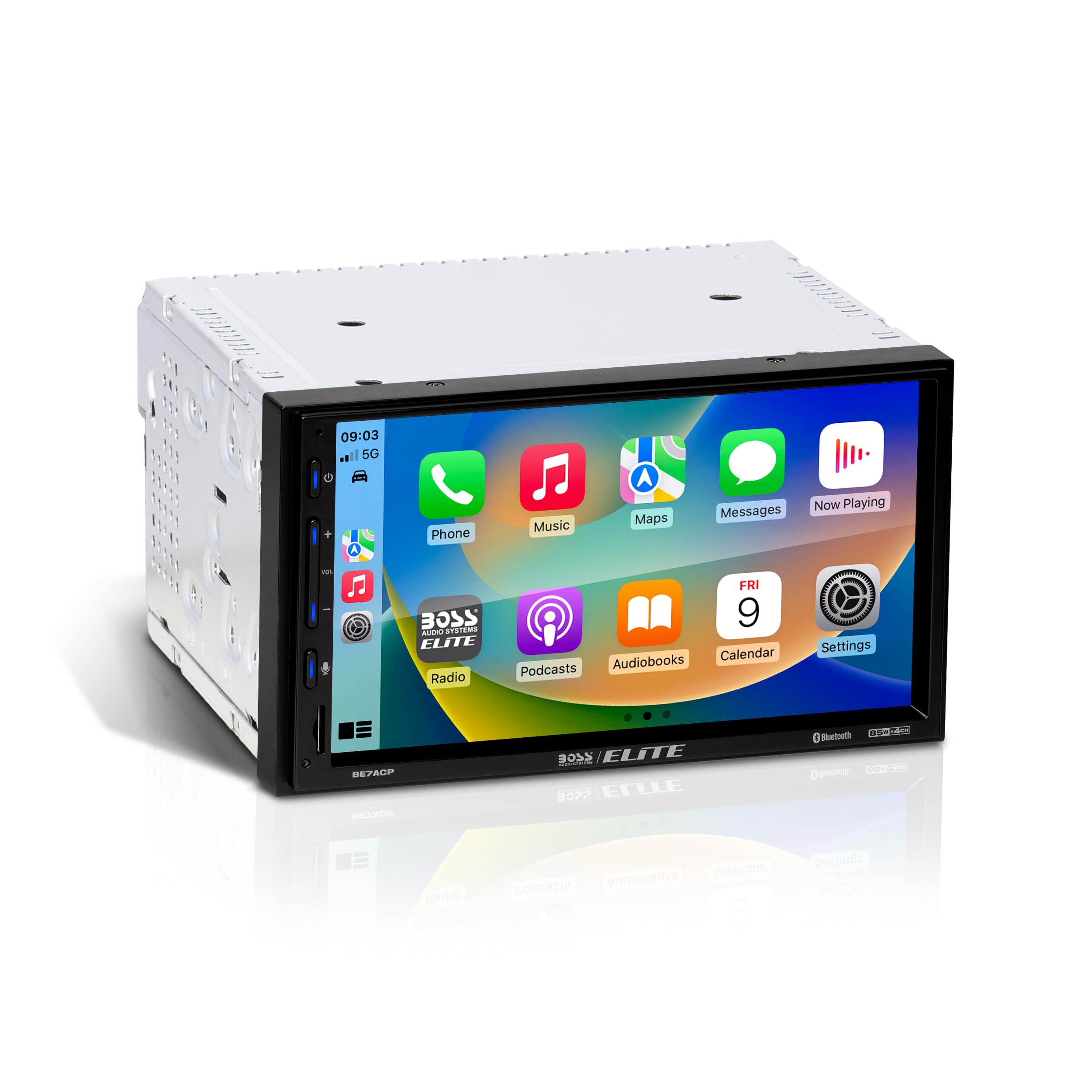
An auto head unit is the central in-dash device that controls audio, navigation, and connectivity.
I have spent years installing and testing car electronics, and I know what makes a great auto head unit. This guide walks you through what an auto head unit does, the types you can buy, how to install one, and how to pick features that match your needs. Read on for clear, practical advice, real-world tips, and mistakes to avoid when upgrading or replacing your car’s head unit.

What is an auto head unit?
An auto head unit is the dashboard device that manages media, navigation, and vehicle interfaces. It usually includes a screen, stereo controls, and inputs for phones, cameras, and GPS. The head unit links to speakers, amplifiers, and vehicle networks so you can play music, use apps, and get directions.
Key parts of an auto head unit
- Display: Touch or non-touch screen for controls and media.
- Audio electronics: Radio tuner, preamp outputs, and equalizer.
- Connectivity: Bluetooth, USB, Wi-Fi, and sometimes cellular.
- Inputs/outputs: Camera inputs, steering wheel control interface, and amplifier outputs.
Why it matters
- The head unit shapes your driving experience. A good unit improves sound, adds safety features, and keeps your phone integrated. Choosing the right head unit can be as impactful as upgrading speakers or amps.
Types of auto head units
There are several main types of auto head unit you will see on the market. Each fits different cars and user needs.
Single DIN vs Double DIN
- Single DIN: Compact, fits small dash openings, often basic features.
- Double DIN: Larger screens, more features, modern apps, and navigation.
OEM vs Aftermarket
- OEM: Factory units built for a specific car. Integrates deeply but can lack modern features.
- Aftermarket: Offers more features and upgrades. May require adapters for full integration.
Smart head units
- Android-based units: Allow apps, navigation, and media playback.
- CarPlay / Android Auto compatible units: Mirror smartphone apps for safe use.
- DSP-enabled units: Offer advanced sound tuning and time alignment.
Portable and replacement units
- Portable: Small devices that clip in or connect via cable. Easy to try.
- Replacement head units: Full dash replacements for long-term upgrades.
Key features to consider when choosing an auto head unit
Picking an auto head unit means matching features to your needs. Focus on what you will use daily.
Display and controls
- Screen size: Bigger is easier to read; ensure it fits your dash.
- Touch response: Fast, accurate touch improves usability.
- Physical buttons: Helpful for quick controls while driving.
Connectivity
- Bluetooth: For calls and audio streaming.
- USB ports: For charging and direct music playback.
- Wi-Fi and hotspots: Useful for streaming and updates.
Smartphone integration
- Apple CarPlay: Works with iPhone apps through the head unit.
- Android Auto: Android phone integration for maps and messaging.
Audio and sound controls
- Preamp outputs: Needed if adding external amps.
- Built-in amp power: Check RMS numbers for real-world volume.
- DSP and EQ: Fine-tune your sound for each speaker.
Navigation and maps
- Built-in GPS: Works without a phone.
- App-based maps: Use CarPlay or Android Auto to access live traffic.
Safety and camera support
- Rear camera input: For reversing and parking.
- 360-degree camera support: On some modern units.
Software and updates
- Firmware updates: Keep features and compatibility current.
- App store support: Allows adding new apps and functions over time.
Installation and compatibility
Installing an auto head unit can be simple or complex. Know what your car needs before buying.
Check fit and mounting
- Measure the dash opening: Verify single or double DIN compatibility.
- Use mounting kits: They ensure a clean, factory-like fit.
Wiring and connections
- Wiring harness adapters: Keep factory wiring and avoid splicing.
- CAN bus adapters: Maintain steering wheel controls and car data.
- Antenna adapters: Needed for some aftermarket units.
DIY vs professional install
- DIY: Save money if you have basic tools and patience.
- Professional: Recommended for modern cars with complex electronics.
Common installation steps
- Disconnect the battery to avoid shorts.
- Remove the trim and old head unit carefully.
- Connect the wiring harness adapter and antenna.
- Secure the new head unit and test functions before reassembly.
Compatibility checks
- Confirm steering wheel control compatibility.
- Ensure vehicle features like factory camera or climate displays will still work.
Sound quality and audio tuning
A good auto head unit can dramatically improve sound. Focus on outputs and control options.
Outputs and power
- Preamp outputs: Use them to feed external amplifiers.
- Built-in amp power: Check RMS, not peak wattage for actual power.
Digital signal processing (DSP)
- EQ bands: More bands allow finer tone control.
- Time alignment: Fixes delays between speakers for a better soundstage.
- Crossover filters: Send correct frequencies to subs and mids.
Tuning tips
- Set gains with a test tone and meter to avoid clipping.
- Use a flat EQ baseline before making tonal adjustments.
- Tune for the driver’s seating position first.
Speaker and amp matching
- Match head unit preamp voltage to amplifier input.
- Use proper gauge wire for power and speaker runs to avoid loss.
Connectivity, apps, and smart features
Modern auto head unit models act like in-car computers. They add convenience and functionality.
Smartphone mirroring
- Wired CarPlay and Android Auto: Stable and fast.
- Wireless CarPlay/Android Auto: Convenience without cables but may need stronger antennas.
Streaming and media
- Built-in apps: Some units include streaming services.
- USB playback: Supports many file types and large libraries.
Voice control and assistants
- Voice commands: For safe, hands-free control.
- Integrated assistants: Can run navigation and calls with voice prompts.
Security and privacy
- Data permissions: Check app access to your contacts and location.
- Updates: Install firmware updates to patch security issues.
Over-the-air updates
- Some units support OTA updates for apps and firmware.
- This keeps features fresh without dealer visits.
Upgrading vs keeping your OEM head unit
Deciding whether to upgrade is common. Weigh benefits and trade-offs.
Benefits of upgrading
- Modern connectivity like CarPlay and Android Auto.
- Better audio processing and more outputs.
- Larger, clearer displays for navigation.
Reasons to keep OEM
- Full integration with vehicle systems.
- Retain factory warranty or appearance.
- Fewer compatibility headaches.
Trade-offs to consider
- Cost of the new head unit and installation.
- Potential loss of built-in features like vehicle settings displays.
- Need for adapters to preserve steering wheel controls.
Troubleshooting and maintenance
Auto head unit issues are common but often fixable. Here are clear steps to diagnose and fix problems.
Common issues and quick fixes
- No power: Check battery, fuses, and wiring harness.
- No sound: Verify speaker wiring and amplifier settings.
- Bluetooth pairing fails: Clear old pairings and restart both devices.
Software and freezing
- Restart the unit or perform a soft reset.
- Update firmware to resolve known bugs.
Screen or touch problems
- Calibrate the screen if the option exists.
- Check for loose connectors on the display ribbon.
Preventive maintenance
- Keep firmware up to date for stability.
- Use quality cables and keep ports clean to avoid connection issues.
Personal experience and practical tips
I’ve installed dozens of auto head unit systems, and a few lessons stand out. I share these so you don’t repeat my mistakes.
Real-world lessons
- Always test functions before reassembly. I once reinstalled a dash only to find the camera input was not connected.
- Use a wiring harness adapter to avoid cutting factory wires. It saves time and keeps the car resale-friendly.
- Match preamp voltages. A mismatch caused unexpected noise until I corrected it.
Practical tips
- Bring your phone to test CarPlay/Android Auto in the shop.
- Label wires during removal so reassembly is straightforward.
- Invest in a good mounting kit for a clean result.
Buying guide and budget considerations
Set a budget and list your must-have features. This keeps choices practical and focused.
Budget ranges and what to expect
- Budget (under $200): Basic Bluetooth, small screens, limited tuning.
- Mid-range ($200–$500): CarPlay/Android Auto, better sound options, larger screens.
- High-end ($500+): DSP, multi-band EQ, advanced connectivity, premium displays.
Choose by use case
- Daily commuter: Prioritize Bluetooth, CarPlay/Android Auto, and reliability.
- Audiophile: Look for DSP, high-quality preamp outputs, and low noise.
- Tech enthusiast: Seek Android-based units with app support and OTA updates.
Buying checklist
- Fit (single vs double DIN) and mounting kit.
- Connector compatibility and steering wheel control adapters.
- Warranty and update policy.
Frequently Asked Questions of auto head unit
What exactly does an auto head unit do?
An auto head unit controls audio, maps, and phone integration in your car. It interfaces with speakers, cameras, and vehicle controls to provide media and navigation.
Can I install an aftermarket auto head unit myself?
You can install one if you have basic tools and patience. Use wiring harness adapters and follow instructions, but consider a pro for modern cars with complex electronics.
Will a new auto head unit improve my car’s sound quality?
Yes, especially if it has better preamp outputs and DSP. Pairing it with a quality amplifier and speakers makes the biggest difference.
Is wireless CarPlay or Android Auto reliable?
Wireless options are convenient but can be less stable than wired connections. Wireless is good for daily use, but wired is best for consistent performance.
How do I keep my auto head unit software up to date?
Check the manufacturer’s update options in the unit settings or use their app to install firmware. Keeping software current fixes bugs and adds features.
Do aftermarket auto head units void my car warranty?
Not usually, if installed properly and without damaging factory systems. Use adapters and avoid altering vehicle safety systems to reduce risk.
Conclusion
Choosing the right auto head unit improves safety, convenience, and sound. Focus on fit, connectivity, and audio outputs when shopping, and weigh DIY installation against professional help. Start by listing must-have features like CarPlay or DSP, then match a unit to your budget and car compatibility. Take action: measure your dash, note required adapters, and pick a unit that fits your daily driving needs. If you found this guide useful, consider subscribing for more car tech tips or leave a comment with your head unit questions.