
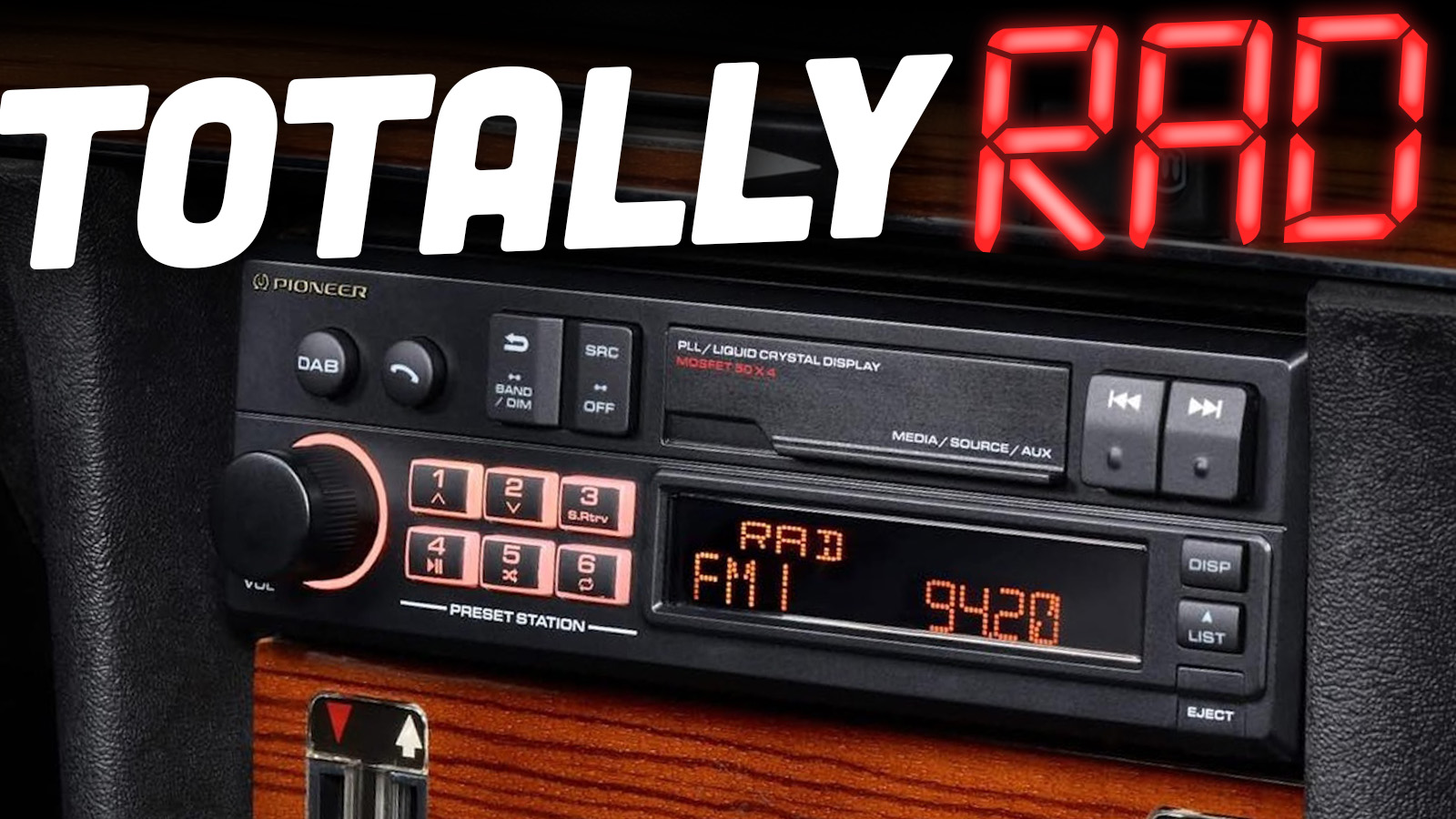
A car head unit is the in-dash device that controls audio, navigation, and connectivity.
I’ve worked with dozens of car head unit installs and upgrades. This guide explains what a car head unit does, how to pick one, and how to install and troubleshoot it. I’ll share real-world tips from hands-on installs and testing. Expect clear, practical advice you can use right away.

What is a car head unit?
A car head unit is the central control device in a vehicle’s dash. It manages radio, media playback, navigation, phone calls, and vehicle settings. Modern car head unit designs mix audio hardware and smart software. They connect to speakers, cameras, steering controls, and vehicle networks.
Key parts of a car head unit:
- Display screen that shows maps, media, and settings.
- Processor and operating system that run apps.
- Connectivity modules for Bluetooth, Wi‑Fi, and USB.
- Audio outputs and amplifiers for sound.
- Inputs for cameras, microphones, and sensors.
Types of car head unit:
- Single-DIN for simple upgrades and compact installs.
- Double-DIN for large screens and advanced features.
- Factory-replacement units that match OEM fit and finish.
- Aftermarket smart head units with Android or proprietary OS.
Understanding these basics helps you choose a car head unit that fits your needs and vehicle.
Key features to look for in a car head unit
When shopping, prioritize features that match how you drive. Below are the most important features to check.
Connectivity features:
- Bluetooth for calls and audio streaming.
- Apple CarPlay and Android Auto for phone integration.
- Wi‑Fi for updates and streaming.
- USB ports for playback and charging.
Audio and sound features:
- Built-in equalizer and time alignment.
- Preamp outputs for external amplifiers.
- Support for high-resolution audio files.
- Built-in amplifier power and RMS ratings.
Display and navigation features:
- Capacitive touchscreens for fast response.
- Brightness and anti-glare for daytime use.
- Built-in GPS or phone-based navigation via CarPlay/Android Auto.
- Map updates and offline maps support.
Integration and convenience:
- Steering wheel control compatibility.
- Backup camera and parking sensor inputs.
- Microphone and hands-free calling quality.
- Support for vehicle CAN bus for retained features.
Security and software:
- Regular firmware updates.
- Locking or anti-theft features.
- Clear update path from manufacturer.
Choosing features that fit your habits will make the car head unit feel like it belongs in your vehicle.
How to choose the right car head unit
Pick a car head unit by matching its specs to your goals. Use this step-by-step approach.
- Know your dash size and format
- Confirm Single-DIN or Double-DIN fit.
- Check dash trim for any custom fit kits needed.
- Match to your budget
- Basic units start low and add features with price.
- Factor in installation and adapters.
- Check smartphone features
- Prefer wired or wireless CarPlay/Android Auto as needed.
- Test Bluetooth calls and streaming capability in reviews.
- Verify compatibility
- Check wiring harnesses and CAN bus adapters.
- Ensure steering wheel control support.
- Consider audio upgrades
- If you plan an amp or sub, pick head unit with preamp outputs.
- Look for 4V preamp outputs for cleaner signal.
- Read user reviews and firmware support
- Favor brands with regular updates.
- Avoid units with reports of poor Bluetooth or GPS performance.
Personal tip from installs: I once bought a feature-packed head unit that lacked a dedicated backup camera input. I had to return it. Double-check inputs before buying.
Installation basics and tips
Installation can be DIY or professional. The right choice depends on your skill level and vehicle complexity.
Tools and parts you’ll need:
- Screwdrivers, trim tools, and socket set.
- Wiring harness adapter for your car model.
- Dash kit for proper fit.
- Antenna adapter if factory plug differs.
- Basic crimping tools or soldering kit.
Wiring and integration tips:
- Always disconnect the battery before wiring.
- Use a wiring harness adapter to avoid cutting factory wires.
- Retain ignition and memory power wires correctly to keep presets.
- Use a CAN bus adapter for retained steering and climate controls.
Steering wheel controls and cameras:
- Look for a remote control interface for steering wheel buttons.
- Many head units accept a dedicated camera input for reverse assist.
- Test camera angle and parking lines after install.
DIY vs pro install:
- DIY is cheaper and rewarding for simple cars.
- Hire a pro for complex vehicles with airbag and CAN systems.
- Professional installers handle coding and software initialization.
Personal experience: I saved money installing a head unit in an older car. For a newer car with CAN bus, I trusted a pro to avoid losing important functions.
Common problems and troubleshooting
Even good car head unit installs can hit snags. Here are common problems and fixes.
No power or unit won’t turn on:
- Check battery connections and ignition wire.
- Verify in-dash fuses and harness pin assignments.
No sound or weak audio:
- Confirm speaker wiring and amplifier turn-on wire.
- Check preamp settings and mute functions.
Bluetooth pairing issues:
- Clear old pairings on both phone and head unit.
- Update firmware and reboot both devices.
Screen freezes or slow performance:
- Reset unit to factory settings if software stalls.
- Ensure firmware is up to date.
PAA-style questions:
What if my car head unit won’t pair with my phone?
- Delete old pairings on both devices, reboot, and pair again. If problems continue, update firmware and check Bluetooth profile compatibility.
Why is my car head unit battery draining overnight?
- A miswired accessory or constant power lead can cause drain. Verify the accessory and memory wires are on the correct ignition and memory circuits.
How often should I update the head unit firmware?
- Update when bug fixes or feature improvements are released. Check manufacturer advice and install updates over Wi‑Fi or USB.
Benefits and limitations of upgrading your car head unit
Upgrading a car head unit brings clear benefits. It also carries trade-offs to consider.
Benefits:
- Better connectivity and safer hands‑free use.
- Improved audio quality and tuning options.
- Modern features like wireless CarPlay and streaming.
- Potentially better resale value for tech-savvy buyers.
Limitations:
- Compatibility issues with newer vehicle systems.
- Installation costs can add up with adapters and labor.
- Some features may not work exactly like factory systems.
- Software support varies by manufacturer and model.
Be realistic. Upgrading a car head unit usually improves daily driving. But know the limits before you buy.
Popular car head unit technologies and future trends
The car head unit is evolving fast. These tech trends shape the market.
Current technologies:
- Apple CarPlay and Android Auto for phone-first UX.
- Wireless connectivity for hands-free use.
- Built-in voice assistants for safer interaction.
- OTA updates and cloud services for maps and navigation.
Emerging trends:
- Greater integration with vehicle sensors and ADAS.
- AI-driven voice that understands context better.
- Deeper smartphone app ecosystems and subscriptions.
- Evolving standards for wireless audio and faster processors.
Watch for these shifts when choosing a car head unit. They affect longevity and user experience.
Personal experience and practical tips
I’ve installed many car head units over the years. Here are lessons I learned.
Lessons learned:
- Measure your dash twice. Wrong fit costs time and money.
- Buy a wiring harness adapter. It saves the factory wiring.
- Test all features at your garage before reassembling the dash.
- Keep firmware updated for stability and security.
- Use a professional for cars with complex electronics.
Mistakes to avoid:
- Assuming every head unit supports every camera format.
- Skipping a CAN bus adapter in modern cars.
- Buying on price alone without checking reviews and updates.
A small anecdote: I once replaced a factory unit with a smart head unit in a vacation car. The upgrade added navigation and streaming and made long drives feel less tiring. The sound was better, too.
Frequently Asked Questions of car head unit
What is the difference between Single-DIN and Double-DIN head units?
Single-DIN units are compact and fit small slots. Double-DIN units are larger and usually have larger touchscreen displays.
Can I keep my steering wheel controls when I upgrade the head unit?
Yes, you can retain steering wheel controls by using a compatible wiring interface or CAN bus adapter. Many aftermarket units support this feature via adapters.
Is professional installation necessary for modern cars?
Professional installation is recommended for cars with CAN bus systems or advanced safety features. Simple cars can be DIY projects if you have basic tools.
How long do car head units typically last?
A well-made car head unit can last 7 to 10 years or more with proper care and updates. Software support and hardware quality affect lifespan.
Will a new head unit improve sound quality by itself?
Yes, a better head unit can improve sound through cleaner preamp outputs and better signal processing. For major gains, pair it with good speakers and amplification.
Does my phone need to be connected to use navigation on the head unit?
If the head unit has built-in GPS and maps, phone connection is not required. CarPlay or Android Auto rely on a phone for mapping and internet-based services.
Conclusion
A car head unit is a simple upgrade that can make driving more enjoyable, safer, and more connected. Choose the right unit by matching features to your needs, verify compatibility, and plan installation carefully. If you follow these steps, you’ll avoid common pitfalls and get the most value from your upgrade.
Try one small change first. Test a feature you care about, like wireless CarPlay or better audio, before committing to a full system. If you found this guide helpful, leave a comment, share your install story, or subscribe for more practical car audio tips.