
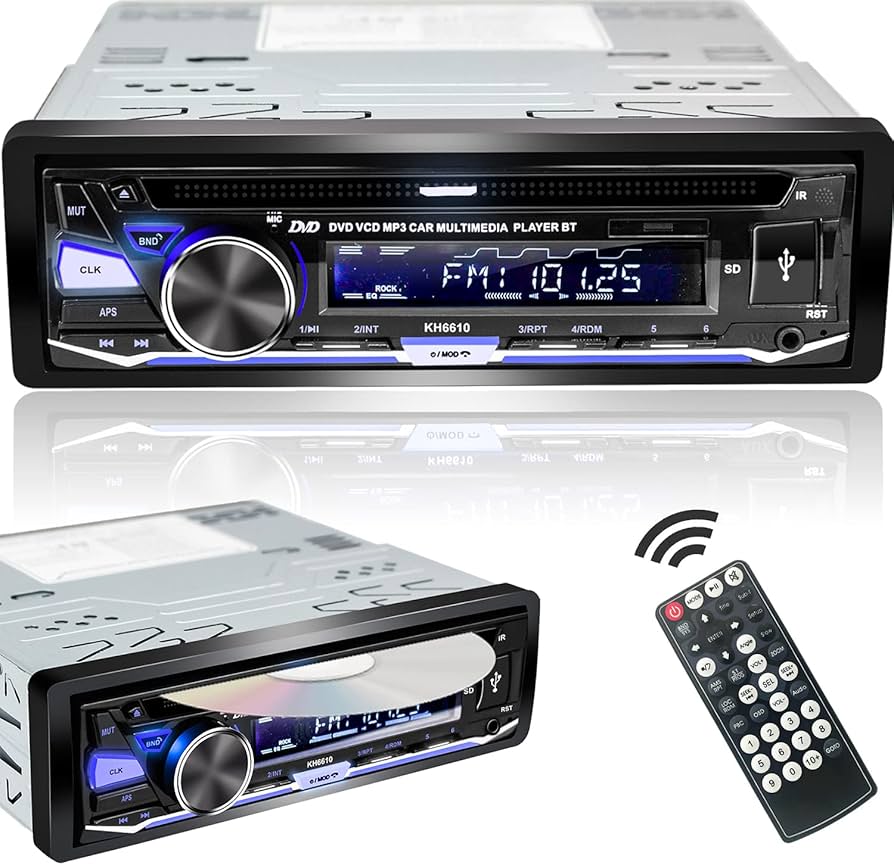
Bluetooth car stereo lets you stream music and take calls wirelessly while driving.
I’ve spent years testing in-car audio and upgrading dozens of vehicles, so I know what makes a bluetooth car stereo reliable, easy to use, and great sounding. This guide covers how bluetooth car stereos work, key features, buying tips, installation steps, troubleshooting advice, and real-world lessons so you can pick and use the best unit for your ride.

How Bluetooth Car Stereos Work
A bluetooth car stereo connects your phone to your vehicle wirelessly to play music, take calls, and control apps. It uses Bluetooth profiles and codecs to send audio and signals between devices. Modern units also add hands-free calling, voice assistant support, and streaming controls.
Common technical parts include:
- Bluetooth versions such as 4.2, 5.0, and higher for range and stability
- Profiles like A2DP for audio and HFP for hands-free calling
- Codecs such as SBC, AAC, and aptX for audio quality
- Auxiliary inputs, USB ports, and streaming app compatibility
Personal note: I replaced my older stereo with a Bluetooth car stereo that supported aptX and noticed crisper audio and less lag when switching tracks. That upgrade cost less than a single high-end speaker but improved daily drives.
How does pairing work?
Pairing creates a secure wireless link between phone and stereo using a simple code or automatic handshake. Once paired, many systems reconnect automatically when you start the car.
Will Bluetooth reduce audio quality?
Standard Bluetooth uses lossy codecs, so top-tier wired audio may sound cleaner. However, modern codecs like aptX and AAC bridge much of that gap for most listeners.
Key Features and Technology
Knowing the core features helps you compare models and avoid overpaying for extras you don’t need.
Essential features:
- Hands-free calling with built-in mic and echo cancellation
- Steering wheel control support for safe operation
- Bluetooth streaming (A2DP) and remote control (AVRCP)
- USB ports for charging and playback from flash drives
- AUX input for non-Bluetooth sources
Advanced features to consider:
- Apple CarPlay and Android Auto for deep smartphone integration
- Wireless mirroring and Wi‑Fi connections for apps
- DSP (digital signal processing) for tuning sound
- High-resolution codecs such as aptX or LDAC
- Multiple device pairing and easy switching
Limitations to be aware of:
- Bluetooth range can be limited in some vehicles
- Codec support depends on both phone and stereo
- Older vehicles may need wiring harnesses for full function
Benefits of Upgrading to a Bluetooth Car Stereo
Upgrading gives everyday conveniences and safety improvements. You can stream playlists without cords, make hands-free calls, and control maps or voice assistants without touching your phone. That reduces distraction and improves safety.
Additional benefits:
- Cleaner look with fewer cables
- Access to streaming services in older cars
- Ability to connect multiple devices
- Improved audio features like EQs and time alignment
From experience, the biggest practical gains are ease of use and fewer distractions. I’ve helped friends avoid missed exits and dropped calls simply by setting up a reliable bluetooth car stereo and teaching basic voice commands.
Choosing the Right Bluetooth Car Stereo
Selecting a bluetooth car stereo comes down to features, sound goals, and compatibility. Use this checklist when shopping.
Checklist:
- Confirm dash fit: single DIN or double DIN
- Check phone compatibility: iOS, Android, or both
- Look for needed features: CarPlay, Android Auto, USB, AUX, backup camera input
- Verify Bluetooth version and codec support
- Plan a budget for speakers, amps, or installation if needed
Practical tips:
- If you stream music a lot, prioritize aptX or AAC support
- If you use navigation often, get CarPlay or Android Auto
- For older cars, buy a harness and adapter to preserve steering controls
My mistake early on was overlooking dash size. I bought a double DIN unit for a single DIN opening. Measure first, then buy.
Installation Guide: DIY or Professional
You can install many bluetooth car stereos yourself if you’re comfortable with basic tools. For complex systems, professional installation avoids mistakes.
DIY steps:
- Disconnect the car battery for safety.
- Remove trim pieces and the old stereo using proper tools.
- Use a vehicle-specific wiring harness to avoid cutting factory wires.
- Connect power, ground, speaker wires, and antenna adapter.
- Test functions before reassembling the dash.
When to hire a pro:
- Installing amps, subwoofers, or custom speakers
- Retrofitting backup cameras or navigation antennas
- If your car has integrated electronics or airbag wiring near the dash
I installed a bluetooth car stereo in my own hatchback using a harness. The hardest part was removing stubborn trim clips. Take photos during teardown to speed reassembly.
Troubleshooting Common Bluetooth Car Stereo Issues
Common problems have simple fixes. Try these steps first before returning or replacing equipment.
Problems and fixes:
- Pairing fails: Restart both devices and delete old pairings from phone and stereo.
- Audio drops or stutters: Move the phone away from other wireless devices and update firmware.
- No sound from phone: Check volume, audio source on stereo, and Bluetooth output on the phone.
- Calls sound bad: Replace the mic location or enable noise reduction settings.
- Stereo won’t power on: Verify fuse, wiring harness, and battery connection.
If issues persist, check for firmware updates from the stereo maker and confirm your phone supports the needed profiles.
Maintenance and Future Upgrades
Keep your bluetooth car stereo working well by following a few simple maintenance steps.
Maintenance tips:
- Update firmware when available for bug fixes and new features
- Clean USB and AUX ports gently with compressed air
- Re-sync paired devices after major phone updates
- Inspect wiring and connectors yearly for corrosion
Upgrade paths:
- Add a small amplifier for cleaner power and louder sound
- Upgrade speakers for better clarity and bass
- Integrate a subwoofer for fuller low end
- Move to a unit with wireless CarPlay or Android Auto for seamless app use
I learned to check firmware after a problematic update once. Updating solved stuttering and reconnected multiple devices smoothly.
Compatibility, Safety, and Legal Considerations
Make sure the bluetooth car stereo fits your legal and safety needs. Laws often require hands-free use of phones while driving.
Safety and legal notes:
- Use voice controls to reduce manual phone handling
- Avoid distracted driving; set playlists or routes before you start
- Check local laws for phone use and dash-mounted screens
- Use secure mounts and avoid obstructing airbags or controls
Compatibility checks:
- Verify antenna and backup camera inputs if you need them
- Check steering wheel control adapters for retention of OEM features
Frequently Asked Questions of bluetooth car stereo
What is the difference between Bluetooth versions?
Bluetooth versions mainly affect range and connection stability. Newer versions like 5.0 offer better range, faster reconnection, and lower power use than older versions.
Can I use my phone’s voice assistant through a car stereo?
Yes, many bluetooth car stereos support voice assistants via direct button or CarPlay/Android Auto. You may need to enable the assistant on your phone and stereo.
Will a bluetooth car stereo work with all phones?
Most modern phones support required Bluetooth profiles, but feature support depends on both phone and stereo. Check codec and profile compatibility before buying.
Do bluetooth car stereos affect audio quality?
Bluetooth can compress audio, but modern codecs and good hardware deliver pleasing sound for most listeners. For audiophile-grade clarity, wired connections and upgraded speakers help more.
Is professional installation necessary?
Professional installation helps for complex setups, preserved factory features, or when adding amplifiers and cameras. Simple plug-and-play installs can be DIY-friendly.
Conclusion
A bluetooth car stereo brings wireless convenience, safer driving, and better day-to-day audio to nearly any vehicle. Focus on compatibility, essential features, and sound goals when choosing a unit. Update firmware, use proper wiring adapters, and consider pro installation for advanced builds. Take action: measure your dash, list must-have features, and compare a few models to upgrade your drive today. Share your experience, ask questions, or subscribe for updates to keep your car audio evolving.