
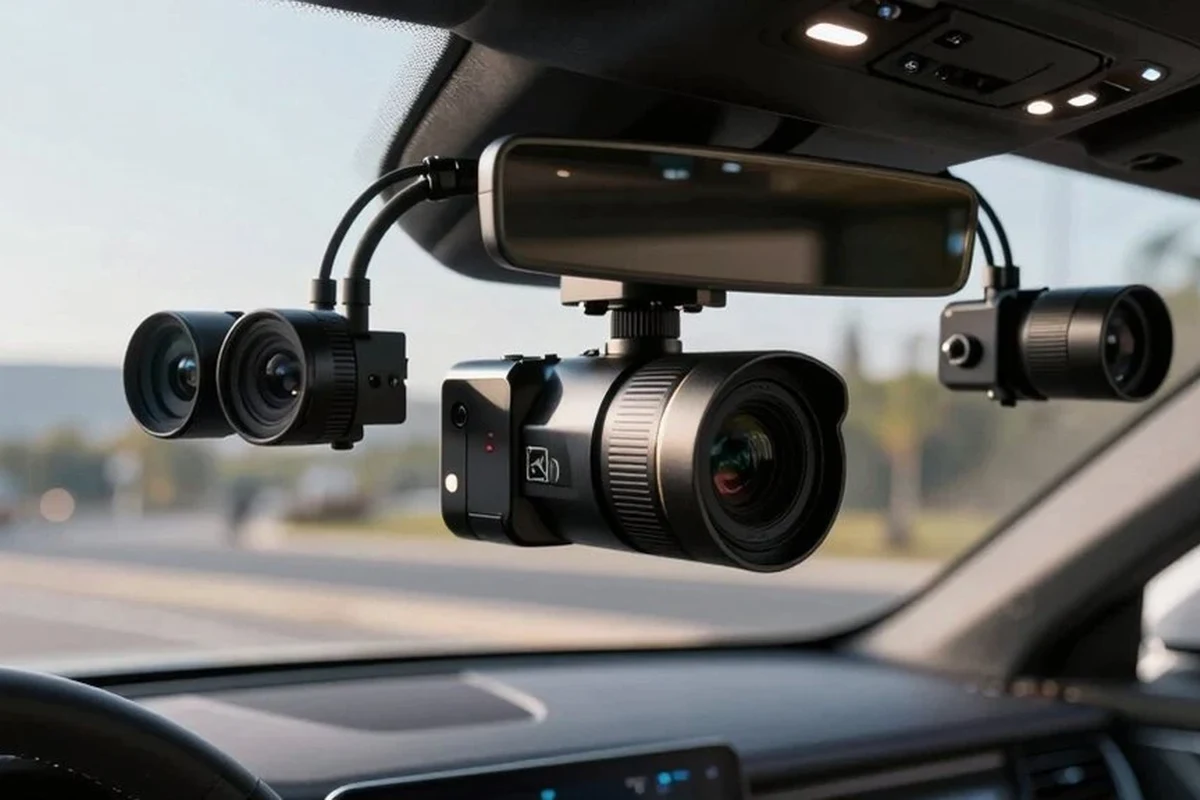
A 3 channel dash cam records the front, rear, and cabin, making it a strong pick for rideshare, family, and fleet use. If you do not need interior coverage, a simpler dual-channel model is often the better value.
A 3 channel dash cam records the road ahead, the rear of the vehicle, and the cabin at the same time, making it a strong choice for drivers who want broader coverage than a standard dual-camera setup. It is most useful when you need evidence from multiple angles, but it also costs more, takes more setup, and can create extra privacy and storage concerns.
- Best use case: Drivers who need interior evidence, not just road footage.
- Top priorities: Clear video, reliable parking mode, and good heat resistance.
- Main limitation: More cost, setup complexity, and privacy concerns than simpler systems.
- Storage matters: High-endurance microSD cards help reduce recording failures.
What a 3 Channel Dash Cam Is and Whether You Actually Need One

Alex Carter here: the simplest way to think about a 3 channel dash cam is “front plus rear plus inside.” That extra interior camera is what separates it from a typical front-and-rear system, and it can make a real difference when an incident involves passengers, rideshare riders, or activity inside the vehicle.
Front, rear, and cabin coverage explained
The front camera captures what happens ahead of the car, which is usually the most important angle for crashes, lane-change disputes, and brake-check claims. The rear camera helps document tailgating, rear-end impacts, and parking-lot incidents. The cabin camera points inward, so it can record passenger behavior, the driver area, or the inside of a parked vehicle depending on the model and angle.
That third camera is not always necessary for everyday commuting, but it can be valuable when the event itself may happen inside the car rather than outside it. If you want a broader overview of standard in-car options, our guide to the best dash cam for car covers the simpler categories too.
Who this setup fits best: commuters, rideshare drivers, families, and fleet users
A 3 channel dash cam fits best when you have more than one reason to record. Daily commuters may like the extra protection, but rideshare and delivery drivers usually benefit the most because passenger interactions and curbside incidents are more common. Families may also appreciate the cabin view for teen drivers, carpools, or documenting what happened during a dispute.
Fleet managers and commercial operators often choose this layout when they need a fuller record of driver behavior, cargo-area interactions, or liability claims. If your vehicle spends long hours parked or on the road, pairing the camera with a reliable power setup such as a dash cam battery pack can also matter.
Quick answer: the main benefits and the main trade-offs up front
- Records front, rear, and interior events in one system
- Helpful for rideshare, family, and fleet accountability
- Can improve evidence quality in disputes and parking incidents
- More expensive than single- or dual-channel models
- More wiring, more setup time, and more storage use
- Interior footage may raise privacy concerns in some situations
How to Choose the Best 3 Channel Dash Cam in 2026
In 2026, the best choice is usually less about brand hype and more about whether the camera is clear enough, reliable enough, and easy enough to live with every day. A good 3 channel dash cam should balance image quality, storage, power management, and heat resistance rather than overloading you with features you will never use.
Video quality: resolution, HDR, night vision, and low-light performance
Resolution matters, but it is not the only thing that affects clarity. Look for a front camera with strong detail capture, plus rear and cabin cameras that remain readable in mixed light. HDR, or high dynamic range, can help balance bright headlights and dark shadows, while low-light tuning matters more than marketing phrases like “ultra clear” or “super night vision.”
For cabin footage, the key question is whether the camera can still show faces and movement after sunset or under tinted windows. If you regularly drive in darker conditions, our dash cam for truckers with night vision guide is useful because the same low-light priorities often apply.
Storage and recording: loop recording, microSD support, and file protection
Loop recording lets the camera overwrite older files automatically so it keeps recording without constant manual clearing. That is standard on most models, but the real difference is how well the camera handles file protection after a sudden stop, impact, or manual lock event. A dash cam should save important clips in a protected folder so they are not overwritten too quickly.
microSD card support also matters because not every card is built for constant video writing. High-endurance cards are usually the safer choice for dash cams, especially if you plan to use parking mode or record all three channels for long periods. If you need help with card setup, see how to format an SD card for a dash cam.
Power options: hardwiring, parking mode, battery protection, and USB-C
Power is one of the biggest ownership decisions. A hardwired setup is usually the best route if you want parking mode, because it can keep the camera active when the vehicle is off. A cigarette-lighter connection is simpler and easier to remove, but it may not support the same parking features.
Battery protection is essential if the camera stays on after shutdown. Good systems monitor voltage and shut off before the vehicle battery gets too low. USB-C power is increasingly common in 2026, and that is a welcome improvement because it is easier to source, easier to replace, and often more durable than older connectors.
If parking mode matters to you, confirm exactly how the camera handles low-voltage cutoff. That one setting can make the difference between useful surveillance and a dead battery.
Connectivity and app features: Wi-Fi, GPS, voice control, and cloud access
Wi-Fi makes it easier to review clips on a phone without removing the memory card. GPS can add location and speed data to footage, which may help explain where and when an event happened. Voice control is convenient if the camera supports it well, but it should not be the main reason you buy a model.
Cloud access can be helpful for fleet use or remote monitoring, though it often depends on subscriptions or a stronger data connection. Before paying extra for app features, decide whether your real goal is convenience, evidence backup, or full remote management.
Build quality and heat resistance for year-round reliability
Dash cams live in a harsh environment. Heat, sun exposure, vibration, and winter cold can all affect lifespan, so build quality matters more than many shoppers expect. A camera that looks good on paper but struggles in hot weather is a poor fit for drivers in warm climates or vehicles that sit parked outdoors.
Most important decision pointChoose the camera that can survive your climate and power setup before chasing extra features.
If you live in a hot region, it is worth comparing models designed for harsher conditions, similar to the considerations in our dash cam for Texas heat guide.
Key Features That Matter Most in Real-World Use
The best features are the ones that still help after the novelty wears off. In daily use, that usually means better cabin visibility, dependable parking surveillance, and footage that is actually usable when you need it most.
Cabin camera value for rideshare, teen drivers, and family safety
The interior camera is the main reason to buy a 3 channel system instead of a regular dual-channel unit. For rideshare drivers, it can document rider disputes, lost-property claims, or suspicious behavior. For parents, it can help monitor teen drivers without installing a separate monitoring device. For families, it may provide a clearer record during arguments over who did what inside the vehicle.
Some dash cams let you disable cabin audio while keeping video recording active, which can be useful when privacy laws or passenger expectations are a concern.
Parking surveillance and motion detection for hit-and-run protection
Parking mode is one of the biggest practical benefits of a 3 channel dash cam, especially for hit-and-run protection in lots or on the street. Motion detection and impact detection can help the camera wake up when something happens, but those features are only as useful as the power source and sensitivity settings behind them.
Do not rely on parking mode unless you understand how the camera is powered and how it protects the vehicle battery. An incorrectly configured system can leave you with no footage and a drained battery.
Wide-angle lenses, image stabilization, and plate readability
Wide-angle lenses help capture more of the scene, but an extremely wide view can make distant details smaller and harder to read. That matters when you care about license plates, road signs, or faces. Image stabilization can reduce shake, but it cannot fix poor mounting or a camera aimed at the wrong angle.
For many buyers, the goal is not cinematic video; it is footage that clearly shows what happened. That is why a balanced field of view and good mounting placement usually matter more than chasing the widest possible lens.
Audio recording, privacy settings, and legal considerations
Audio recording can add context, especially for rideshare or family use, but it also creates privacy questions. Laws vary by state and country, especially for recording conversations inside a vehicle. Before using cabin audio, check local rules and consider whether a visible notice or app setting is appropriate for your situation.
Legal requirements for audio and video recording can vary by location, vehicle type, and whether passengers are present. Confirm local rules before enabling interior audio recording.
Best Use Cases: Who Benefits Most from a 3 Channel Dash Cam
This style of dash cam is not for everyone, but it can be a smart purchase when the extra camera solves a real problem. If your vehicle is mostly used for solo commuting and garage parking, the added cost may be harder to justify.
Daily commuters and highway drivers
Commuters benefit from front and rear protection, but the cabin camera is often a secondary bonus. If your route includes stop-and-go traffic, merging disputes, or highway tailgating, the extra coverage can still be worthwhile. The bigger question is whether you will actually use the interior footage enough to justify the added complexity.
Rideshare, delivery, and commercial drivers
This is the strongest use case. Drivers who interact with passengers, customers, or multiple stops in a day often need evidence from all directions. If you are researching work-focused setups, our best dash cam for Uber and best dash cam for commercial vehicles guides are good starting points because they focus on similar accountability needs.
Parents, carpoolers, and new drivers
Families may value the cabin camera for teen-driver oversight, shared-vehicle accountability, or documenting what happened during an incident. It is especially helpful when multiple people use the same car and nobody remembers the details the same way. For newer drivers, the camera can also provide a calm, factual record after a stressful event.
Drivers in high-theft or accident-prone areas
If your vehicle is frequently parked on the street, in crowded lots, or in areas with higher collision risk, the extra surveillance can be worth it. The third camera may not prevent damage, but it can improve the odds of capturing what happened. That is often enough to make the claim process easier.
Setup Guide: How to Install and Configure a 3 Channel Dash Cam
Installation quality matters almost as much as the camera itself. Poor placement, loose cables, and bad card setup can turn a good device into a frustrating one, so take the time to configure it carefully.
Mounting the front, rear, and interior cameras correctly
Mount the front camera high enough to keep the driver’s view clear, usually near the top of the windshield behind the mirror if the vehicle layout allows it. The rear camera should be centered and aimed level enough to capture traffic behind you. The cabin camera should be positioned so it sees the seating area clearly without being blocked by headrests, tint, or trim.
Before sticking anything down, hold each camera in place and confirm what it sees.
Keep wiring out of the driver’s path and away from airbags, pedals, and moving parts.
Some interior cameras look fine in daylight but lose detail after dark.
Hardwire vs. cigarette-lighter power and when each makes sense
Hardwiring makes sense if you want parking mode, a cleaner install, or a more permanent setup. Cigarette-lighter power is simpler and usually better for leased vehicles, short-term use, or buyers who want an easier DIY path. If you need a straightforward guide, see how to install a dash cam with a cigarette lighter.
Formatting the card, setting resolution, and testing angles
After installation, format the microSD card in the camera before regular use so the file system matches the device. Then choose the resolution settings you actually need, balancing clarity with storage life. Finally, review the footage from all three cameras and adjust angles until each view captures the right area without wasting space on sky, dashboard, or seatbacks.
Parking mode setup and battery-saver precautions
Parking mode should be configured carefully, not just turned on. Set the motion and impact sensitivity to avoid constant false triggers, and confirm the low-voltage cutoff is appropriate for your vehicle. If you are unsure about long-term power draw, it helps to review how to prevent a dash cam from draining the battery.
Common Mistakes, Limitations, and Safety Notes
Many complaints about dash cams come from setup mistakes rather than the camera itself. The good news is that most of these problems are avoidable if you know what to watch for.
Incorrect placement that blocks the driver’s view or weakens coverage
A dash cam should never interfere with safe driving. Mounting it too low, too far to one side, or in a place that blocks your line of sight can create a bigger problem than the one you were trying to solve. Bad placement can also leave blind spots in the front, rear, or cabin views.
Ignoring memory card quality, heat limits, or firmware updates
Cheap cards and outdated firmware are common causes of corrupted files and random recording failures. A dash cam is only as dependable as the storage and software behind it. Periodic updates may improve stability, and high-endurance cards are usually a better long-term choice than bargain cards made for casual phone use.
Overestimating night performance or cabin visibility in tinted vehicles
Night footage is often less detailed than marketing images suggest, especially in tinted cabins or low-light parking lots. Interior cameras may show movement but struggle with facial detail if the cabin is dark. That is why buyers should compare real-world low-light expectations, not just resolution numbers.
Legal and privacy issues around cabin audio/video recording
Cabin recording can be useful, but it is not something to treat casually. Passengers may not expect to be recorded, and some jurisdictions have stricter rules for audio than for video. When in doubt, disable audio until you have confirmed the legal and workplace rules that apply to your situation.
Do not mount hardware where it blocks airbags, interferes with the steering wheel, or distracts the driver. A clean install should improve safety, not create a new hazard.
Care, Cleaning, and Long-Term Maintenance
A 3 channel dash cam can last a long time if you treat it like a piece of electronic equipment that lives in a hot, vibrating environment. Small maintenance habits go a long way.
Lens cleaning and screen care without damaging coatings
Use a soft microfiber cloth for the lenses and screen, and avoid harsh cleaners that can damage coatings or plastic surfaces. Fingerprints, dust, and film buildup can noticeably reduce image clarity, especially at night. Clean lenses are one of the easiest ways to preserve footage quality.
MicroSD maintenance, file backups, and periodic formatting
Back up important footage promptly if you ever need it, then format the card periodically according to the camera maker’s guidance. That helps reduce file errors and keeps the storage more reliable over time. If you use the camera heavily, card wear is normal and should be monitored.
Checking mounts, cables, and power health over time
Heat and vibration can loosen adhesive mounts and connectors. Check that the front, rear, and cabin cameras still point correctly after a few weeks of use and again after extreme weather. If the camera starts rebooting, freezing, or failing to record, inspect the power cable and card before assuming the unit itself is defective.
Seasonal care for extreme heat, cold, and humidity
Extreme temperatures can shorten the life of both the camera and the memory card. In hot climates, parked vehicles can become especially punishing environments, so thermal tolerance matters. In cold or humid weather, condensation and stiff cables can also cause issues, so give the system a quick visual check before relying on it.
Final Verdict: Value, Alternatives, and Buying Recommendation
A 3 channel dash cam is worth the extra cost when the interior view solves a real problem: rideshare disputes, family accountability, fleet oversight, or better evidence in a parked vehicle. If you only want basic crash documentation, a simpler setup may be easier to live with.
When a 3 channel dash cam is worth the extra cost
Choose this format if you regularly transport passengers, manage a work vehicle, or want the most complete record possible from a single system. The added channel is most valuable when the inside of the car matters as much as the road outside it.
When a dual-channel or single-channel model may be the smarter buy
If your main concern is front-impact evidence, a single-channel model may be enough. If you want front and rear coverage but do not care about the cabin, a dual-channel camera is often the more practical middle ground. For many shoppers, that simpler setup delivers most of the benefit with less cost and complexity.
Budget considerations, feature priorities, and best-value decision framework
Start by ranking your priorities: image quality, parking mode, cabin coverage, app convenience, and heat resistance. Then compare those priorities against the power setup and storage requirements you can realistically support. If a camera offers excellent features but forces you into expensive add-ons you will not use, it is probably not the best fit.
Transparent recommendation for My Best Car Dealer readers
At My Best Car Dealer, the practical recommendation is straightforward: buy a 3 channel dash cam only if you will use the interior footage or need the extra accountability. If you do not, a strong dual-channel system may be the smarter, simpler, and more affordable choice for 2026.
Common Questions
Rideshare drivers, families, and fleet users usually benefit the most. The cabin camera adds value when interior activity matters.
Yes, because it records three video streams at once. A larger high-endurance microSD card is usually a better choice.
Yes, but parking mode may be limited. Hardwiring is usually better if you want recording while the car is off.
It depends on the model and cabin lighting. Low-light performance matters more than resolution alone.
Not always. Audio and cabin video laws vary, so check local rules before enabling them.
Frequently Asked Questions
It records the front, rear, and cabin at the same time. That makes it useful for rideshare, family, and fleet situations where interior activity matters.
It is better if you need interior coverage, but not necessarily for everyone. If you only want front and rear footage, a dual-channel model is often simpler and less expensive.
Focus on video quality, night performance, reliable storage, parking mode, battery protection, and heat resistance. App features are helpful, but they should not outweigh core recording quality.
Usually, yes. Hardwiring is the most common way to support parking mode, while cigarette-lighter power is better for simpler installs without off-hours recording.
The camera itself is generally legal, but audio and cabin recording rules vary by location. Check local privacy and recording laws before enabling interior audio or passenger recording.
Keep the lenses clean, format the microSD card periodically, check the mounts and cables, and update firmware when needed. Heat and poor storage are common causes of failures.