
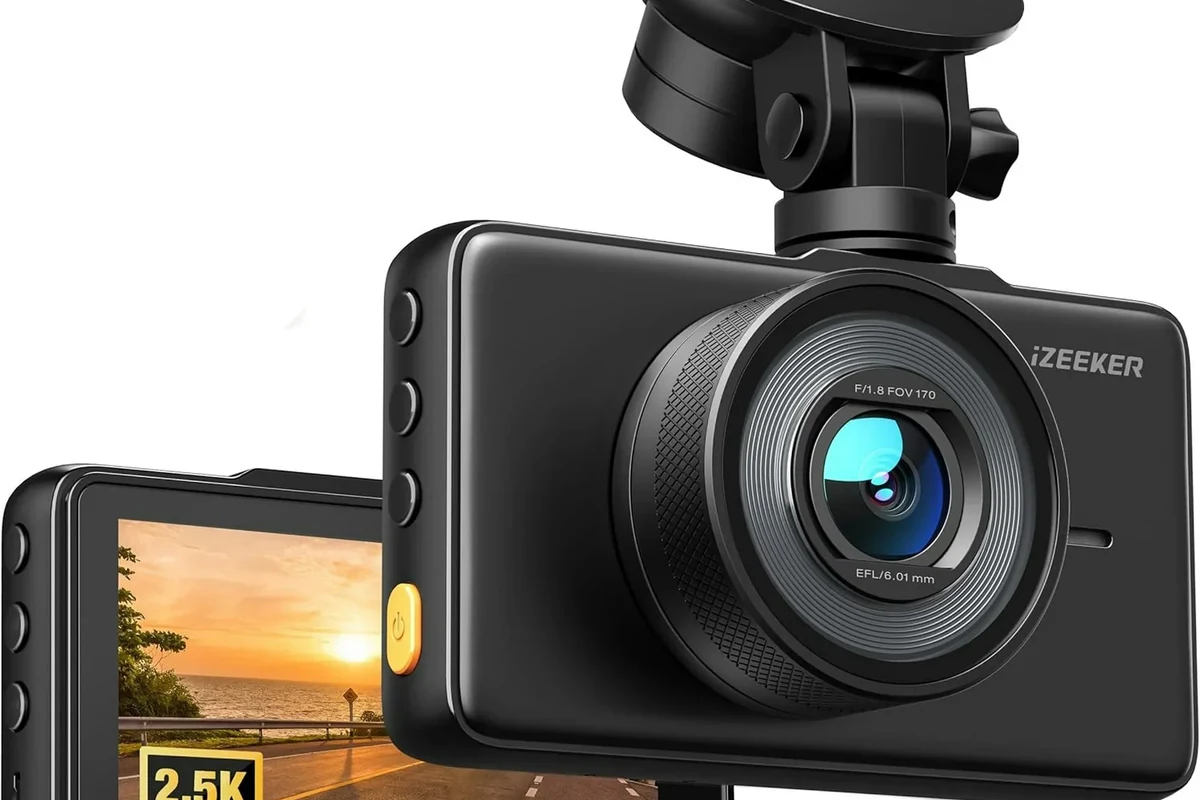
A 1080p dashboard camera is still a practical buy in 2026 for drivers who want affordable, dependable incident recording. It is best when you value simplicity and everyday evidence over maximum zoom detail.
If you want a simple, affordable way to document what happens on the road, a 1080p dashboard camera is still a smart choice in 2026. It gives most drivers enough clarity for everyday incidents, insurance claims, and parking protection without the higher cost and storage demands of 2K or 4K models.
For readers comparing dash cams, the best choice is usually the one that balances clarity, reliability, and ease of use—not the one with the longest feature list.
- Resolution is only part of the story: Sensor quality, low-light performance, and lens design matter just as much.
- Best for everyday use: It fits commuters, rideshare drivers, and buyers who want simple documentation.
- Features that matter most: Loop recording, a G-sensor, parking mode, and high-endurance card support.
- Main limitation: It is weaker than 2K or 4K for distant plates and detailed zoom-ins.
1080p Dashboard Camera: What It Is and Why It Still Matters in 2026

A 1080p dashboard camera records video at 1920 x 1080 resolution, which is commonly called Full HD. In plain English, it captures enough detail for everyday driving records, especially when the camera has a good lens, solid low-light performance, and a wide enough field of view.
Even in 2026, 1080p remains relevant because many drivers do not need ultra-high-resolution footage. They need something dependable, easy to manage, and affordable to replace if the camera is damaged by heat, vibration, or theft.
Who a 1080p Dashboard Camera Is Best For
A 1080p dashboard camera is a practical fit for drivers who want basic protection without paying for advanced features they may never use. It is especially useful when the goal is to capture an incident timeline, road conditions, and general vehicle activity.
Daily commuters, rideshare drivers, and budget-conscious buyers
Daily commuters often want a camera that starts automatically, loops over old footage, and quietly runs in the background. Rideshare drivers may also like the lower storage burden of 1080p files, since footage is easier to manage and back up regularly.
Budget-conscious buyers often find 1080p models appealing because they usually cost less upfront and may use smaller, less expensive memory cards. That can matter if you are already budgeting for tires, maintenance, or emergency roadside gear.
Drivers who want simple evidence, not overcomplicated tech
Some buyers do not want Wi-Fi apps, cloud subscriptions, dual-screen menus, or a long setup process. They just want a camera that records when needed and saves the important clip after a hard stop or impact.
For those drivers, simplicity is a feature. A straightforward dash cam is often easier to trust because there are fewer settings to misconfigure and fewer app-related issues to troubleshoot later.
Key Features to Evaluate Before You Buy
When shopping for any dash cam, resolution alone should not drive the decision. The best 1080p dashboard camera is the one that combines usable video with dependable hardware and the features you will actually use.
Video quality, lens angle, and low-light performance
Look beyond the 1080p label and pay attention to the image sensor, aperture, and lens quality. Two cameras with the same resolution can perform very differently in shadows, at night, or in heavy rain.
A wide lens angle can capture more of the road and nearby lanes, but extremely wide views may stretch objects at the edges of the frame. If the camera’s low-light performance is weak, license plates may blur or disappear once the sun goes down.
When comparing models, check sample footage from daytime, dusk, and nighttime driving. Those clips usually tell you more than the product box does.
Loop recording, G-sensor, parking mode, and memory card support
Loop recording lets the camera overwrite older, unneeded clips when the card fills up. A G-sensor can lock footage after sudden braking or impact so the clip is not erased by normal looping.
Parking mode is useful if you want the camera to monitor the vehicle while it is parked, but it often depends on a hardwire kit or a stable power source. Also check memory card compatibility, because some dash cams are picky about card type, size, or endurance rating.
Parking mode behavior varies by brand and installation method. Always confirm whether the camera needs continuous power, motion detection, or a hardwire connection to work as advertised.
Build quality, heat resistance, and mounting style
Dash cams live in harsh conditions: summer heat, cold mornings, vibration, and constant sun exposure. A camera with stronger materials and better heat tolerance is usually more likely to last.
Mounting style also matters. Adhesive mounts can be more secure, while suction mounts may be easier to remove. The best choice depends on whether you want a permanent setup or a camera that moves between vehicles.
Real-World Benefits and Limitations of 1080p Recording
In everyday driving, 1080p can be enough for many situations. But it also has limits, especially when you need to capture fine details at a distance or in poor lighting.
When 1080p is enough for license plates, incidents, and insurance claims
1080p footage can be useful for showing lane position, vehicle movement, traffic signal timing, and the general sequence of an accident. That is often enough to support an insurance conversation or help explain what happened.
If another vehicle is close to the camera and the lighting is decent, a 1080p dash cam may capture a readable plate. For many drivers, that is all they need from a daily-use camera.
Many dash cam disputes are resolved with footage that shows context, not perfect detail. A clear timeline can matter just as much as a sharp still image.
Where 1080p falls short compared with 2K and 4K models
Higher-resolution cameras usually provide more detail when you zoom in on a frame, which can help with distant plates or small road signs. That said, higher resolution also creates larger files and can demand better storage and processing.
1080p may struggle more in low light, fast motion, or situations where the subject is far from the vehicle. If your driving environment includes frequent night driving, heavy traffic, or long highway commutes, a higher-resolution model may be worth considering.
- Lower cost and simpler storage needs
- Often easier to set up and manage
- Enough clarity for many everyday incidents
- Less detail when zooming into footage
- Can be weaker for distant plates and night scenes
- Not ideal for buyers who want premium image quality
How to Choose the Right 1080p Dashboard Camera for Your Budget
The right model is not always the one with the most features. It is the one that fits your driving habits, your vehicle, and your willingness to maintain it over time.
Best value features versus premium extras
Start with the essentials: solid video quality, reliable loop recording, a G-sensor, and a memory card that is easy to replace. Those features do the real work in most ownership situations.
Premium extras like GPS logging, Wi-Fi transfers, voice control, or dual-channel recording can be helpful, but they are not mandatory for everyone. If those features raise the price too much, you may be better off choosing a simpler camera with better core performance.
Choose a straightforward 1080p model if you want dependable recording, easy storage management, and a lower upfront cost.
Step up if you often drive at night, need more zoomed-in detail, or want stronger evidence capture in complex traffic.
New vs. used dash cams: what to check before buying
Buying new usually gives you the best chance of getting fresh adhesive, current firmware, and a warranty. Used dash cams can be cheaper, but they may come with worn mounts, old firmware, missing accessories, or a memory card that is near the end of its life.
If you consider used, verify that the camera powers on, records properly, and saves files without corruption. Also confirm that the seller includes the mounting hardware and cable set you need.
Do not rely on a used dash cam that has unknown history, damaged mounts, or failed recordings. A camera that looks intact but does not save clips is not protecting you.
Budget planning, warranty coverage, and long-term value
Budget for more than the camera itself. You may also need a high-endurance microSD card, a hardwire kit for parking mode, or a replacement mount over time.
Warranty coverage matters because dash cams operate in hot, vibration-heavy environments. A slightly more expensive model with better support can be a smarter long-term buy than a cheaper one that fails quickly.
Setup and Safe Use: Installing Your Dash Cam the Right Way
Good installation matters almost as much as good hardware. A poorly mounted camera can block your view, overheat, or record the wrong angle when you need it most.
Mounting position, cable routing, and power source options
Place the camera high on the windshield and centered enough to capture the road without distracting you. Cable routing should be neat and secure so the wire does not hang in your field of view.
Power can come from the 12V outlet, a USB source, or a hardwire kit, depending on the model and your parking-mode goals. If you are unsure which option fits your vehicle, check the owner’s manual and the dash cam manufacturer’s instructions.
Mount the camera so it sees the road clearly without pointing too high at the sky or too low at the hood.
Route the cable along trim pieces so it stays tucked away and does not interfere with driving.
Check that the camera starts, loops, and saves clips the way the manual describes before depending on it.
How to avoid obstructing your view or violating local rules
Install the camera so it does not block your line of sight, airbags, sensors, or mirror function. Local windshield-mounting rules can vary, so it is wise to confirm the rules in your area before finalizing the placement.
This is especially important if your vehicle already has driver-assistance sensors, rain sensors, or a lane-camera area near the rearview mirror.
Common installation mistakes that reduce performance
Some of the most common mistakes are mounting the camera too low, using a low-quality memory card, or forgetting to format the card regularly. Another common issue is placing the camera where the windshield tint or dotted frit area reduces image clarity.
For more context on rear visibility tech and why placement matters, you may also find it helpful to read what a backup camera is and how it works. While that article focuses on reverse-view systems, the same idea applies: camera placement affects what you can actually see and prove later.
Care, Cleaning, and Troubleshooting Tips
A dash cam does not need much maintenance, but a little care goes a long way. Clean power, a healthy memory card, and a clear lens are the basics of dependable operation.
Keeping the lens, screen, and memory card in good condition
Wipe the lens gently with a microfiber cloth if dust or fingerprints appear. If the unit has a screen, keep it clean so you can verify recording status without guessing.
Memory cards should be checked periodically because dash cams write to them constantly. If the camera starts freezing, missing clips, or showing file errors, the card may need replacement or reformatting.
- Use a high-endurance microSD card designed for constant recording.
- Reformat the card on a regular schedule if the manufacturer recommends it.
- Keep firmware updated when the brand provides clear instructions.
Fixing overheating, corrupted files, and recording failures
If a dash cam overheats, check whether it is sitting in direct sun for long periods, whether ventilation is blocked, or whether the unit is rated for your climate. Overheating can shorten lifespan and cause shutdowns.
Corrupted files and recording failures often point to card issues, power interruptions, or outdated firmware. Start with the basics: try a different endurance card, inspect the power connection, and review the manufacturer’s troubleshooting steps before assuming the camera itself is defective.
- Use the card type and size the manufacturer recommends
- Check that the camera saves and locks important clips properly
- Inspect mounts and cables after hot or cold weather changes
- Ignoring repeated file errors
- Using a generic memory card with unknown endurance
- Mounting the camera where heat buildup is extreme
Final Verdict: Is a 1080p Dashboard Camera Worth It in 2026?
Yes—for many drivers, a 1080p dashboard camera is still worth buying in 2026. It is often the right balance of price, simplicity, and practical evidence capture for commuting, errands, family driving, and basic fleet or rideshare use.
Best overall recommendation for most drivers
The best choice for most people is a well-built 1080p model with dependable loop recording, a G-sensor, strong low-light performance, and support for a high-endurance memory card. That combination usually matters more than flashy app features.
If you want an everyday camera that quietly does its job and does not add much complexity, 1080p remains a sensible standard.
When to step up to a higher-resolution alternative
Consider 2K or 4K if you frequently drive at night, want more detail for distant plates, or expect to review footage in greater detail after incidents. Those models can be better for demanding conditions, though they usually cost more and require more storage management.
In short, choose 1080p for value and simplicity, and move up in resolution only when your driving conditions or evidence needs justify the extra cost.
Common Questions
It means the camera records at 1920 x 1080 resolution. That is Full HD and is still enough for many everyday driving situations.
Sometimes, yes, especially when the vehicle is close and lighting is good. It is less reliable at night or at longer distances.
No. Parking mode depends on the model and often on how the camera is powered.
Use a high-endurance microSD card that the manufacturer supports. Regular cards may wear out faster with constant recording.
Choose 1080p for value and simplicity. Choose 4K if you want more detail and are willing to manage larger files and higher costs.
Frequently Asked Questions
For many drivers, yes. It usually provides enough detail for commuting, errands, and basic incident documentation.
Look for reliable loop recording, a G-sensor, good low-light performance, and support for a high-endurance memory card.
Only if you want the camera to monitor the vehicle while parked. It may require a hardwire kit or another steady power source.
It varies by card quality, recording frequency, heat, and whether the card is designed for constant video writing. High-endurance cards usually hold up better.
Choose higher resolution if you often drive at night, want more zoomed-in detail, or need stronger evidence capture in complex traffic.
Check that it powers on, records, saves files correctly, and includes the needed mounts and cables. Also confirm the memory card and firmware situation.