
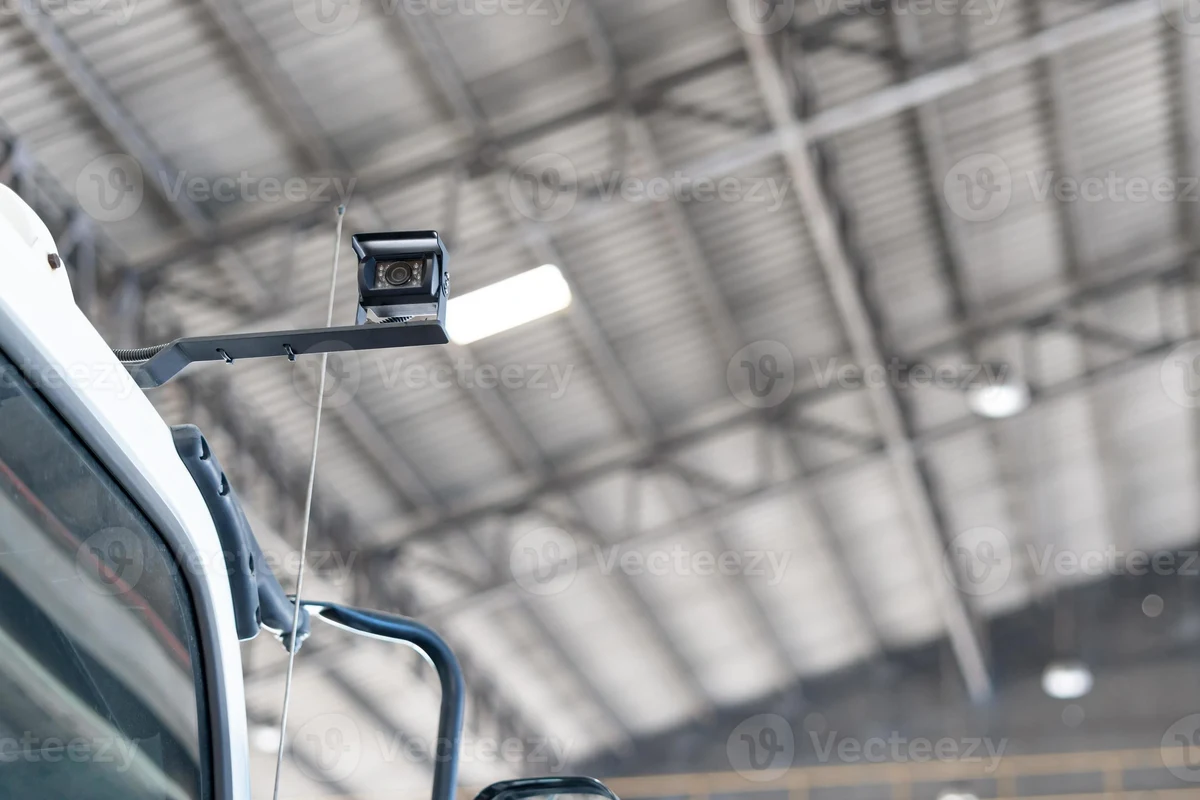
A security camera for car is most useful when you want evidence after an incident or extra protection while parked. For most drivers, a front dash cam with reliable night recording and parking mode is the smartest starting point.
A security camera for car is usually a dash cam, cabin camera, rear camera, or multi-camera parking system designed to record what happens while you drive and, in some setups, while the vehicle is parked. In 2026, the right choice depends less on “best overall” and more on whether you need evidence after an incident, theft deterrence, rideshare documentation, or around-the-clock parking protection.
If you are already comparing dash cam options for car use, this guide helps you decide which camera style fits your driving, parking, and privacy needs before you buy.
- Best fit: Front dash cams suit most commuters, while interior or multi-camera setups fit rideshare and.
- Most important features: Night clarity, parking mode, loop recording, and dependable storage matter more than flashy specs.
- Buy smart: Heat resistance, warranty coverage, and installation quality are critical for long-term reliability.
- Know the limits: No camera covers every angle, so placement and settings affect real-world usefulness.
Security Camera for Car: What It Is and Whether You Need One in 2026

The short answer: most drivers do not need a full surveillance setup, but many do benefit from at least a front-facing dash cam with parking mode. If you park on the street, commute in busy traffic, drive for rideshare, or manage several vehicles, a car security camera can provide useful video evidence and a stronger sense of accountability.
Quick answer: the best use cases for dash-style security cameras, parking monitors, and cabin cameras
Dash-style cameras are best for recording traffic incidents, hit-and-runs, and insurance disputes. Parking monitors make more sense if your car is often unattended in public spaces, while cabin cameras are especially useful for rideshare drivers, family monitoring, or fleet accountability.
Who benefits most: commuters, rideshare drivers, families, fleet owners, and parked-car protection seekers
Commuters often want simple front coverage and automatic recording. Rideshare drivers usually need both exterior and interior views, families may prefer a rear or cabin angle for context, and fleet owners often benefit from systems that support multiple cameras and easier file management. If your main concern is parking lot damage, motion-triggered parking mode matters more than flashy resolution claims.
How a Security Camera for Car Works: Key Types, Features, and Core Differences
Most car security cameras record continuously while driving, then either loop over older files or save protected clips when a sensor detects impact. Better systems also keep recording in a low-power parking mode, though that often requires a hardwired power connection or a dedicated battery pack.
Dash cam vs. interior camera vs. rear camera vs. 360-degree parking surveillance
A dash cam faces forward and captures what the driver sees. An interior camera points into the cabin, which is useful for rideshare, taxi, or family documentation. A rear camera helps capture tailgating, backing incidents, and parking impacts, while 360-degree parking surveillance uses multiple lenses to create wider coverage around the vehicle.
| Option | Best For | Key Consideration |
|---|---|---|
| Front dash cam | Daily driving and accident evidence | May miss what happens behind or inside the car |
| Interior camera | Rideshare and passenger monitoring | Privacy settings matter more than extra resolution |
| Rear camera | Rear-end claims and parking incidents | Needs good mounting and rear visibility |
| 360-degree system | Maximum coverage | More expensive and more complex to install |
Essential features to compare: resolution, night vision, wide-angle view, loop recording, G-sensor, and parking mode
Resolution affects how much detail is visible in plates, signs, and faces, but it is not the only factor that matters. Night vision, wide-angle coverage, loop recording, and a G-sensor that saves impact clips are all important, and parking mode is often the feature that separates basic recording from true security use.
- Prioritize image clarity in low light over marketing claims about ultra-high resolution.
- Look for a wide field of view that captures lanes and sidewalks without excessive distortion.
- Make sure loop recording is easy to manage so the card does not stop recording unexpectedly.
Connectivity and storage: microSD cards, app control, cloud backup, and battery or hardwire power options
Most car security cameras store footage on a microSD card, so card quality and capacity matter. App control can make it easier to review clips, while cloud backup may help if the camera is stolen or damaged. For power, a battery-powered unit is simpler to install, but hardwiring is usually better for parking mode because it can keep the camera active when the ignition is off.
Parking mode, cloud features, and hardwire kits vary widely by brand and vehicle. Always confirm compatibility with your car’s electrical system and the camera’s power requirements before buying.
What to Look For Before You Buy: Decision Criteria, Budget, and New-vs-Used Considerations
The best purchase is not always the most expensive one. A sensible buying decision balances build quality, heat resistance, recording reliability, installation cost, and how much evidence you actually need in daily driving.
Build quality, heat resistance, and reliability in real-world vehicle conditions
Cars expose electronics to heat, vibration, sun, and cold starts. That is why a security camera for car should have a reputation for stable operation in high cabin temperatures, secure mounting, and dependable file saving after sudden power loss or impact.
Interior cabin temperatures can rise quickly in parked vehicles, so heat tolerance is one of the most important long-term reliability factors for in-car electronics.
Budget tiers and value: entry-level, midrange, and premium security camera setups
Entry-level cameras often cover the basics: front recording, loop storage, and simple app access. Midrange setups usually add better night performance, stronger parking mode support, and improved sensors. Premium systems are most useful when you want front, rear, and interior coverage with more advanced connectivity or fleet-style management.
New vs. used: when it makes sense, what to inspect, and why warranty matters
Used cameras can be tempting, but they are harder to trust because storage cards, mounts, batteries, and firmware support may already be compromised. If you consider a used unit, inspect the lens, mount, cables, app support, and return policy carefully. Warranty matters because a camera that fails in heat or during parking mode is not very useful when you actually need it.
- Vehicle history, mileage, and title status are not relevant here, but camera condition and accessory completeness are.
- Confirm warranty coverage, return policy, and compatibility with your vehicle and power setup.
- Check whether the microSD card, hardwire kit, and rear camera are included or sold separately.
Installation cost, hardwiring basics, and whether professional setup is worth it
Simple plug-in cameras are often easy enough for many owners to install themselves. Hardwiring is more involved because it taps into the fuse box or a dedicated power source, which can support parking mode but may be worth paying for if you are not comfortable working around vehicle electrical systems. Professional setup can be a good choice when the camera has multiple channels or you want a cleaner cable run.
Best Features for Safety, Evidence, and Everyday Protection
A good car security camera should help you document events clearly enough to support a claim, a report, or a conversation with law enforcement or an insurer. It should also work quietly in the background without becoming another distraction in the cabin.
How security cameras help with theft deterrence, hit-and-run evidence, and parking lot incidents
Visible cameras can discourage casual theft or vandalism, even if they do not stop determined criminals. More importantly, recorded footage can help identify when and how a hit-and-run happened, whether a door ding occurred in a parking lot, or whether another driver caused damage while you were away.
Image quality in low light and motion detection performance in real-world situations
Low-light performance matters because many incidents happen at night, in garages, or under streetlights. Motion detection can help save storage and capture activity while parked, but it should be tuned carefully so passing traffic, rain, or tree shadows do not trigger constant false alerts.
Audio recording, privacy settings, and legal considerations for in-car recording
Audio recording can add context to an incident, but privacy rules vary by state and situation. Some places require consent for audio recording, especially if passengers are involved. Before relying on audio, review local laws and use privacy settings thoughtfully, particularly in rideshare or family-use vehicles.
Do not assume audio recording is legal everywhere or in every situation. Check local recording and consent rules before using a cabin camera with sound.
Setup and Use Guide: How to Install and Run a Car Security Camera Correctly
Even a good camera can underperform if it is mounted poorly or configured badly. Clean installation and sensible settings are what make the footage useful when something actually happens.
Mounting position, cable routing, and power source setup for clean operation
Mount the camera where it has a clear view of the road without blocking your line of sight. Route cables so they do not hang near pedals, mirrors, airbags, or the steering wheel. If you use a hardwire kit, follow the manufacturer’s instructions and make sure the power source is appropriate for parking mode and your vehicle’s electrical system.
Position the camera so it captures the lanes, not just the hood or dashboard.
Keep wiring away from airbags and driver controls, and secure loose sections.
Verify that the camera turns on, shuts down, and enters parking mode as expected.
Configuring parking mode, sensitivity settings, and recording length
Parking mode should be sensitive enough to catch real impacts but not so sensitive that every vibration creates a locked file. Recording length also matters: too short, and you miss context; too long, and storage fills up faster than expected. Start with moderate settings and adjust after checking how the camera behaves in your parking environment.
How to test footage, verify storage, and confirm the camera is capturing reliably
After installation, review a few test clips in daylight and at night if possible. Confirm that timestamps are correct, the microSD card is recognized, and the camera saves emergency clips properly. If the app or screen shows errors, resolve them before you depend on the unit for protection.
Format the memory card in the camera itself when the manufacturer recommends it, and recheck clip playback after any firmware update or card replacement.
Common Mistakes, Limitations, and Safety Notes
Most problems with a security camera for car come from installation, storage, or unrealistic expectations. Knowing the limitations upfront helps you avoid buying a system that looks good on paper but fails in daily use.
Placement errors that reduce visibility or interfere with driving
Mounting too low, too high, or behind tinted areas can reduce clarity. Poor placement can also block the camera’s view of traffic signals, road signs, or the rear cabin. The goal is to capture useful context without creating a new distraction for the driver.
Storage failures, overheating, false triggers, and drained batteries
Cheap or worn-out memory cards can corrupt footage, especially in hot weather or when parking mode is used often. Overheating may cause shutdowns, while overly sensitive motion settings can fill the card with useless clips. Hardwired parking mode can also drain a weak battery if the cutoff voltage is not configured properly.
Limitations to understand: blind spots, weather exposure, and evidence gaps
No camera sees everything. Pillars, glare, rain, snow, and darkness can all hide details. Even a good system may miss the exact moment of contact if the angle is wrong or the event happens outside the field of view, so it is better to think of the camera as evidence support, not perfect protection.
Safe use reminders: driver distraction, legal mounting rules, and privacy awareness
Keep the display and app use minimal while driving. Follow local rules for windshield mounting and avoid placing hardware where it blocks the road view. If passengers are recorded, be transparent when appropriate and respect privacy expectations and legal requirements.
- Mount the camera securely and keep cables out of the way.
- Use a high-quality memory card rated for continuous recording.
- Check local laws on audio and video recording.
- Do not block your windshield view or airbag deployment zones.
- Do not rely on a cheap or failing card for critical footage.
- Do not ignore overheating or repeated file errors.
Care, Cleaning, and Maintenance for Long-Term Performance
A car security camera needs light but regular upkeep. Small maintenance habits can make a big difference in whether the footage is usable months later or only after something goes wrong.
Keeping lenses clean, checking mounts, and replacing worn cables or cards
Dust, fingerprints, and windshield haze can reduce image quality more than many buyers expect. Wipe the lens gently, check that the mount still grips firmly, and replace cables or cards that show wear, intermittent power, or corrupted files.
Firmware updates, format routines, and seasonal care for hot or cold climates
Firmware updates may improve stability, app compatibility, or parking behavior. Many manufacturers also recommend periodic card formatting to keep recording reliable. In extreme heat or cold, inspect the camera more often and watch for shutdowns, delayed startup, or condensation around the lens.
When to troubleshoot vs. replace the unit
Troubleshoot first if the issue is a loose cable, a full card, or a settings problem. Replacement makes more sense when the camera repeatedly overheats, loses files, fails to power on reliably, or no longer receives software support.
Final Recommendation: Which Security Camera for Car Makes the Most Sense for Your Needs
The best choice depends on how you use your vehicle. For most everyday drivers, a front-facing dash cam with solid night performance and parking mode is the most practical starting point. For rideshare, family documentation, or fleet use, a camera with an interior view or multi-channel coverage is usually worth the extra complexity.
A simple front dash cam is often enough for accident evidence, especially if you park in low-risk areas and want a low-maintenance setup.
Interior or multi-camera systems make more sense when you need broader coverage, stronger accountability, or parking protection.
My Best Car Dealer’s editorial verdict is straightforward: buy the least complicated camera that solves your actual problem, then spend more only if you truly need parking surveillance, cabin coverage, or multi-angle recording. If you are still comparing system types, it can also help to review a dedicated dash cam with parking mode guide or a broader front and rear dash cam comparison before deciding.
A security camera for car is a smart purchase when your main goal is evidence, deterrence, or parking protection, but only if you choose the right camera type and install it correctly. For most drivers, a reliable front dash cam is the best balance of cost and usefulness, while multi-camera or cabin-focused systems are better for rideshare, fleet, and high-risk parking situations.
Common Questions
If you park in public or shared spaces often, parking mode can be very useful. If your car stays in a private garage, it may be less necessary.
Yes, a front dash cam is enough for many everyday drivers. It usually covers accident evidence and basic protection without adding much complexity.
Good sensor performance and night visibility matter more than resolution alone. A camera that records clearly after dark is usually more useful than one with a bigger number on the box.
Usually only if it is from a trusted seller and includes a return policy. Used cameras can have worn mounts, batteries, or storage issues.
Not always. Simple plug-in cameras are often easy to install, but hardwired parking-mode setups can be worth professional help.
Frequently Asked Questions
For most drivers, a front-facing dash cam is the simplest and most useful option. If you need parking protection or passenger coverage, a parking-mode system or interior camera may be a better fit.
Focus on night vision, loop recording, parking mode, wide-angle coverage, and reliable storage. Those features usually matter more in real-world use than marketing claims about maximum resolution.
Keep the lens clean, check the mount, and replace worn memory cards or cables when needed. It also helps to format the card when the manufacturer recommends it.
Not always. A higher price can bring better coverage or parking features, but the best choice depends on how you actually use your vehicle.
Blind spots, glare, weather, and poor mounting can all reduce footage quality. Even a good camera cannot capture every angle or every moment.
Check that it records correctly, saves emergency clips, and keeps the correct timestamp. If the camera has audio recording, confirm local privacy and consent rules first.