
Rear view camera backup systems help you reverse safely with a clear video view.
As a tech who has installed and tested hundreds of systems, I know what works in real driveways and tight parking lots. This guide breaks down rear view camera backup options, features, setup, and best practices. You will learn how to choose, install, and trust a rear view camera backup that fits your car and your budget.

What Is a Rear View Camera Backup and How It Works
A rear view camera backup system shows a live video feed of what sits behind your car. It turns on when you shift into reverse. The camera sits near the license plate or trunk handle. The image shows on the factory screen, a mirror display, or a dash unit.
Here is what happens in simple steps:
- The reverse gear powers the camera and the display.
- A wide-angle lens captures the rear view zone.
- The system overlays guide lines so you can steer with confidence.
- Some systems add sensors or alerts to warn about obstacles.
Most factory cars now include a rear view camera backup by default. Aftermarket kits can match that quality when you pick the right parts.
Why It Matters: Key Benefits and Real-World Safety Data
A rear view camera backup reduces blind zones that mirrors miss. It helps you spot small kids, pets, curbs, and poles. You park faster and with less stress. Drivers report fewer bumper scrapes and better awareness in rain or at night.
Safety data backs this up. Federal crash reports show many backover injuries happen at low speeds in driveways. Insurance tests find that cameras and sensors lower backing crashes in real use. These gains grow when you pair a rear view camera backup with good habits like a quick walk-around and slow reversing.
Types of Rear View Camera Backup Systems
You can set up a rear view camera backup in several ways. Choose based on your car, your screen, and your budget.
- Factory-integrated systems: Built into newer cars. Clean look. Use the car’s screen and buttons.
- Aftermarket head unit with camera: Great if you want CarPlay or Android Auto too.
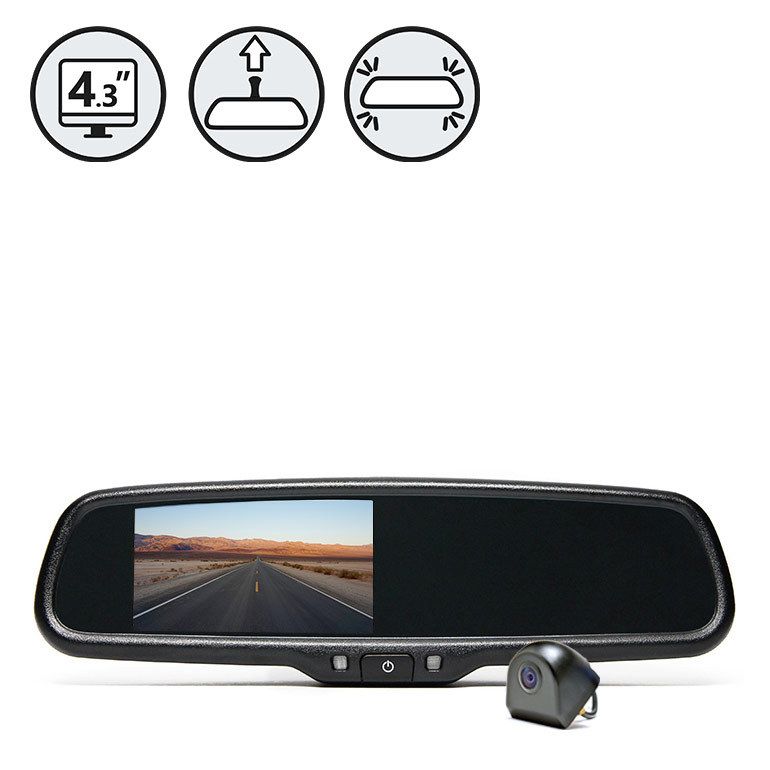
- Mirror monitor kits: Mirror replaces your stock mirror and acts as the screen. Simple and stealthy.
- Standalone dash displays: A small display mounts on the dash. Flexible for older cars.
- Wireless camera kits: Faster install. No video cable to run, but watch for signal quality.
Each type can work well if you match the parts. Wired systems give the most stable image. Wireless systems save time and labor.
Must-Have Features and Specs to Compare
Look for features that make daily driving easy. Match them to your roads, weather, and parking spots.
- Field of view: Aim for 140–170 degrees. Wide enough to see cross-traffic, not so wide that lines distort too much.
- Resolution: 720p or 1080p is clear for plates and curbs. A crisp image speeds your decisions.
- Low-light performance: Larger sensor, F1.8 to F2.0 lens, and WDR or HDR help at night.
- Waterproof rating: IP67 or IP68 resists rain and car washes.
- Guide lines: Static lines help distance. Dynamic lines turn with the wheel on supported cars.
- Mount style: License plate frame, flush-mount, or OEM handle mount. Pick what fits your car.
- Connection: RCA video for most aftermarket. OEM camera adapters if keeping a factory screen.
- Extra safety: Parking sensors, cross-traffic alerts, or an auto brake if your car supports it.
- Recording option: Some systems add a DVR channel to capture events while you back up.
- Power-up behavior: Fast boot is key. A slow camera can miss a moving hazard.
A rear view camera backup that nails low-light, weather sealing, and a fast start is worth it. Clear images mean less guesswork.
Installation Guide: DIY Steps and Pro Tips
You can install a rear view camera backup at home with basic tools. Take your time. Protect your car’s trim.
- Plan the route: Map a clean path for video and power wires. Avoid moving parts and heat.
- Mount the camera: Use the license plate bracket or a flush hole if the kit includes one. Seal edges to block water.
- Run the video cable: Tuck it under trim to the dash or mirror display. Use trim tools to avoid marks.
- Tap reverse power: Use the reverse light wire for the camera trigger. Confirm with a test light or meter.
- Connect the display: RCA to the head unit or mirror monitor. Secure all plugs with tape or clips.
- Test before closing: Shift to reverse. Check image, lines, and night view. Adjust the tilt.
- Button up: Reinstall trim. Make sure wires do not rattle.
Pro tips from the field:
- Aim the camera slightly down so the bumper edge shows. That visual anchor helps judge inches.
- Do not power a camera from weak accessory circuits. Use clean, fused power and the reverse trigger.
- On wireless kits, keep transmitter and receiver away from thick metal for better signal.
If you feel stuck, a pro can wire and code the system fast. It is often affordable and clean.
Setup, Calibration, and Daily Use
Setup is simple once installed. A good rear view camera backup should feel natural within a day.
- Calibrate lines: Many kits let you nudge lines in the menu. Align the red line near the bumper edge.
- Tune brightness: Set the image so you can see shadows without blowing out highlights.
- Practice: Try a few parking drills in daylight, then at night. Learn your car’s true stopping point.
- Pair with mirrors: Use the camera for depth and mirrors for side clearance. Layer your view.
Daily habits that help:
- Pause one second before moving. Let the image load fully.
- Keep the lens clean. A quick wipe can double your clarity.
- Reverse slow and smooth. Camera plus patience beats speed every time.
Source: caranddriver.com
Legal, Privacy, and Weather Considerations
A rear view camera backup is legal across the US, and most new cars include one. Some states have rules on plate visibility and added lights. Do not block your plate. Avoid bright LEDs that can blind others.
Privacy is simple here. Rear cameras only show public space. If your system records, store clips on a private card and follow local rules.
Weather tips:
- In rain or snow, water beads can blur the image. A hydrophobic lens film helps.
- In cold weather, frost can hide the lens. Warm the car a minute or brush it clean.
- In bright sun, HDR helps with glare. A small visor lip above the camera can also help.
Source: amazon.com
Maintenance, Troubleshooting, and Common Fixes
Keep your rear view camera backup in top shape with light care.
- Clean the lens weekly. Use glass cleaner and a soft cloth.
- Check cables at oil-change time. Look for wear or loose plugs.
- Update firmware if your head unit supports it.
Quick fixes:
- No image when reversing: Check the reverse light fuse and trigger wire.
- Flicker or rolling lines: Secure the ground. Try a better ground point.
- Grainy at night: Clean the lens. If still bad, aim slightly down and reduce screen brightness.
- Interference on wireless: Move the receiver away from the car’s Wi‑Fi or dash cam. Consider a shielded power line.
If problems persist, a wired connection often solves tricky issues on older cars.
Best Practices, Mistakes to Avoid, and My Field Notes
From years on the install bench and road tests, here is what I have learned.
Do this:
- Show your bumper edge in frame. It builds trust in distance calls.
- Use a rear view camera backup with at least 140-degree view and WDR. It pays off at dusk.
- Test in the real spots you use daily. Garages, tight alleys, school pick-up lines.
Avoid this:
- Do not rely only on lines. Check mirrors and look back when safe.
- Do not mount off-center unless the car design requires it. Off-center angles skew depth.
- Do not skip the reverse trigger. Manual switching defeats the point.
Field note:
- The biggest win I see is fewer “mystery dings.” A clear rear view camera backup helps you see the trash bin, the low post, and that quick scooter behind you. That peace of mind is why I recommend it, even for confident drivers.
Frequently Asked Questions of rear view camera backup
Do I need a rear view camera backup if I have parking sensors?
Yes. Sensors beep, but they do not show what the object is. A rear view camera backup gives you context and distance so you can act faster.
Is a wired or wireless rear view camera backup better?
Wired is more stable and clear. Wireless is faster to install. If you have heavy interference, go wired.
Can I add a rear view camera backup to any car?
Almost any car can use one. You only need a power source, a mount point, and a display method.
How much does a rear view camera backup install cost?
DIY parts can run from $60 to $250. Professional installs often range from $150 to $400 depending on the car.
Will a rear view camera backup work at night?
Yes, if it has good low-light hardware. Look for WDR or HDR and a fast lens rating.
Do dynamic guide lines require special hardware?
Yes. The car must provide steering data to the display. Some adapters add this; others rely on the factory system.
Can I use the rear view camera backup while driving forward to check a trailer?
Some head units allow a manual camera view. Use it only when safe and legal, and keep attention on the road.
Conclusion
A rear view camera backup turns tight reversing from guesswork into a calm routine. Pick the right lens, a solid mount, and a stable power path. Set your lines, clean the lens, and practice in your real world spots.
If you are ready to add one, start by matching the camera to your display, then choose high low-light performance and weather sealing. Want more help? Subscribe for step-by-step guides, ask a question in the comments, or share your setup so others can learn from it.